Clawy
Clawy is an interactive JRPG-style desktop companion for Claude Code sessions that runs on an M5StickC Plus 2. It utilizes Claude Code hooks to provide real-time visual feedback, session statistics, and physical hardware controls for approving AI tool executions via a local WiFi connection.
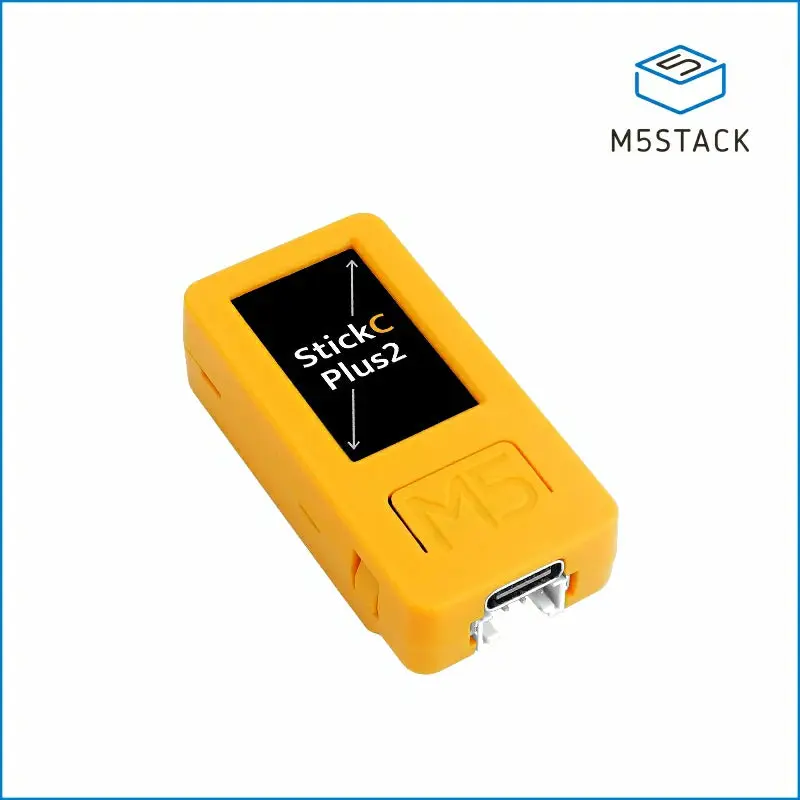
Meet Clawy: Your AI Development Sidekick
Clawy is a “cute pixel companion” designed to sit on your desk and monitor your Claude Code sessions. It turns the often-dry process of terminal-based AI coding into an interactive, JRPG-inspired experience. Built for the M5StickC Plus 2, Clawy acts as a bridge between your physical workspace and your digital agent, providing a tactile and visual layer to your development workflow.
Bringing Claude Code to Life
The project leverages the native hooks system in Claude Code. Hooks are event-driven triggers that execute at specific stages of an agentic session—such as before a tool is used, when a prompt is submitted, or when a response is finished. Clawy’s hook scripts capture these events and transmit them over your local network to the M5StickC device.
This integration allows Clawy to reflect exactly what Claude is doing in real-time. The firmware includes eight distinct animated states that give you an at-a-glance status update:
- READY: Idle with twinkling stars when the session starts.
- WORKING: Thinking with flowing waves when you send a prompt.
- TOOL: Running with speed lines when Claude uses tools like Read, Edit, or Bash.
- INPUT: A curious pulsing glow when Claude asks a question.
- APPROVE: Alert lines when the AI needs permission to proceed.
- DONE: Jumping with confetti when a task is finished.
- ERROR: A dizzy screen shake if a tool call fails.
- SLEEPING: Curled up with fireflies after 30 seconds of inactivity.
Tactile Control and Physical Interaction
Beyond just being a display, Clawy is a functional interface. When Claude Code requires user approval for a sensitive operation (like running a bash command), you don’t need to touch your keyboard. You can use the physical buttons on the M5StickC Plus 2 hardware:
- Button A: Approve permission requests or skip the boot animation.
- Button B: Deny permission requests or toggle the session statistics screen.
The stats screen provides a quick glance at your session’s health, including the number of prompts, tool calls, errors, and the average response time. This turns a standard coding session into something resembling a co-op game, where you and your AI partner work together through a physical interface.
Technical Architecture
Clawy is built on the ESP32-PICO architecture using the Arduino framework. It relies heavily on the M5Unified and M5GFX libraries for hardware abstraction, ensuring smooth display rendering and responsive button handling. Connectivity is handled via WiFi, with mDNS discovery allowing the device to be reached at clawy.local automatically, removing the need for manual IP configuration.
For users, there are two primary ways to get started. The recommended path is a web-based flasher that allows installation directly from a browser (Chrome or Edge) over USB. For developers who want to customize the behavior, the project supports building from source using the Arduino CLI, targeting the m5stack:esp32:m5stack_stickc_plus2 board.
Privacy and Security
One of the standout features of Clawy is its commitment to local execution. There is no cloud component and no external server involved in the communication between your computer and the device. Data stays on your local network, sent via plain TCP. While this means it is intended for use on trusted networks, the developer has planned future updates to include token-based authentication for the approval port to further harden the system.
The Road Ahead
The project is actively evolving, with an ambitious roadmap that includes sound effects via the built-in buzzer (for approval alerts and completion chimes), OTA (Over-The-Air) firmware updates, and even “leveling up” mechanics where lifetime stats unlock new animations. There is also potential for voice input using the M5StickC’s built-in microphone, which could eventually allow for local transcription and a completely hands-free interaction with Claude Code.
Related Projects
DeskPet
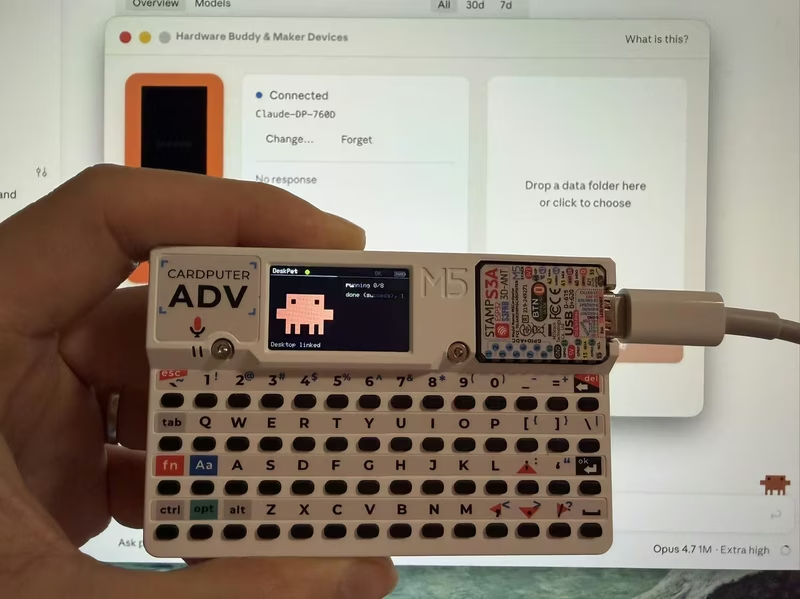
DeskPet is a pixel-art companion for the M5Stack Cardputer that synchronizes with Claude Code sessions via Bluetooth Low Energy. Built on the ESP32-S3 using the Arduino framework and NimBLE, it provides real-time visual feedback on AI agent states, including task progress, token usage, and permission approvals directly from the device's keyboard.
Oh My Clawd
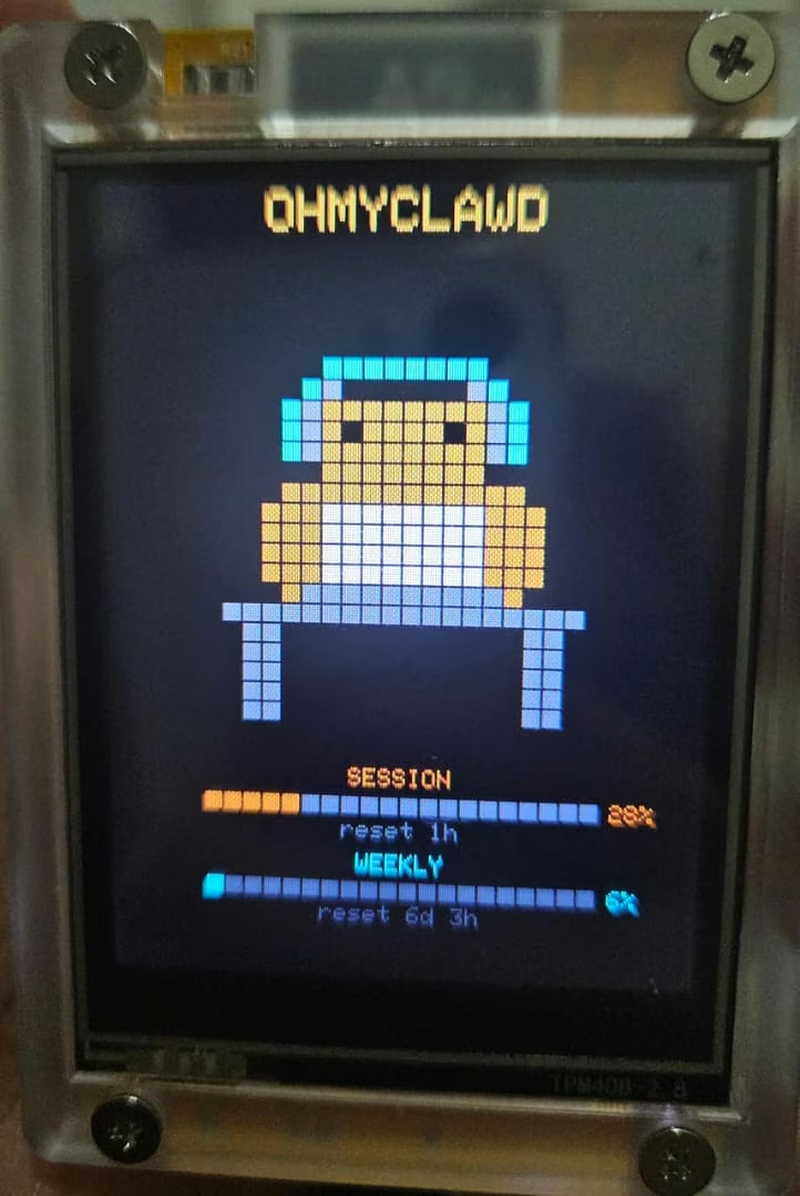
A real-time monitoring tool for Claude Code usage, designed for the ESP32-2432S028R (CYD) hardware. The project uses a Go-based daemon to track Anthropic API rate limits and displays animated pixel art sprites that react to the user's coding activity.
Clawdmeter
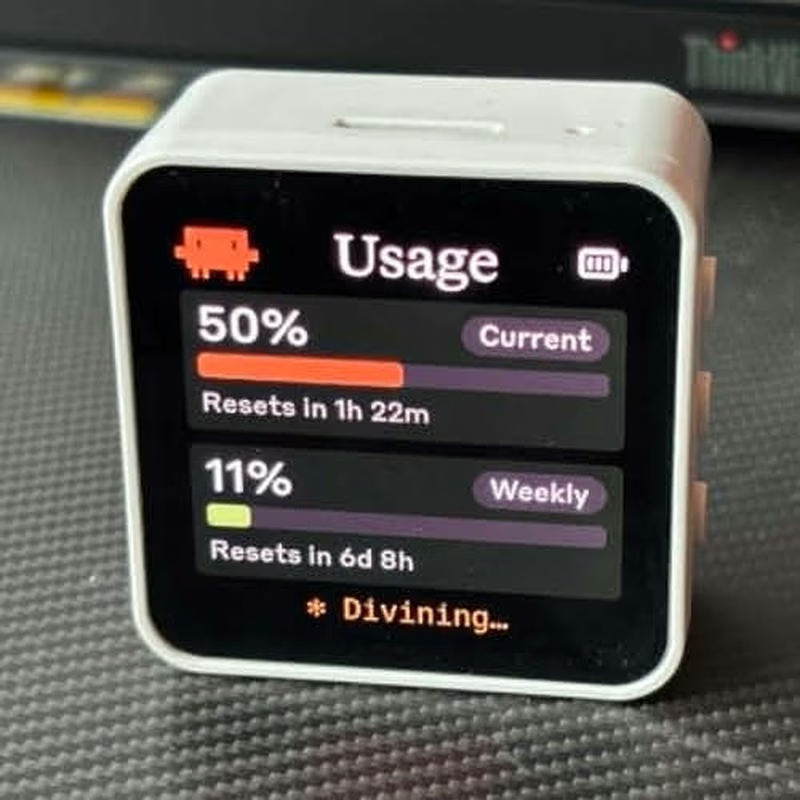
Clawdmeter is an ESP32-S3-powered desk dashboard that monitors Claude Code token usage and displays it on a 2.16" AMOLED screen. It uses the LVGL library for its high-resolution UI and the NimBLE stack to communicate with a host daemon via BLE, while also functioning as a HID keyboard for shortcuts. The project features dynamic pixel-art animations that react to real-time API utilization rates.
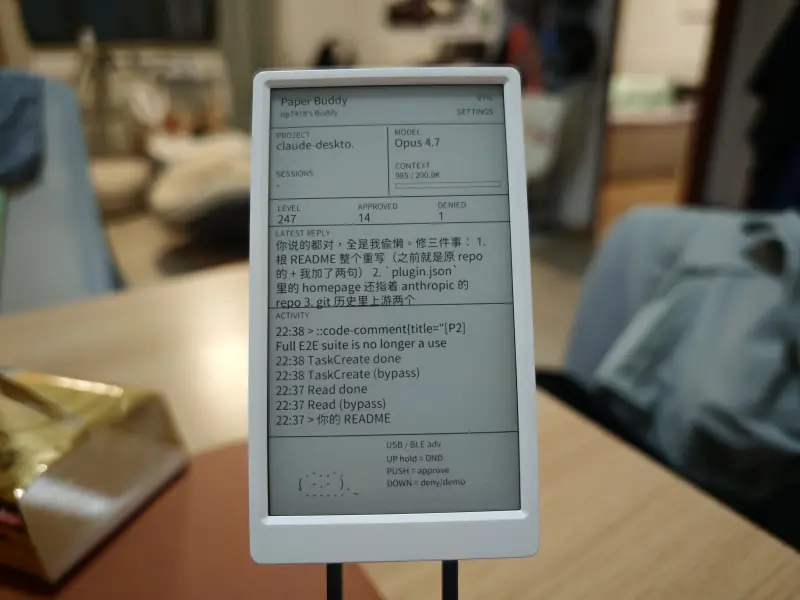
M5Paper Buddy
A physical companion device for the Claude Code AI assistant, utilizing the M5Paper V1.1 e-ink display. It features real-time session mirroring, hardware-based tool approval, and touch-screen interactions powered by ESP32 and a Python-based daemon.
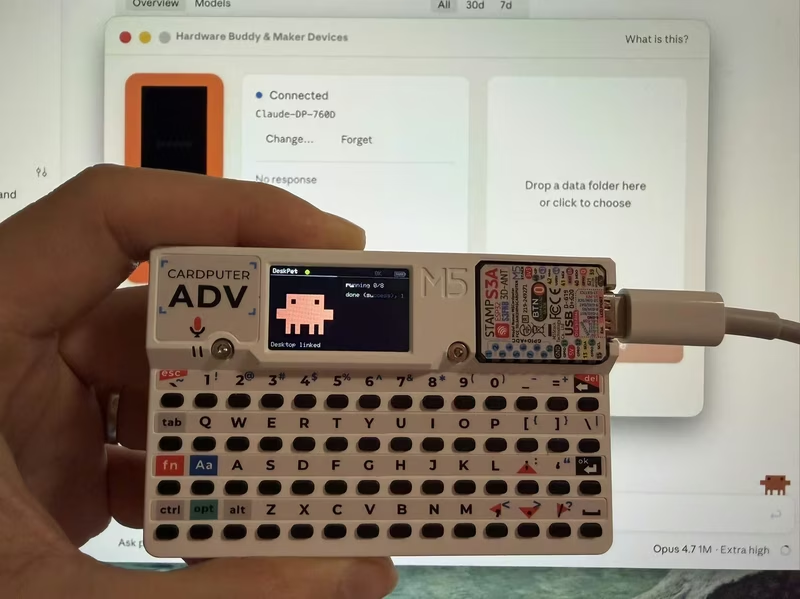
DeskPet for M5Stack Cardputer
DeskPet is a pixel-art companion for the M5Stack Cardputer that synchronizes with Claude Code sessions via Bluetooth Low Energy (BLE). Built on the ESP32-S3 using the NimBLE stack and ArduinoJson, it provides real-time visual feedback and hardware-based command approval for AI agent workflows.
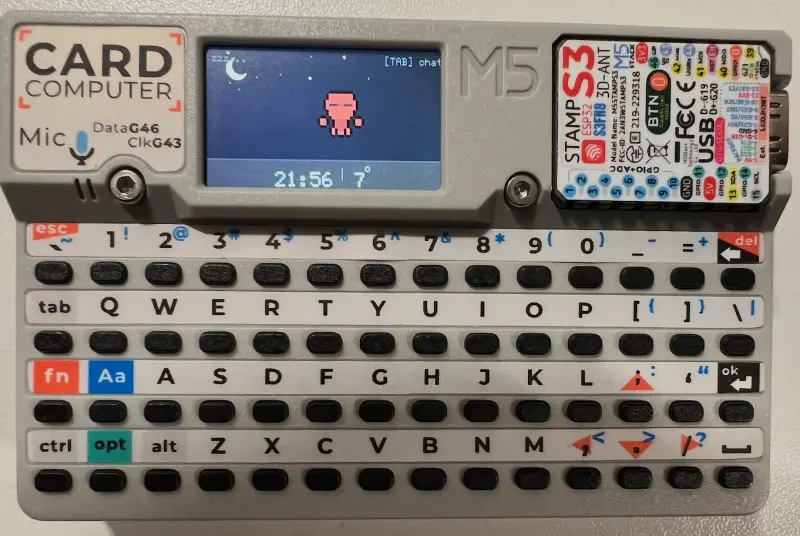
ClawPuter
ClawPuter is an interactive pixel-art desktop companion for the M5Stack Cardputer (ESP32-S3) featuring a lobster character with rich animations and real-time weather integration. It leverages the OpenClaw AI gateway for streaming chat, voice-to-text via Groq Whisper, and bidirectional synchronization with a macOS desktop app.