QBIT
QBIT is an open-source desktop companion robot and personal IoT avatar based on the ESP32-C3. It features a custom monochrome animation system, integrated Wi-Fi management via NetWizard, and seamless Home Assistant integration through MQTT. The project includes a full-stack web platform for remote interaction, device claiming, and community animation sharing.
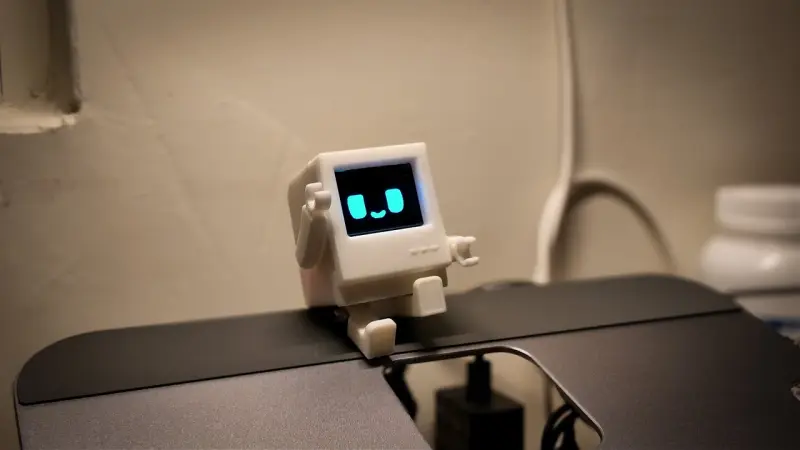
QBIT is a retro-styled robot desk companion designed to act as a personal IoT avatar. Functioning much like a modern BB call, it connects to a centralized network allowing users to interact with one another through “pokes” and text messages. When not actively communicating, the device displays random expressions that reflect its current mood, creating a lively presence on any workspace.
Core Features and Interaction
The heart of the experience is the QBIT Network, an interactive ecosystem where devices are visualized as nodes on a real-time graph. Users can browse this network to see other online robots and send short text messages. These “pokes” are rendered as bitmaps on the web server before being sent to the device, allowing the monochrome OLED to display complex scripts including CJK characters and emojis without needing heavy font files stored locally.
On the device itself, QBIT provides a variety of utilities accessible via a touch sensor. Double-tapping the sensor reveals the current time and date, while further taps allow users to cycle through notification history. The UI is structured into several modules, including a countdown timer, simple games like T-Rex Runner and Flappy Bird, and a settings menu for toggling sounds, inverting display colors, or flipping the screen orientation.
Hardware Architecture
The project is built around the ESP32-C3 Super Mini, a compact MCU that provides the necessary Wi-Fi connectivity and processing power. The hardware stack is intentionally simple and accessible for hobbyists:
- MCU: ESP32-C3 (e.g., Seeed XIAO ESP32-C3).
- Display: SSD1306 128x64 I2C OLED (or SH1106 clones).
- Input: TTP223 capacitive touch module.
- Feedback: A passive buzzer driven via PWM (LEDC).
The electronics are housed in a custom 3D-printed enclosure. Wiring is straightforward, utilizing GPIO 20 and 21 for the I2C bus and GPIO 1 and 2 for the touch sensor and buzzer, respectively. These assignments are flexible and can be reconfigured through the local web dashboard.
Software and Web Ecosystem
QBIT features a robust software stack that spans from low-level firmware to a containerized web platform. Firmware management is simplified through a browser-based flasher, which handles the bootloader, partition table, and LittleFS filesystem image without requiring a local toolchain.
Once powered on, the device enters a captive portal mode for Wi-Fi configuration. After connecting to a local network, it hosts a dashboard at http://qbit.local. This dashboard allows users to manage files, adjust hardware settings, and even stream a camera feed directly to the OLED screen using a real-time dithering mode.
Custom Animation Format (.qgif)
To optimize playback on the 128x64 monochrome screen, the project uses a custom binary format called .qgif. This format stores 1-bit frames with per-frame delay values, ensuring smooth playback while minimizing storage impact. The repository includes a suite of Python tools for converting standard GIFs into .qgif files, as well as tools to embed these animations directly into the firmware as C headers for boot or idle sequences.
Home Automation and Self-Hosting
For power users, QBIT integrates deeply with Home Assistant via MQTT. It supports automatic discovery, exposing entities for connectivity status, local IP, mute toggles, and touch gestures. This allows the robot to act as a physical trigger for smart home routines—for instance, a long-press on the QBIT could trigger a “Good Night” scene in Home Assistant.
The entire web platform can be self-hosted using Docker Compose. The architecture consists of a Node.js backend using SQLite for data persistence and Socket.io for real-time updates, fronted by an Nginx container serving a React SPA. This setup provides complete control over the device network and messaging infrastructure.
Related Projects
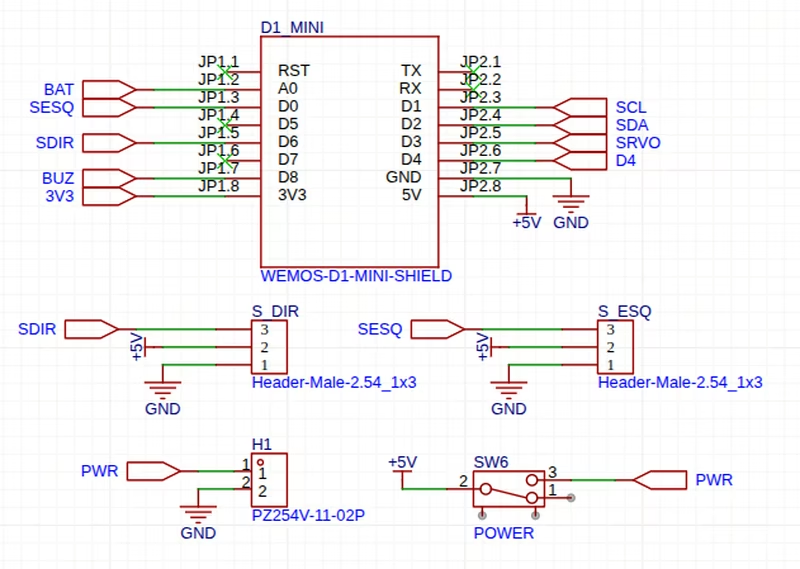
Open Decabot
An accessible, 3D-printed robotics platform powered by the ESP8266-based Wemos D1 Mini. It features Wi-Fi and ESP-NOW connectivity for remote control, uses continuous rotation servos for locomotion, and integrates LED matrix displays for visual feedback and sensor data visualization.
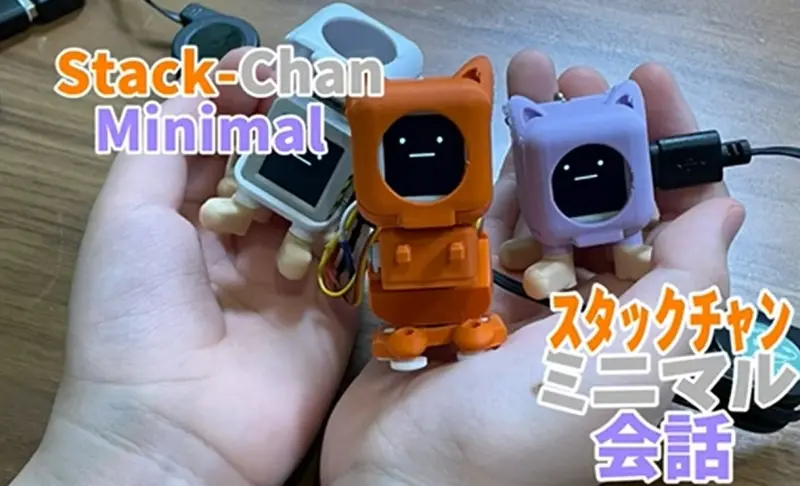
StackChan Minimal
An AI companion robot project for the M5Stack AtomS3R that connects an ESP32-based body to local AI services. It supports speech recognition, local LLM chat, and text-to-speech integration while providing a hardware interface for sensors and servos.
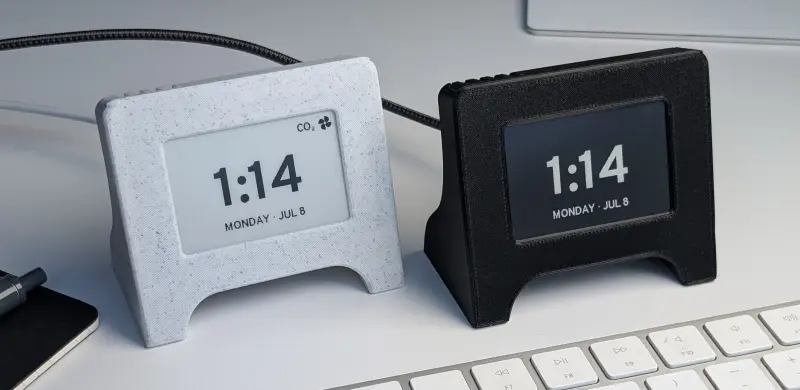
Bitclock
An open-source e-ink desk companion, clock, and air quality monitor based on the ESP32. It utilizes the ESP-IDF framework for firmware and includes a custom PCB, 3D-printable enclosure, and a web-based configuration tool.
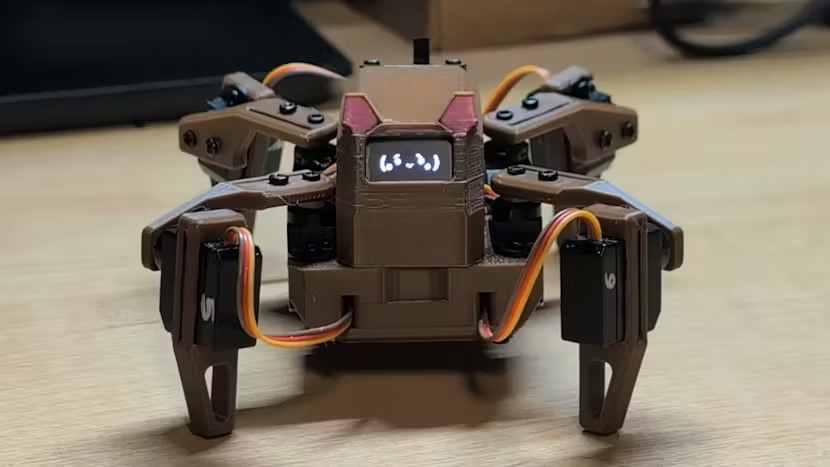
Sesame Robot Micro
A compact robotics platform featuring firmware for motor control and a Wi-Fi bridge. It utilizes an ESP32-C6 for wireless connectivity and a main board for servo-driven animations and OLED face rendering. The project supports various motion sequences, captive portal control, and optional BLE gamepad integration.