Intring
Intring is an ESP32-C3-based smart interactive ring that combines a trackball, air mouse, and gesture recognition. It utilizes FreeRTOS and TensorFlow Lite Micro for on-device motion processing and communicates via BLE HID to control AR/VR headsets, PCs, and mobile devices.
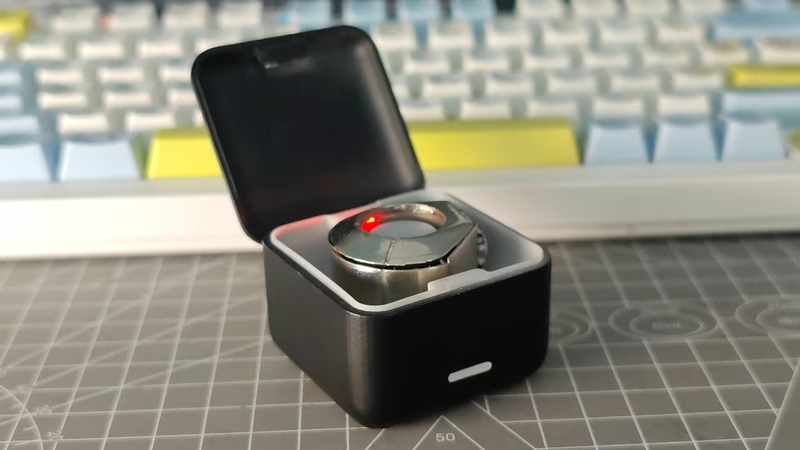
Intring is an innovative smart interactive ring project built around the ESP32-C3 microcontroller. It serves as a multi-functional input device, integrating a physical trackball, touch-sensitive keys, and sophisticated motion sensing to provide air mouse and gesture-based control. Designed for modern computing environments, it is particularly well-suited for AR/VR/MR glasses, tablets, and presentation control.
Project Overview
The core of the Intring project is the ESP32-C3, which manages communication via BLE HID and handles over-the-air (OTA) updates. The system is designed for efficiency, featuring low-power sleep modes and a dual OTA partition strategy (ota_0 and ota_1) to ensure reliable firmware updates. Beyond hardware, the project includes a comprehensive software stack for motion processing and gesture inference.
Getting Started
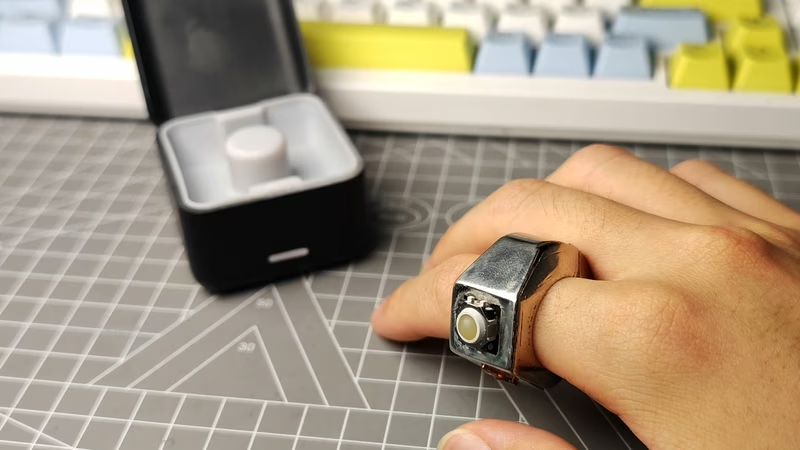
Initial setup requires a serial connection to flash the base firmware using the standard ESP-IDF toolchain. Once the initial firmware is flashed, the device supports wireless updates through a custom BLE OTA script. For users utilizing the air mouse functionality, a calibration process is necessary. By placing the ring on a flat surface and triggering the calibration sequence (long-pressing A and B keys), the internal IMU establishes a stable baseline for motion tracking.
System Architecture
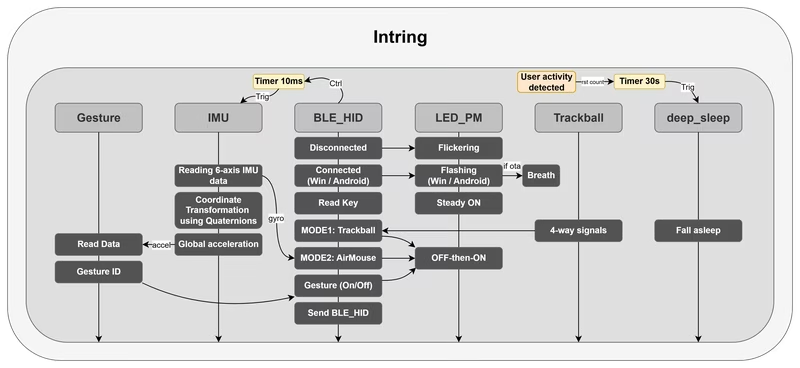
The software architecture is modular, leveraging the ESP-IDF framework and FreeRTOS for task management. The system is divided into functional blocks that handle specific hardware and logic requirements.
Key components include:
ble_hid: Manages the Bluetooth HID profile, key mapping, and LED status indicators.air_mouse: Calculates cursor displacement using IMU data with dynamic thresholding and filtering.gesture_detect: Performs real-time gesture inference using a quantized TensorFlow Lite Micro model.LSM6DS3TR: The driver for the 6-axis IMU, providing the raw data for both the air mouse and gesture engines.
Hardware Configuration
The project uses a specific GPIO layout for its various inputs. The trackball directions are mapped to GPIOs 3, 5, 6, and 7, while the center click is on GPIO 8. Two capacitive touch keys, A and B, are located on GPIO 4 and 2 respectively. Communication with the LSM6DS3TR IMU is handled via I2C on GPIO 18 (SDA) and GPIO 19 (SCL). All inputs are designed with pull-up logic and low-level triggers.
Functional Logic and Modes
Intring operates in several distinct modes that change how it interacts with the host device:
System Profiles
Users can switch between Windows and Android profiles by pressing A, B, and the trackball center simultaneously. This changes the HID key mappings and gesture responses to suit the target operating system. For instance, a “swipe left” gesture might decrease volume in Windows but skip to the previous track in Android.
Operational Modes
The device can toggle between Trackball mode and Air Mouse mode. In Trackball mode, movement is derived from the physical ball, while Air Mouse mode uses the IMU to translate hand orientation into cursor movement. Gesture recognition can also be toggled independently, allowing the device to consume gesture events even when not in air mouse mode.
Development and Customization Tools
For developers, the repository provides a suite of Python tools located in the tools/ directory. These include:
- OTA Upload: A script to push firmware updates over BLE.
- Data Collection: Tools to capture raw IMU data via serial or BLE for training new gesture models.
- Model Training: A pipeline to train neural networks and export them as C++ arrays compatible with the
esp-tflite-microcomponent.
This robust infrastructure allows users to not only replicate the project but also extend its capabilities by training custom gestures or refining the motion filtering algorithms.
Related Projects
AirMouseS3
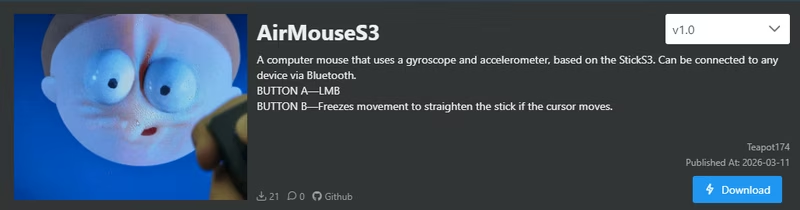
AirMouseS3 is an ESP32-S3 based gesture-controlled mouse that uses an onboard gyroscope and accelerometer to translate physical movement into cursor actions. Designed for the M5Stack StickS3, it utilizes the NimBLE library for Bluetooth HID connectivity and the M5Unified framework for hardware management.
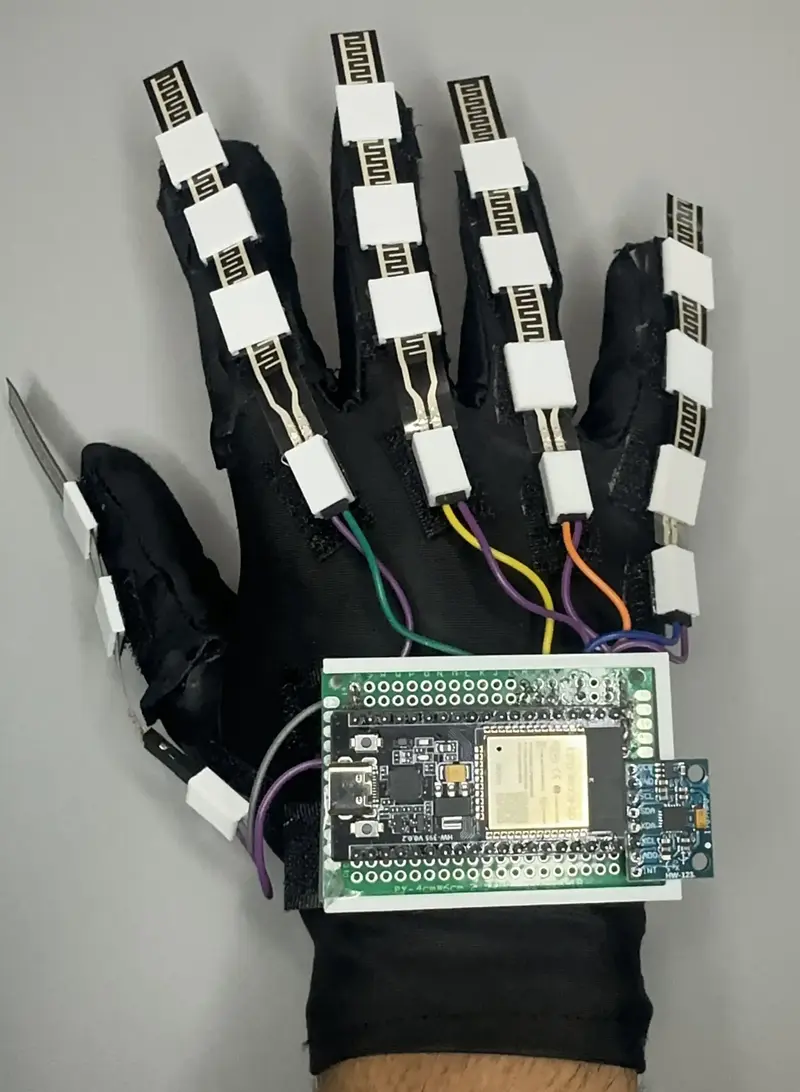
Smart Sign Language Glove Translator
An ESP32-powered wearable device that translates sign language gestures into spoken or text-based output. It utilizes a K-Nearest Neighbors (KNN) algorithm for real-time gesture classification and features a web-based 3D visualization tool built with Three.js.

Gesture-Detecting Macro Keyboard
A Bluetooth-enabled macro keyboard featuring gesture recognition powered by TensorFlow Lite for Microcontrollers on an ESP32. It combines capacitive touch sensors, physical buttons, and an OLED display to provide customizable computer control via BLE HID and AutoHotkey integration.