ESP32 SDL3 Swift Example
A graphical application example for ESP32 microcontrollers using the Swift 6.1 programming language and SDL3. It supports various Espressif SoCs including ESP32-C3, ESP32-C6, and ESP32-P4, utilizing ESP-IDF 5.4 and LittleFS for asset management.
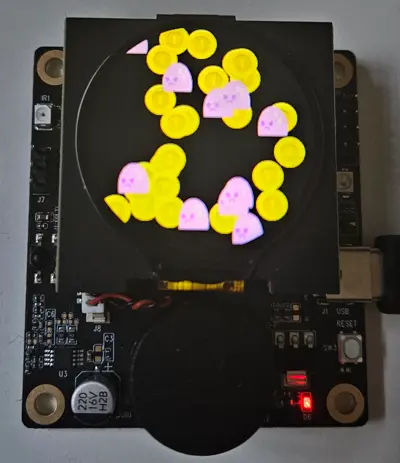
Overview
The ESP32 SDL3 Swift Example project demonstrates the capabilities of the Swift programming language in the embedded domain, specifically targeting Espressif’s ESP32 series of microcontrollers. By leveraging Swift 6.1 and the SDL3 (Simple DirectMedia Layer) library, this project provides a modern approach to developing graphical user interfaces and applications on resource-constrained hardware.
This repository serves as a practical template for developers looking to move beyond C/C++ for embedded application logic while maintaining the performance and hardware integration provided by the ESP-IDF (Espressif IoT Development Framework).
Hardware Support and Configuration
The project is designed to be portable across several modern ESP32 variants, with pre-configured build profiles for different development kits:
- ESP32-P4-Function-Ev-Board: Utilizing the high-performance ESP32-P4 SoC.
- ESP32-C3-LcdKit: A compact solution for RISC-V based graphical applications.
- ESP32-C6-DevKit: Demonstrating compatibility with the ESP32-C6, including SPI display configurations for ILI9341 drivers.
- Waveshare ESP32-C6-LCD-1.47: Support for specific third-party hardware with ST7789 display drivers.
Technical Implementation
The project integrates several key technologies to create a cohesive development environment:
- Swift 6.1: Utilizes the latest embedded Swift features for safe and expressive application code.
- ESP-IDF 5.4: Built upon the standard Espressif development framework, ensuring access to low-level drivers and FreeRTOS scheduling.
- SDL3: Provides the abstraction layer for graphics rendering, allowing for a consistent API across different display controllers.
- LittleFS: Used for managing graphical assets. The build system includes a step to create a LittleFS partition image from the
assetsdirectory and flash it to the device.
Simulation and Development
One of the standout features of this project is its integration with the Wokwi simulation platform. Developers can test their Swift-based graphical applications directly in a web browser or within VS Code using the Wokwi extension. This significantly speeds up the UI iteration process by allowing logic and layout testing without the need for constant physical flashing.
Getting Started
To build the project, developers need the Swift 6.1 toolchain and ESP-IDF 5.4 installed. The build process uses the standard idf.py tool, augmented by board-specific configuration files found in the boards directory. For example, building for the ESP32-P4 is handled via:
idf.py @boards/esp32_p4_function_ev_board.cfg flash monitorThe project structure separates the main application logic, written in Swift, from the hardware-specific configuration handled by ESP-IDF’s sdkconfig system. This allows for fine-tuning display parameters like GPIO pins, clock speeds, and resolution through the standard menuconfig interface.