EleksTube IPS Custom Firmware
This project provides a feature-rich custom firmware for ESP32-based EleksTube IPS digital clocks, enabling internet time synchronization and weather updates. It utilizes the TFT_eSPI library for high-quality display management and LittleFS for asset storage, while offering a web-based configuration portal and MQTT integration for smart home ecosystems.
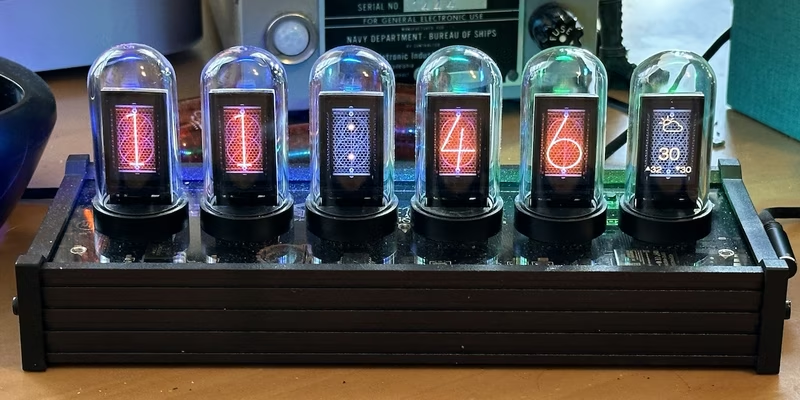
This custom firmware is designed for the EleksTube IPS V1 clock and its various hardware derivatives, leveraging the ESP32’s built-in WiFi capabilities to transform a standard desk clock into a connected information hub. By replacing the stock software, users gain access to automated time synchronization, sophisticated display modes, and remote management features.
Core Features and Capabilities
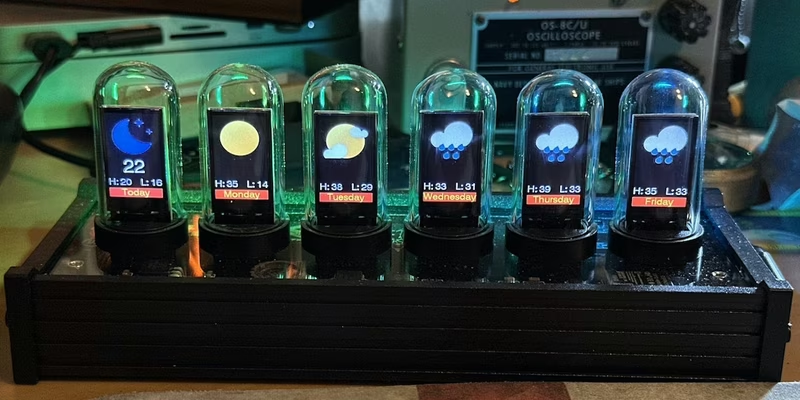
The firmware focuses on accuracy and ease of use. By synchronizing with NTP servers, the clock maintains precise time and automatically handles complex timezone and Daylight Savings Time (DST) conversions. Beyond simple timekeeping, the display can toggle between the current time, date, and live weather forecasts.
Configuration is handled entirely through a web interface, eliminating the need for complex button sequences for most tasks. Users can define on/off schedules to preserve the lifespan of the IPS displays, switch between six-digit (including seconds) and four-digit (AM/PM) layouts, and customize backlight effects. The system also supports a modular approach to aesthetics, allowing users to upload, delete, and select custom image sets for clock faces and weather icons.
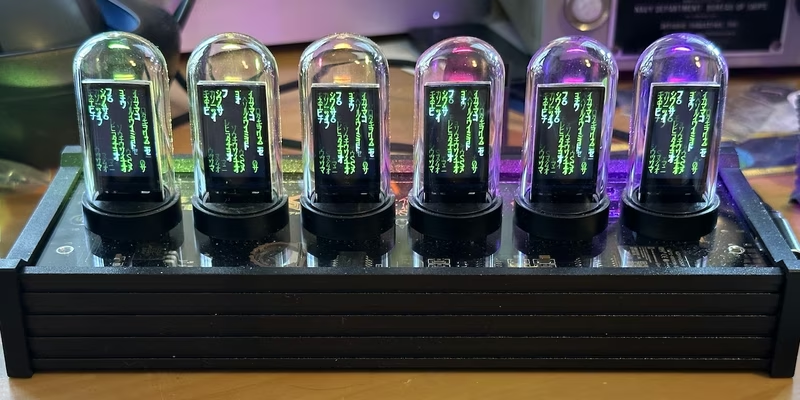
For those interested in home automation, the firmware includes an MQTT client. This allows the clock to communicate with brokers like Home Assistant, enabling the use of external sensors (such as movement or luminance) to trigger display changes or report the clock’s current state to a central dashboard. To prevent screen burn-in and add visual flair, the firmware includes a screen saver mode, such as the digital rain effect.
Technical Architecture and Hardware Support
The project is built using the PlatformIO ecosystem and targets several ESP32-based hardware variants. Supported devices include the original EleksTube V1, the Si Hai clock, the NovelLife SE, the PCBWay ‘Punkcyber’, and the IPSTube. Each variant has specific binary requirements due to differences in pin mapping and hardware layout.
The software architecture relies on several key libraries:
- TFT_eSPI: For driving the IPS displays.
- LittleFS: To manage the internal flash filesystem where images and configuration data are stored.
- ESPAsyncWebServer: To provide the responsive web-based configuration portal.
- NeoPixelBus: For controlling the RGB backlighting.
Installation and Connectivity
Installing the firmware typically involves using web-based tools (compatible with Chrome, Edge, or Opera) or the esptool.py utility. A full installation includes the bootloader, partition table, firmware binary, and the LittleFS image containing the default assets. Users are encouraged to back up their original firmware before flashing to ensure they can revert if necessary.
Once flashed, the clock initiates a captive portal if it cannot find a saved WiFi network. Users can connect to an Access Point named after their clock model (e.g., elekstubeips) using a default password to provide local network credentials. After a successful connection, the device becomes accessible via a local mDNS hostname (such as http://elekstubeips.local/), providing a centralized GUI for all further adjustments. Changes made in the web interface are synchronized to the hardware in real-time and saved to non-volatile storage periodically to ensure settings persist across reboots.