Anemoia-ESP32 NES Emulator
An optimized Nintendo Entertainment System (NES) emulator rewritten for the ESP32 platform. It supports full audio emulation and achieves native speeds on dual-core ESP32 hardware using the Arduino framework and TFT_eSPI library.
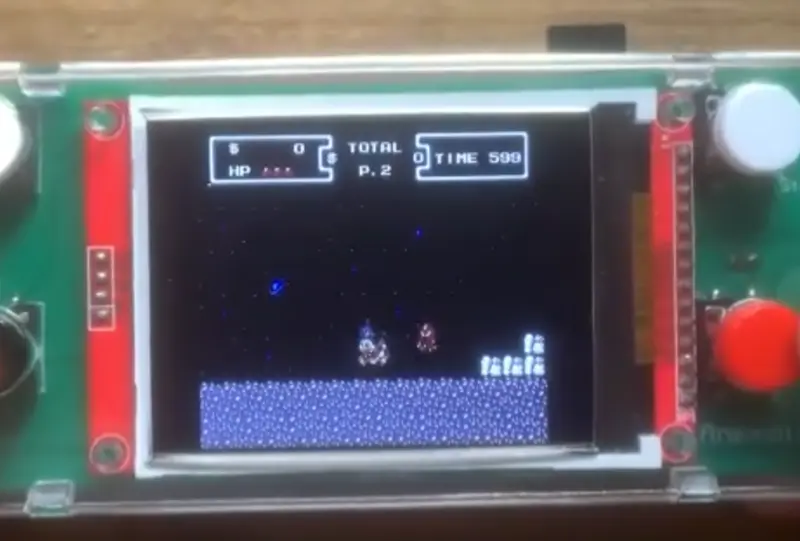
Anemoia-ESP32 is a high-performance rewrite and port of the Anemoia Nintendo Entertainment System (NES) emulator, specifically designed to run on the ESP32 microcontroller. Written in C++, this project focuses on achieving native emulation speeds and full audio support without the need for external PSRAM, making it accessible for standard ESP32-WROOM-32 modules.
Performance and Compatibility
The emulator is heavily optimized to maintain a consistent frame rate of approximately 60.098 FPS (NTSC) with a single frame skip enabled. Benchmarks for popular titles like Super Mario Bros., Contra, and The Legend of Zelda show stable performance at the target frame rate. While most games run at full speed, titles with complex mappers or frequent bank switching, such as Kirby’s Adventure, may see slight performance dips.
In terms of game support, Anemoia-ESP32 implements six major memory mappers (0, 1, 2, 3, 4, and 69). This covers approximately 79% of the entire NES game catalog, allowing users to play a vast majority of classic titles by simply loading .nes ROMs from a microSD card.
Hardware Architecture
The project targets dual-core ESP32 hardware and utilizes a variety of peripherals to recreate the console experience:
- Display: Supports 320x240 SPI TFT screens based on the ST7789 or ILI9341 drivers. It leverages DMA (Direct Memory Access) via the TFT_eSPI library to ensure fast screen updates.
- Audio: Full audio emulation is implemented, outputting through the ESP32’s internal DAC (GPIO25) to an external amplifier like the PAM8403.
- Storage: Game ROMs are read from a standard MicroSD card module formatted to FAT32.
- Input: The system is flexible, supporting simple tactile push buttons or original controllers including NES, SNES, PS1, and PS2 gamepads.
Technical Implementation
To achieve its performance goals, Anemoia-ESP32 relies on specific compiler optimizations. The project provides a custom platform.txt that applies aggressive build flags such as -Ofast, -funroll-loops, and Link Time Optimization (-flto). These settings are crucial for squeezing every bit of performance out of the Xtensa architecture.
The software stack is built on the Arduino-ESP32 core (specifically version 3.2.1 for optimal results) and integrates the SdFat library for efficient file I/O and TFT_eSPI for display management. Configuration is handled through header files like config.h and hwconfig.h, which allow users to define pin mappings and controller types.
Getting Started
Users have two primary ways to deploy the emulator. The recommended method is a Web Flash tool that allows flashing the firmware directly from a Chromium-based browser. Alternatively, developers can build from source using the Arduino IDE. This process involves installing the necessary libraries, configuring the display driver in User_Setup.h, and applying the custom build flags to the ESP32 hardware package. Once flashed, ROMs are simply placed in the root directory of a microSD card for the emulator to detect and launch.