XIAO nRF52 Standalone BLE DFU Updater
A standalone BLE DFU client for Seeed XIAO nRF52840 and RAK4631 that flashes Nordic-format firmware bundles to target nRF52 devices. It features a USB Mass Storage interface for drag-and-drop firmware updates and uses a configuration-based filtering system to identify and update remote hardware in the field.
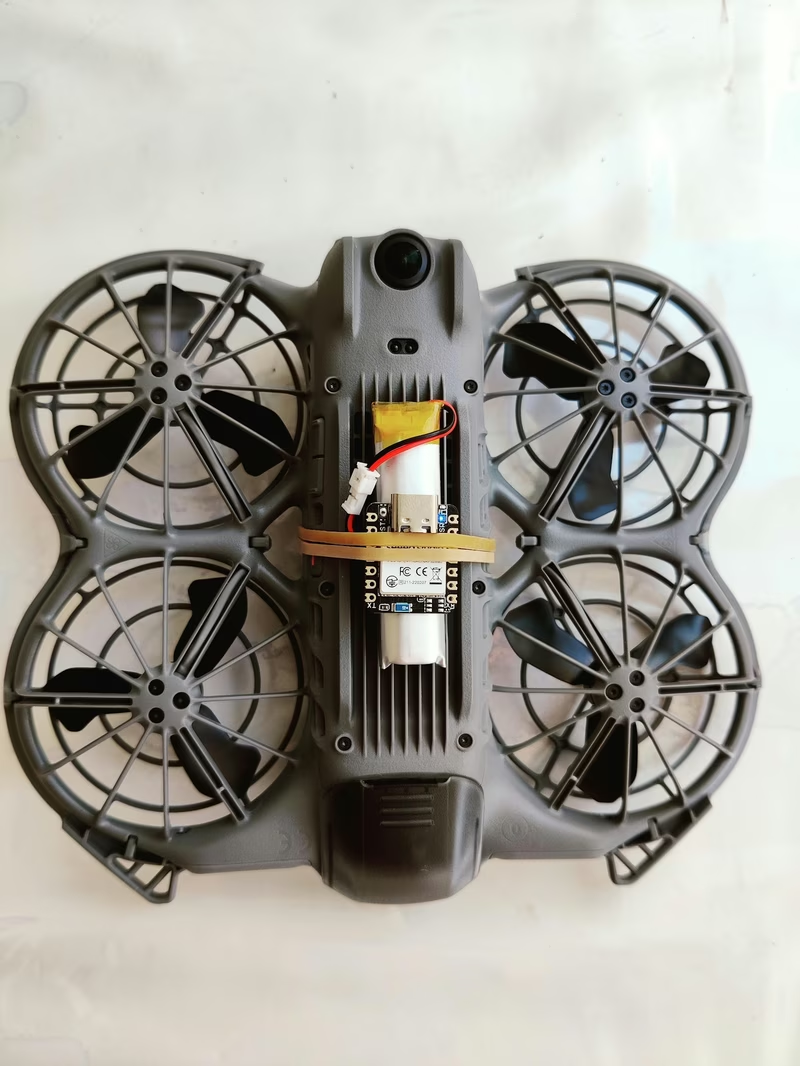
Updating embedded devices in the field often requires a smartphone or a laptop to act as the bridge between the firmware file and the target hardware. The xiao_nrf52_updater project offers a specialized alternative: a compact, standalone BLE DFU (Device Firmware Update) client. By running on small-form-factor hardware like the Seeed XIAO nRF52840 or the RAK4631, this tool can be mounted directly onto drones or handheld devices to update hard-to-reach nRF52 repeaters or sensors without external intervention.
A Hardware-Based Workflow
The project transforms the host microcontroller into a USB Mass Storage Class (MSC) device. When plugged into a computer, it appears as a small USB drive (labeled XIAO DFU or RAK DFU). The user simply drops a standard Nordic firmware bundle—a .zip file generated by nrfutil—onto the drive along with a CONFIG.TXT file.
The update process is triggered in one of two clever ways designed for field use:
- Eject Trigger: If the device is still plugged into USB, the firmware detects the SCSI “Start-Stop Unit” command sent by the host OS during an eject operation and begins the scan.
- Battery Boot: If the device powers up via battery (without VBUS) and finds a
.zipfile on the internal flash, it automatically initiates the update sequence.
Intelligent Target Discovery
One of the primary challenges in BLE DFU is identifying the correct target, especially when devices might change their advertised names or MAC addresses when switching from application mode to bootloader mode. The updater handles this through a flexible configuration system in CONFIG.TXT:
- Name Filtering: Substring matching for advertised names, supporting multiple names via OR logic (e.g.,
RAK4631 | 4631_DFU). - MAC Targeting: Strict matching for a specific BLE MAC address. It even handles the common Nordic convention where the bootloader MAC is the application MAC plus one.
- RSSI Filtering: A minimum signal strength threshold can be set to ensure the update only starts when the connection is stable enough for a high-speed stream.
Technical Implementation
The firmware is built using the PlatformIO ecosystem and the Adafruit nRF52 Arduino framework, which runs on top of FreeRTOS. It leverages the Bluefruit LE library for central role operations and implements the Nordic Legacy DFU protocol, mirroring the logic found in the official Android DFU library.
To achieve high throughput, the updater supports negotiating a MTU of 247 bytes, allowing for data rates around 14 KB/s. This makes it possible to flash a typical SoftDevice and Bootloader bundle in roughly 13 seconds. The project also manages an internal LOG.TXT file on the QSPI flash, providing a persistent history of update attempts, successes, and failures, which is essential for debugging field operations where a serial monitor isn’t available.
Configuration Example
The behavior of the updater is easily customized through a simple key-value configuration file:
# Substring filter for advertised BLE name.
ble_name=RAK4631 | 4631_DFU

# Packet Receipt Notification cadence
prn=10

# Negotiate MTU 247 for faster streaming
high_mtu=1

# Minimum RSSI to ensure a stable connection
min_rssi=-60

# Maximize TX power for range
tx_power=8
Feedback and Indicators
Since the device is intended for standalone use, it provides clear visual feedback via onboard LEDs. A slow blue blink indicates the device is idle, while a solid blue light shows it is mounted as a USB drive. During the DFU process, a green LED blinks with increasing frequency as the progress moves from 0% to 100%. A solid green LED signals a successful update, while a red LED (or alternating pattern on the RAK4631) indicates a failure after all retries are exhausted.
Related Projects
Multi-Firmware-ESP
A custom bootloader for the ESP32 that enables switching between multiple firmware versions using hardware switches. It integrates Over-The-Air (OTA) update capabilities and the ESP-Serial-Flasher library to facilitate remote firmware management and master-slave device flashing.
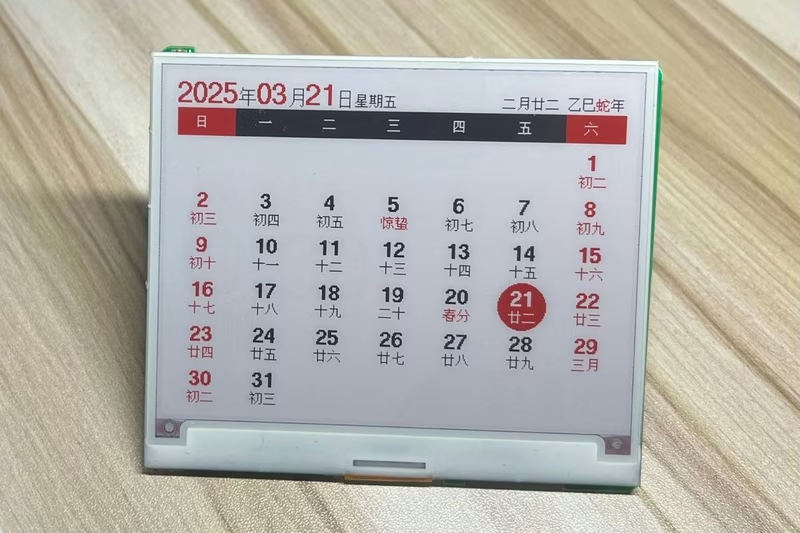
EPD-nRF5: E-Paper Display Calendar and Photo Frame
An embedded firmware for nRF51 and nRF52 microcontrollers designed to drive e-paper displays for calendar and digital photo frame applications. It features Bluetooth image transmission, Chinese lunar calendar support, and a Web Bluetooth interface for cross-platform configuration.

NimBLE OTA
NimBLE OTA is a specialized library for ESP32 devices that enables firmware updates over Bluetooth Low Energy (BLE). It leverages the memory-efficient NimBLE stack to provide a robust OTA service, featuring secure authentication, progress tracking, and compatibility with both Python-based and web-based upload tools.