T-HMI-C64 Emulator
A multi-platform Commodore 64 emulator designed for ESP32-S3 and ESP32 microcontrollers, supporting various display technologies from integrated LCDs to LED matrix panels. It utilizes FreeRTOS for multi-core task distribution and offers versatile input options including custom Android BLE and web-based keyboards.
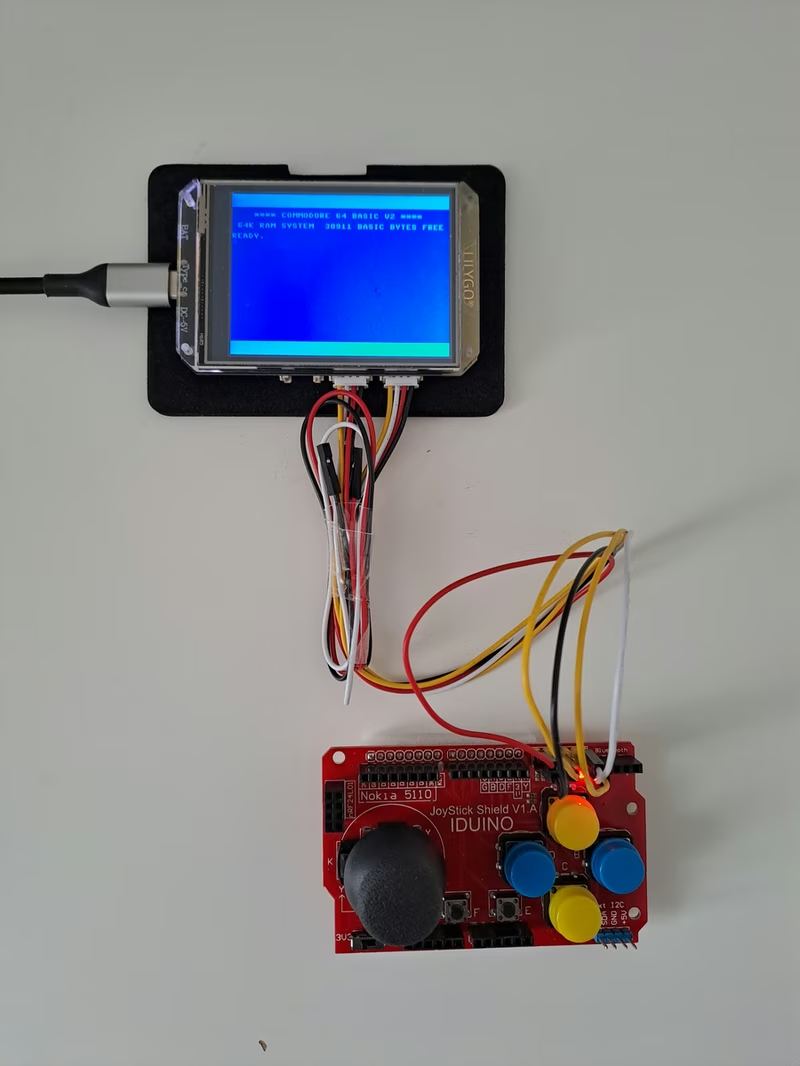
The T-HMI-C64 project is a Commodore 64 emulator specifically optimized for the ESP32-S3 platform. While originally developed for the Lilygo T-HMI development board—which features a 2.8-inch touch LCD and an SD card slot—the emulator has since expanded to support a variety of hardware, including the Lilygo T-Display S3 AMOLED, the Waveshare ESP32-S3-LCD-2.8, and the popular ESP32 ‘Cheap Yellow Display’ (CYD). Beyond standard small-form-factor LCDs, the project even supports rendering to 64x64 or 128x64 LED matrix panels using HUB75 interfaces.
Hardware Architecture and Multi-Core Processing
At its technical core, the emulator leverages the dual-core architecture of the ESP32-S3 to achieve smooth performance. The system utilizes FreeRTOS to pin specific responsibilities to different cores. Core 0 is dedicated to the protocol stack and handling the graphic bitmap transfer to the LCD, ensuring that display updates do not interfere with the timing of the emulation. Core 1 is responsible for the heavy lifting: emulating the C64 CPU and the custom MOS Technology chips, including the VIC (Video Interface Chip), SID (Sound Interface Device), and dual CIAs (Complex Interface Adapters).
Hardware configurations vary across supported boards. For instance, the Waveshare board includes dedicated audio output, while the Lilygo T-HMI relies on its high-resolution 240x320 display which is rotated to accommodate the C64’s native 320x200 resolution. The ESP32 CYD board, being powered by a standard ESP32 rather than the S3, operates under tighter RAM constraints, requiring a ‘joystick-only’ mode as there is insufficient memory to run Bluetooth or Wi-Fi alongside the emulator.
Versatile Input Ecosystem
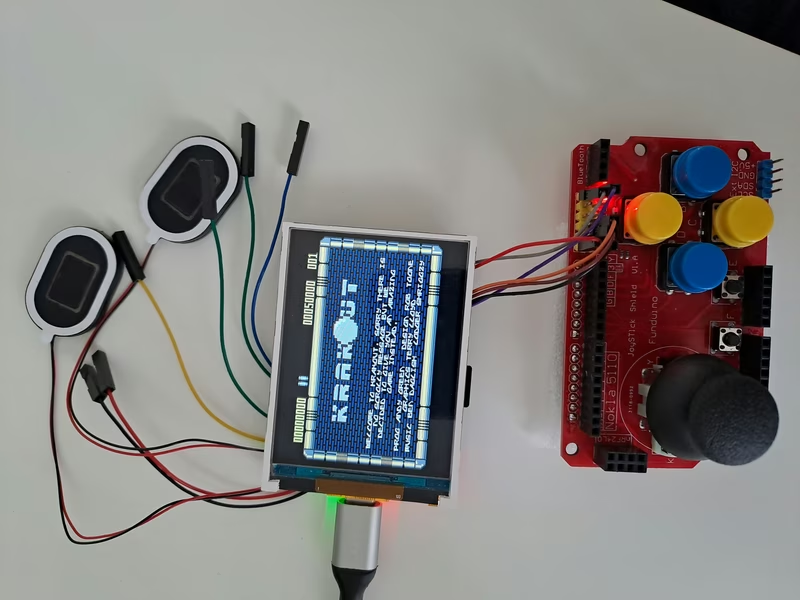
Input is a critical component of the C64 experience, and this project provides several innovative solutions to bridge the gap between modern hardware and retro software. Users can interact with the emulator through a custom Android application that communicates via Bluetooth Low Energy (BLE). This app provides a full virtual C64 keyboard, including special keys like Commodore, Ctrl, and Run/Stop.
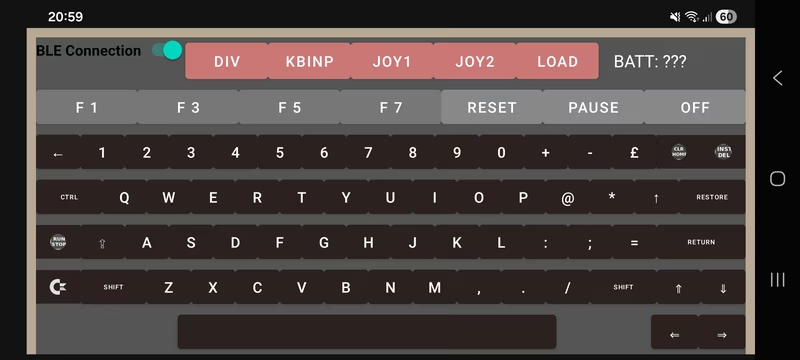
Alternatively, a web-based keyboard is available for those who prefer Wi-Fi connectivity. The ESP32-S3 implements a dynamic Wi-Fi provisioning system that allows users to configure network credentials via a temporary Access Point before switching to Station mode. For gaming, the system supports hardware joysticks via an Arduino joystick shield connected to GPIO pins, or a secondary ESP32 acting as a standalone BLE joystick client. A ‘joystick-only’ mode even allows users to navigate an On-Screen Display (OSD) to load games directly from the SD card without any keyboard attached.
Software Design and Emulation Status
The software is built with portability in mind, using a driver factory pattern to abstract hardware-specific logic for displays, sound, and board management. This architecture allows the emulator to run not only on embedded ESP32 hardware but also as a native application on Linux, macOS, and Windows using the SDL2 library for graphics and sound.
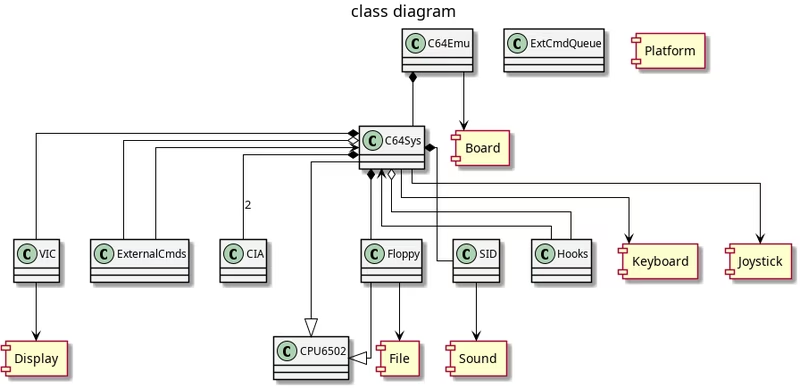
While the project is a sophisticated hobbyist endeavor, it features a robust set of capabilities including PRG and D64 file support, basic SID emulation, and rudimentary disk drive support. It handles standard single-file games well, though cycle-exact precision and advanced ‘illegal instructions’ are not fully implemented. For specialized hardware like LED matrices, the software includes unique scaling modes to map the C64’s resolution to smaller pixel grids, including modes that can follow a specific sprite to keep the action centered on the display.
Storage and Configuration
Games are typically loaded from an SD card formatted with PRG or D64 files. The emulator supports standard C64 LOAD commands, and users can also utilize a JSON-based configuration file to automate game startup, define keyboard layouts for the SDL version, or map custom keycodes for joystick-only operation. This flexibility makes it a versatile platform for both portable retro gaming and desktop-based emulation development.