Swift on Flipper Zero
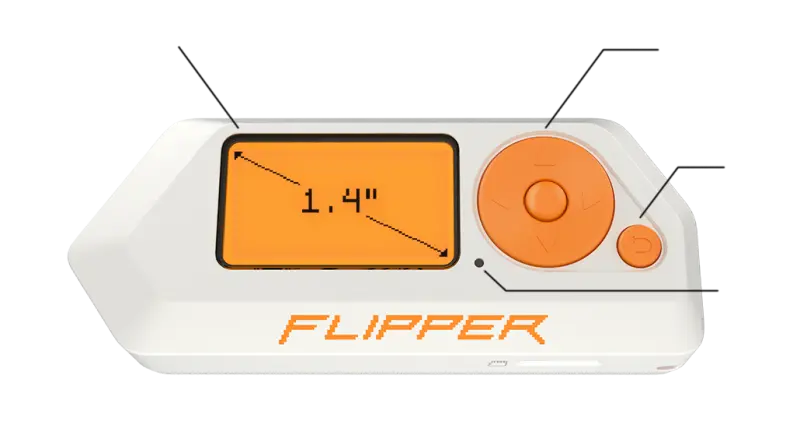
A proof-of-concept project demonstrating the use of Embedded Swift to develop applications for the Flipper Zero. It targets the STM32WB55 microcontroller and integrates with the Flipper Zero firmware's C-based Furi OS and GUI libraries.
Overview
Swift on Flipper Zero is a technical proof of concept exploring the capabilities of Embedded Swift on the Flipper Zero multi-tool. While Flipper Zero applications are traditionally written in C, this project demonstrates that it is possible to compile and run Swift binaries as Flipper Application Packages (.fap). By leveraging the ARM Cortex-M4 architecture of the STM32WB55 microcontroller, the project showcases how modern high-level languages can be brought to specialized security research hardware.
Technical Implementation
The project utilizes the experimental Embedded Swift mode, enabled via the -enable-experimental-feature Embedded flag. To ensure compatibility with the Flipper Zero firmware, the build process targets the armv7-none-none-eabi triple with specific Thumb instruction set configurations.
One of the primary challenges addressed in this project was matching the Application Binary Interface (ABI) of the Flipper Zero’s C-based firmware. This involved configuring the Swift compiler to use specific calling conventions (arm_aapcs_vfp), hardware floating-point units (-mfloat-abi=hard), and short enums.
Bridging Swift and C
To interact with the Flipper Zero hardware, the project uses Clang module maps to import Flipper’s C headers directly into Swift. This allows Swift code to call into the Furi (Flipper Universal Registry Implementation) core and the GUI library. The project includes a custom entry point using the @_cdecl attribute to match the expected application signature of the Flipper loader.
import CFlipperApplication

@_cdecl("app_entry")
public func entry(pointer: UnsafeMutableRawPointer?) -> UInt32 {
  let viewPort = view_port_alloc()
  view_port_draw_callback_set(viewPort, appDrawCallback, nil)

  let GUI_RECORD: StaticString = "gui"
  let gui = furi_record_open(GUI_RECORD.utf8Start)
  gui_add_view_port(OpaquePointer(gui), viewPort, GuiLayerFullscreen)

  // Application loop and cleanup...
  return 0
}
Overcoming Runtime Limitations
Because the standard Swift libraries are not fully available for bare-metal ARM targets, the project implements several workarounds:
- Relocation Support: The author contributed a patch to the Flipper Zero firmware to support
R_ARM_REL32relocations, which are generated by the Swift compiler. - Memory Management: Since Embedded Swift requires
posix_memalignfor dynamic allocations, a shim was created to map these calls to the Flipper’s internal memory management functions. - Compiler Runtime: The project links against
libgccfrom the Flipper toolchain to provide low-level helper functions for operations like integer division and modulo.
Key Features
- Embedded Swift Integration: Uses the latest Swift trunk development snapshots to target ARM Cortex-M hardware.
- GUI Interaction: Demonstrates rendering text and graphics (including the Swift logo) on the Flipper Zero’s monochrome display.
- Hardware Input: Handles button presses and user interaction through Flipper’s view port system.
- Memory Monitoring: Includes a feature to display available system memory, demonstrating successful integration with Flipper’s HAL.
Getting Started
Building the project requires a macOS environment with Xcode and a Swift Trunk Development Snapshot. Users must also clone the Flipper Zero firmware as a submodule to provide the necessary toolchain and headers. The included build.sh script automates the complex compilation and linking process required to produce a valid .fap file.