STM32F103 Quadruped Robot
A sophisticated quadruped crawling robot powered by an STM32F103C8T6 microcontroller and an ESP32-CAM for real-time vision and remote connectivity. It utilizes FreeRTOS for multi-tasking and MicroPython for the wireless communication stack, supporting both cloud-based MQTT control via a mobile app and local control through a web interface.
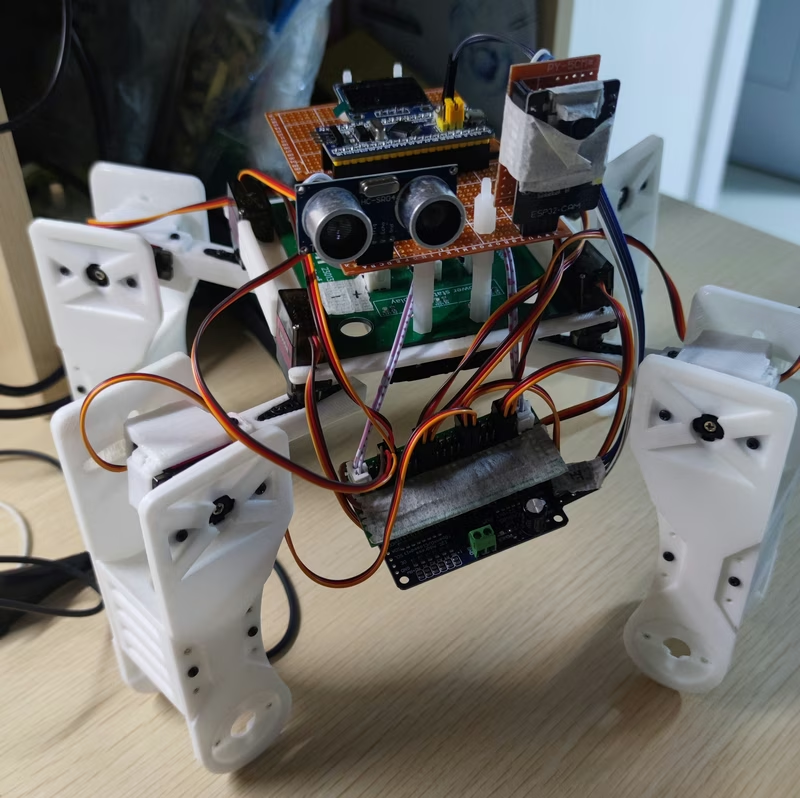
This quadruped crawling robot is designed as a comprehensive embedded systems project, utilizing the STM32F103C8T6 as the primary controller. By integrating an ESP32-CAM and MQTT protocols, the system achieves real-time image backhaul and remote command execution. The control architecture is split into cloud-based and local solutions, offering flexibility in how the robot is operated.
System Architecture
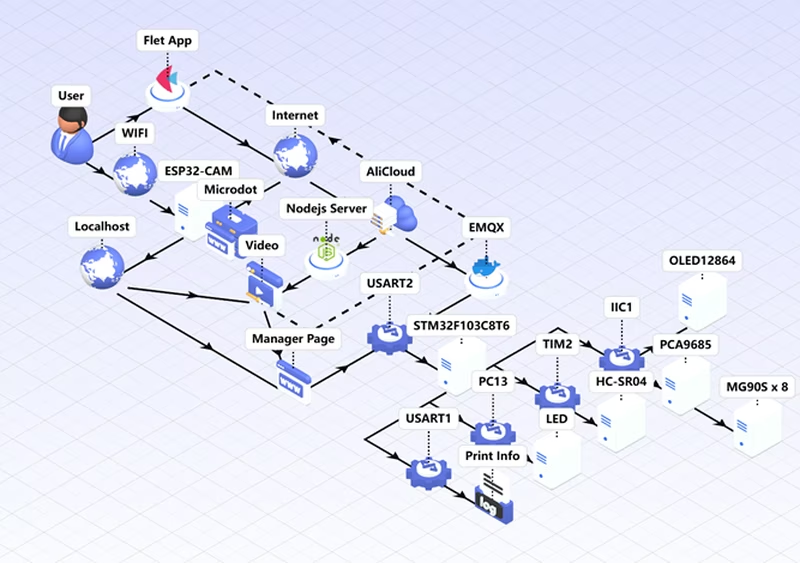
The robot’s control logic involves a multi-tier communication strategy. A mobile application built with the Flet framework communicates with an EMQX MQTT broker. Commands are forwarded to the ESP32-CAM, which passes them to the STM32 via USART2. Simultaneously, video streams are uploaded to a Node.js server and displayed in the app. For local operation, the ESP32-CAM hosts a Microdot web server, allowing users to connect directly to the robot’s hotspot and control it through a browser-based dashboard.
Hardware and Power Design
The physical structure was designed using FreeCAD, specifically tailored for MG90S servos. The chassis features dedicated compartments for battery placement and reinforced screw holes for stability. The components were fabricated using 3D printing with PLA material at a 0.1mm infill density.
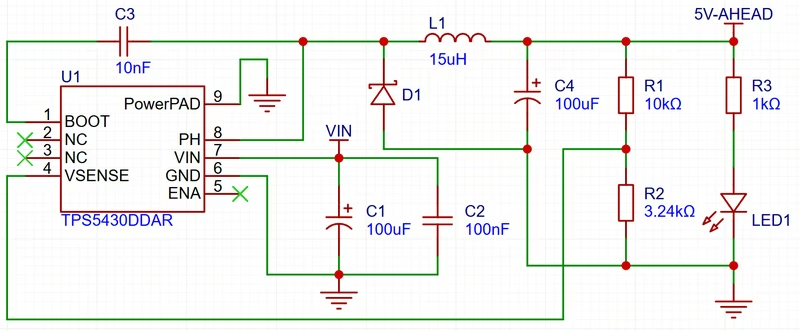
Power management is handled by a custom module based on the TI TPS5430. This module provides three independent power rails to ensure stable voltage for the high-current servos, the main controller, and the auxiliary functional modules.
Software Implementation
STM32 Firmware
The STM32 core runs FreeRTOS to manage concurrent tasks. Upon initialization, the system enters a default state, waiting for commands via the USART2 serial interrupt. When a command is received, the interrupt service routine identifies the instruction and triggers specific event bits. These bits activate motion tasks which execute gait functions while updating the onboard OLED display. The firmware also includes drivers for the SSD1306 OLED, HC-SR04 ultrasonic sensor, and PCA9685 PWM driver for servo control.
ESP32-CAM and Connectivity
The ESP32-CAM runs a custom MicroPython environment. It manages the WiFi interface, switching between AP mode for local web control (via Microdot) and Station mode for MQTT cloud connectivity. The local interface provides a low-latency video stream and directional buttons that relay serial commands to the STM32. The cloud connection uses the MQTT protocol to synchronize state between the mobile app and the robot hardware.
Flet Application
The mobile interface is developed using the Flet framework, which allows for Python-based cross-platform app development. It features an instruction page and a control dashboard. The dashboard integrates a WebView to display the video feed from the server while sending control packets to the MQTT broker.
Gait Planning
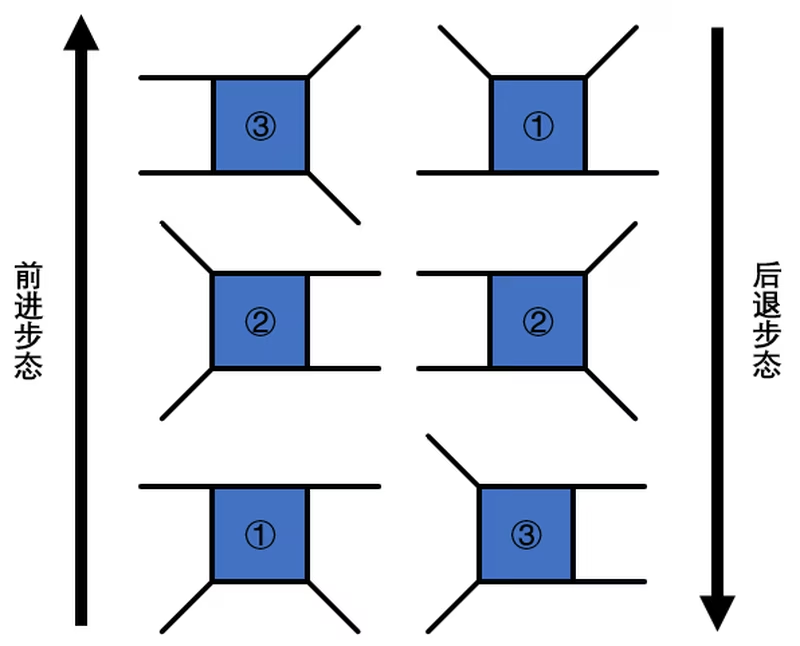
Movement is achieved through coordinated gait cycles. For forward motion, the robot alternates between lifting diagonal pairs of legs (left-front/right-back and right-front/left-back) and shifting the body weight. Turning is handled by rotating specific joints in clockwise or counter-clockwise patterns to achieve orientation changes.
Deployment and Configuration
Deploying the system requires setting up an EMQX MQTT server, which can be easily managed via Docker or 1panel. The image backhaul relies on a Node.js server (CAM_Server) to process and serve the video stream. Developers must configure the server IP, MQTT credentials, and WiFi settings within the MicroPython and Flet source files to match their specific network environment.
Related Projects
TNY-360 Quadruped Robot
TNY-360 is an open-source, 12-DOF quadruped robot designed for research and interaction, powered by the ESP32-S3 microcontroller. It utilizes the ESP-IDF framework and FreeRTOS to manage complex tasks like inverse kinematics, computer vision via an OV2640 camera, and human-robot interaction. The project features a fully 3D-printable chassis and integrated sensors including Lidar, IMU, and I2S audio.
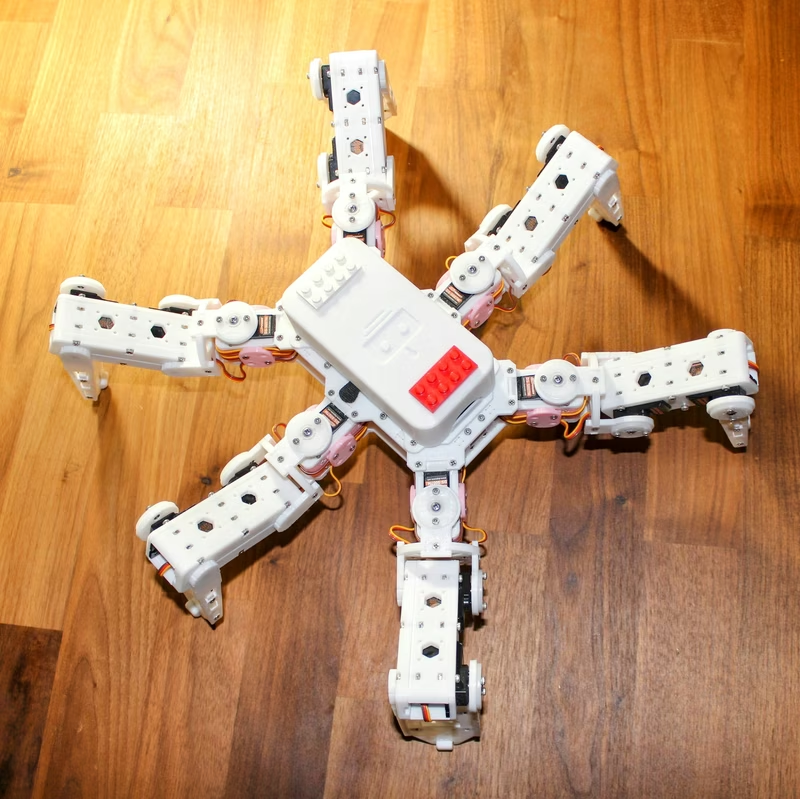
Hexapod
A 3D-printed, 18-servo hexapod robot platform designed for agility and flexibility, supporting both ESP32 and Raspberry Pi Pico controllers. The project features WiFi-enabled remote control via UDP, Over-the-Air (OTA) firmware updates, and a modular mechanical design optimized for 3D printing.
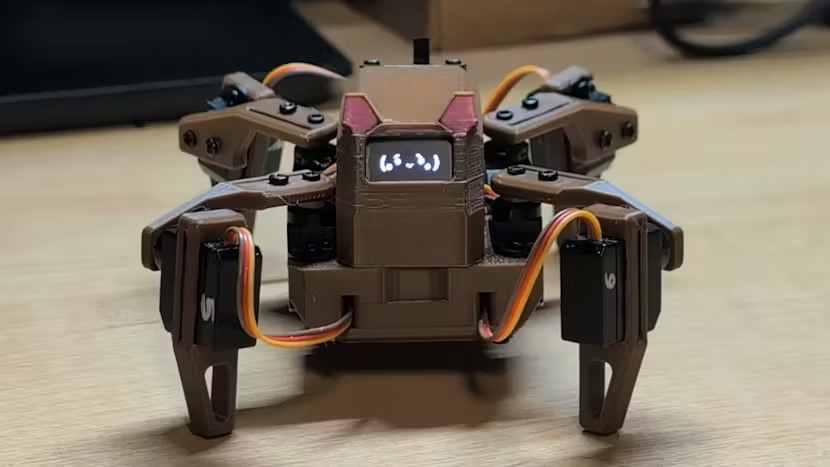
Sesame Robot Micro
A compact robotics platform featuring firmware for motor control and a Wi-Fi bridge. It utilizes an ESP32-C6 for wireless connectivity and a main board for servo-driven animations and OLED face rendering. The project supports various motion sequences, captive portal control, and optional BLE gamepad integration.
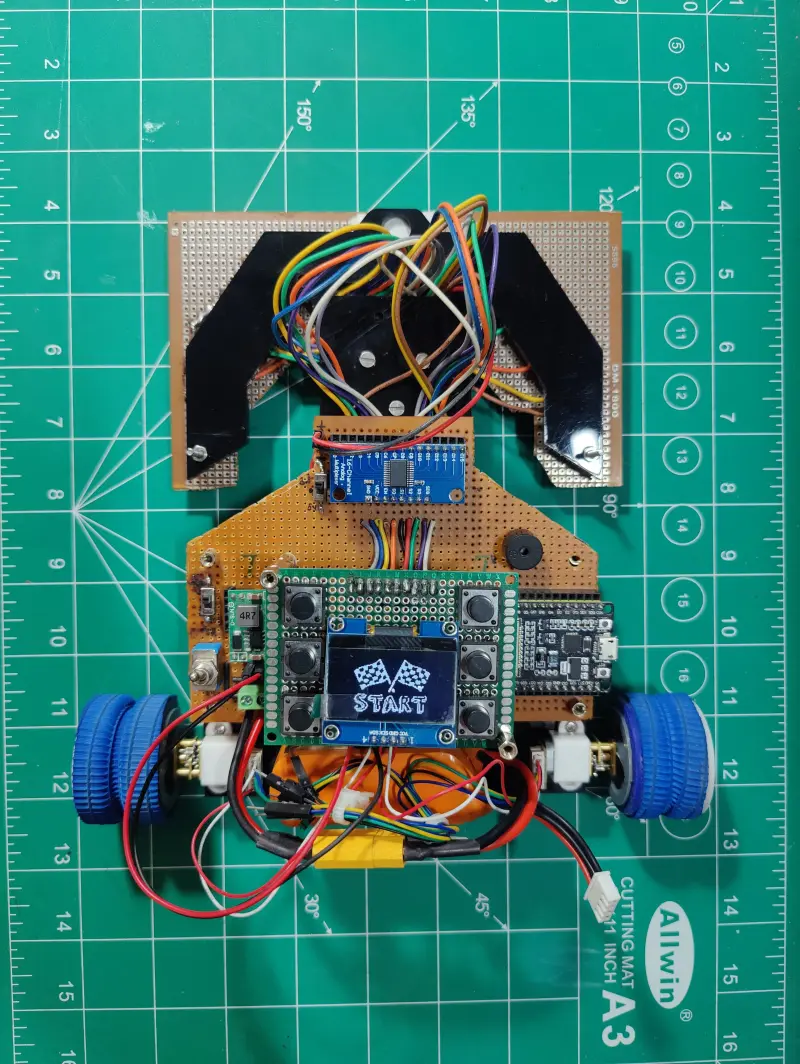
16 IR Array PID Line Follower Robot using ESP32
An advanced autonomous line follower robot utilizing a 16-channel IR sensor array and PID control. Powered by an ESP32 running MicroPython, the system features an OLED-based configuration menu for real-time tuning of control parameters and persistent storage of PID constants.