MicroPython for Flipper Zero
This project provides a MicroPython port for the Flipper Zero, enabling native Python script execution on the device. It allows developers to interface with hardware components like GPIO, ADC, PWM, and the internal speaker using Python instead of C. The application is distributed as a Flipper Application Package (FAP) and integrates the standard MicroPython library.
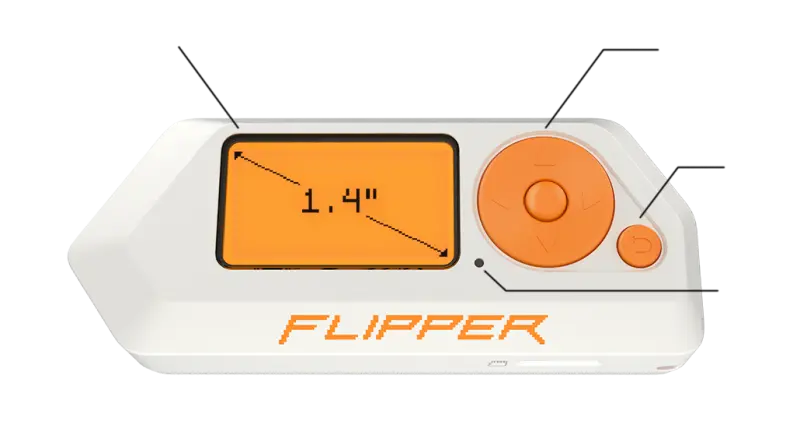
Bringing Python to the Flipper Zero
The Flipper Zero has become a favorite tool for hardware enthusiasts, but developing custom applications typically requires a deep dive into C and the Flipper’s specific firmware APIs. MicroPython for Flipper Zero changes this dynamic by porting the MicroPython runtime to the device, allowing users to write scripts, create games, and automate tasks using one of the world’s most popular programming languages.
This implementation runs natively on the Flipper Zero as a Flipper Application Package (FAP). By leveraging MicroPython, developers gain access to high-level language features like classes, functions, and advanced data structures without the overhead of a full C development environment.
Hardware Integration and Capabilities
One of the primary strengths of this port is its ability to interface directly with the Flipper Zero’s hardware. The library provides wrappers for the device’s physical interfaces, including:
- Input & Feedback: Full control over the device buttons, internal speaker, and notification LEDs.
- GPIO & Peripherals: Support for General Purpose Input/Output (GPIO) pins, Analog-to-Digital Converters (ADC), and Pulse Width Modulation (PWM).
- Execution Environment: A MicroPython REPL (Read-Eval-Print Loop) allows for interactive coding and immediate feedback directly on the device screen.
Because it is compiled as a standard FAP, it does not require users to flash custom firmware. This makes it an accessible entry point for users who want to experiment with hardware hacking while maintaining the stability of the official Flipper Zero operating system.
Technical Architecture and Memory Management
Running a high-level language like Python on a microcontroller-based device like the Flipper Zero presents unique challenges, particularly regarding memory. The MicroPython runtime and compiler require approximately 80 kB of SRAM to initialize. On a device where memory is a premium resource, this can lead to issues with memory fragmentation.
The project documentation notes that while the application is robust, the heavy lifting required to run MicroPython from an SD card can occasionally cause crashes during startup if memory is too fragmented. To mitigate this, there is ongoing research into bundling MicroPython as a core service within a custom firmware fork, which would provide a more stable memory allocation environment while keeping the SD-card-based FAP version available for general users.
Getting Started with Development
The project is designed to be developer-friendly. Scripts can be written on a computer and uploaded to the Flipper’s SD card using the standard qFlipper application. Once uploaded, the scripts are executed through the uPython application interface on the device.
For those looking to build the project from source, it utilizes the Flipper Build Tool (uFBT). The build process is streamlined through a Makefile, allowing for quick compilation and deployment:
# To build the Flipper Application Package
make build-fap

# To build and launch directly on a connected device
make launch
By bridging the gap between high-level scripting and low-level hardware access, MicroPython for Flipper Zero opens up the platform to a wider audience of developers and hobbyists who prefer the simplicity and speed of Python development.