MicroPython Camera Driver for ESP32
A specialized driver that adds OV2640 camera support to MicroPython for the ESP32 family. It enables high-resolution image capture by leveraging PSRAM and provides a Pythonic interface for controlling camera parameters like frame size, quality, and special effects.
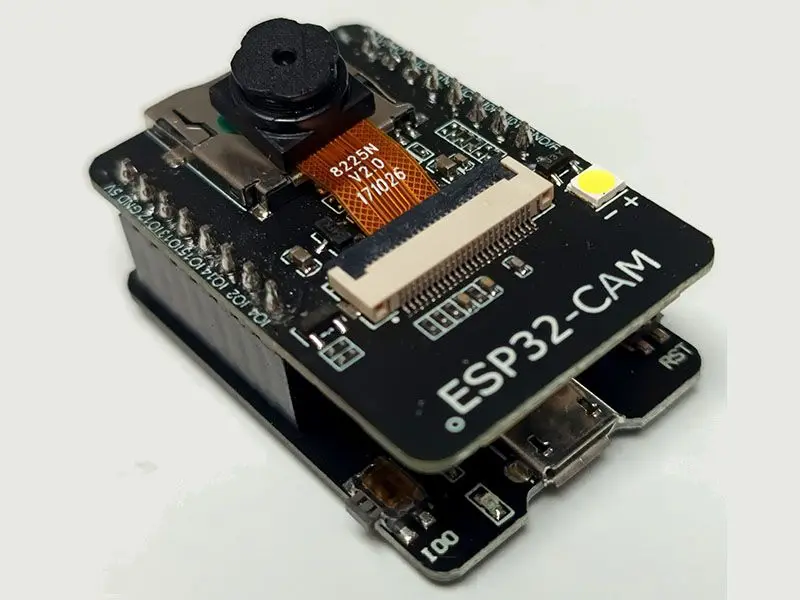
Bringing Vision to MicroPython
The MicroPython camera driver for ESP32 enables developers to integrate image capture capabilities into their MicroPython-based IoT projects. Specifically targeting the OV2640 sensor, this driver bridges the gap between the low-level ESP-IDF camera components and the high-level MicroPython environment. It allows for sophisticated camera control directly from Python scripts, making it an ideal choice for timelapse photography, webservers, and remote monitoring applications.
Enhanced Resolution via PSRAM
A significant feature of this driver is its ability to utilize PSRAM (Pseudo-Static RAM). By offloading the frame buffer to PSRAM, the driver overcomes the strict internal RAM limitations of the ESP32, allowing for much higher resolution photos. While standard operation without PSRAM is possible, activating it via the fb_location=camera.PSRAM argument unlocks the full potential of the OV2640 sensor for high-quality JPEG capture.
Comprehensive Hardware Support
The driver is designed to be flexible across various popular ESP32-based camera development boards. It includes verified configurations for:
- ESP32-CAM: The ubiquitous low-cost camera module.
- M5Camera (Version B): The popular modular hardware from M5Stack.
- T-Camera Mini: A compact board often featuring an integrated PMU (Power Management Unit).
Because the driver exposes pin-level configuration during initialization, it can be adapted to almost any ESP32 board that interfaces with an OV2640 sensor via the standard parallel interface.
Technical Implementation and Performance
Under the hood, the driver integrates with the esp32-camera component from Espressif and is compiled as a C module for MicroPython. This architecture ensures that performance-critical tasks, such as handling the high-speed pixel clock (XCLK) and DMA transfers, are handled at the native level.
Users can fine-tune several parameters to balance performance and image quality:
- Frame Sizes: Supports a wide range from QQVGA (160x120) up to UXGA (1600x1200) and even FHD.
- Image Adjustments: Real-time control over saturation, brightness, contrast, and white balance.
- Special Effects: Built-in support for effects like negative, grayscale, and sepia (retro).
- Quality Control: Adjustable JPEG compression levels to manage file size and transmission speed.
Example Usage
Initializing the camera and capturing an image is straightforward. The following snippet demonstrates a typical setup for an ESP32-CAM module:
import camera

# Initialize the camera with PSRAM support for higher resolution
camera.init(0, format=camera.JPEG, fb_location=camera.PSRAM)

# Configure image settings
camera.framesize(camera.FRAME_VGA)
camera.quality(10) # High quality (10-63)

# Capture a frame
buf = camera.capture()
Memory and Connectivity Considerations
While the driver provides robust JPEG support, users should be aware of the resource intensity of image processing. Capturing in raw formats like YUV or RGB puts significant strain on the chip’s memory bandwidth, especially when WiFi is active. The recommended workflow for advanced processing is to capture in JPEG format and then convert to RGB if necessary, though the driver focuses primarily on efficient JPEG acquisition to maintain system stability.