M5NanoC6 Zigbee Test
A demonstration project for building a Zigbee-enabled on/off light using the M5Stack M5NanoC6 development kit. It leverages the ESP32-C6 SoC's native Zigbee support within the Arduino environment to interface with Zigbee2MQTT and Home Assistant.
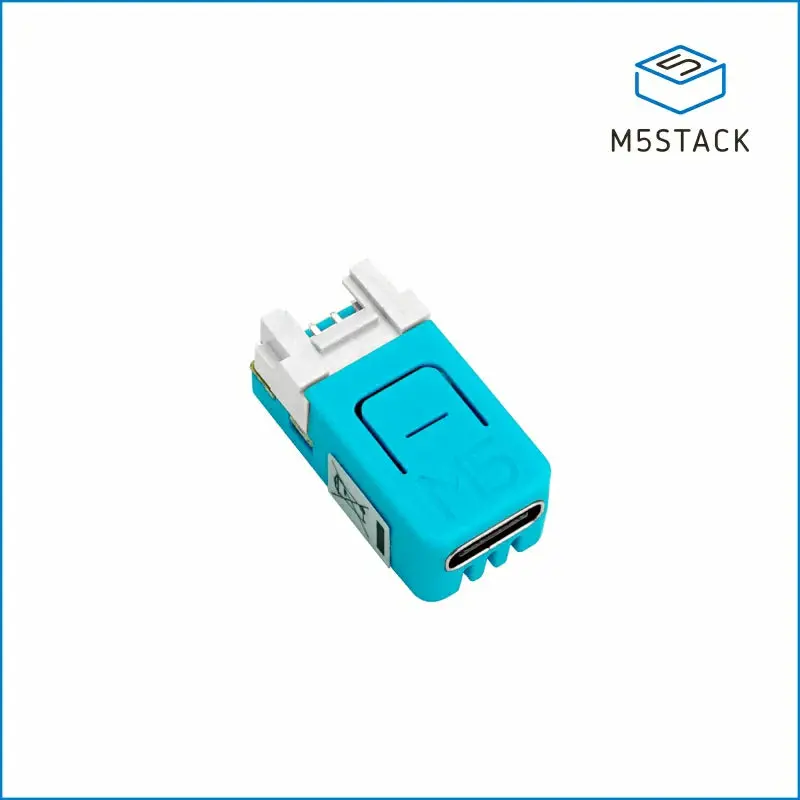
The M5NanoC6 Zigbee Test project provides a practical implementation of a Zigbee End Device using the M5Stack M5NanoC6, a compact development board powered by the ESP32-C6. This SoC is notable for its integrated support for 2.4 GHz Wi-Fi 6, Bluetooth 5 (LE), and 802.15.4 protocols, including Zigbee and Thread. This project specifically focuses on creating a simple on/off light that can be controlled via Zigbee2MQTT and integrated into Home Assistant.
Hardware and Platform
The project targets the M5Stack M5NanoC6, which features a built-in RGB LED and a programmable button. Because the ESP32-C6 is a relatively new addition to the ESP32 family, the project documentation details specific setup steps for the Arduino IDE, including a workaround for missing configuration files in early versions of the ESP32 Arduino core. The implementation demonstrates how to map the correct pins for the M5NanoC6 hardware, such as the NeoPixel data pin and the RGB LED power pin.
Technical Implementation
The firmware is built on the Arduino framework but utilizes the underlying FreeRTOS kernel to manage the Zigbee stack. The Zigbee functionality is handled in a dedicated task (Zigbee_main) created via xTaskCreate. This task initializes the Zigbee stack, registers the device as an “On/Off Light” (Home Automation profile), and sets up the necessary clusters including Basic, Identify, Groups, Scenes, and On/Off.
The project uses the NeoPixel library to control the onboard RGB LED, providing visual feedback when Zigbee “on” or “off” commands are received. Communication with the Zigbee coordinator is managed through the esp_zigbee_core and esp_zigbee_ha_standard APIs provided by Espressif. The code includes a custom attribute handler that listens for changes to the On/Off cluster and toggles the LED accordingly.
Zigbee2MQTT Integration
A key component of this project is the integration with Zigbee2MQTT. Since the device is a custom implementation, it requires an external converter (m5nanoc6.js) to be recognized correctly by the Zigbee2MQTT bridge. This converter maps the Zigbee clusters to the appropriate states and commands within the MQTT ecosystem. Once paired, the device can be controlled through standard MQTT messages or integrated directly into Home Assistant using YAML configurations for MQTT switches.
Key Features
- Native Zigbee Support: Utilizes the 802.15.4 radio of the ESP32-C6 for low-power mesh networking.
- FreeRTOS Integration: Runs the Zigbee stack in a background task to ensure system stability and responsiveness.
- Custom Attributes: Implements specific Zigbee properties like Model Identifier and Manufacturer Name to ensure compatibility with Zigbee2MQTT.
- Visual Feedback: Uses the onboard NeoPixel to indicate the current light state (On/Off).
- Home Automation Ready: Designed specifically for seamless integration with Zigbee2MQTT and Home Assistant.
Getting Started
To use this project, developers need to configure their Arduino IDE for the ESP32-C6 and install the necessary board managers. The repository includes the main .ino sketch, the custom Zigbee2MQTT converter, and debugging configuration files. Users must ensure the Zigbee mode is set to “End Device” in the Arduino IDE tools menu before compilation to enable the correct stack components.