M5Cardputer WiFi Keyboard Setup
A utility and library for the M5Cardputer platform designed to configure WiFi connections using the integrated physical keyboard. It manages credential persistence via EEPROM and provides a user interface for manual SSID and password entry when a connection cannot be established automatically.
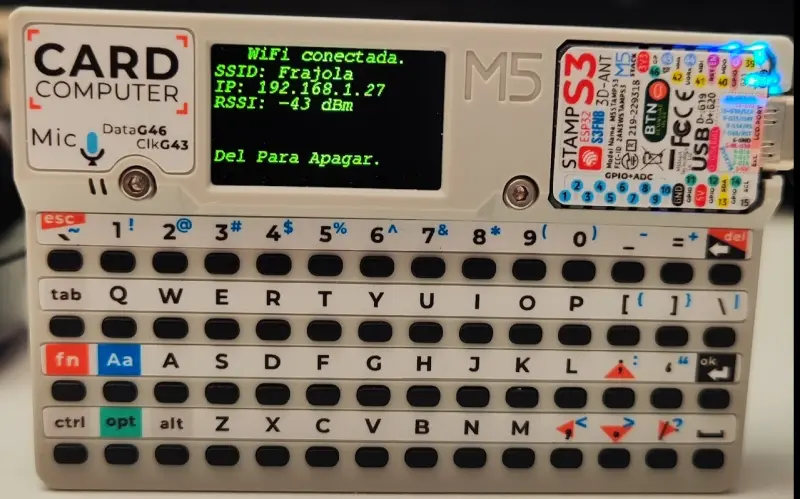
Overview
The M5Card_Wifi_KeyBoard_Setup project provides a streamlined solution for managing network connectivity on the M5Cardputer, an ESP32-S3 based development kit. Developed by Aurelio Monteiro Avanzi, this utility addresses a common hurdle in portable embedded development: the need to input WiFi credentials in varying environments without hardcoding them into the firmware or relying on external configuration tools like captive portals.
Core Functionality
The primary objective of this project is to function as a reusable library that can be integrated into any M5Cardputer application. It leverages the device’s unique hardware feature—its built-in physical keyboard—to provide a direct interface for user input.
Upon initialization, the program follows a specific logic flow to ensure connectivity:
- Automatic Connection: The system attempts to connect to the WiFi network using credentials previously saved in the EEPROM.
- Timeout and Override: The connection attempt lasts for 30 seconds. Users can manually interrupt this process at any time by pressing the ESC key on the keyboard.
- Manual Configuration: If the connection fails or is interrupted, the device prompts the user to enter the SSID and Password (SSD/Senha) directly via the keyboard.
- Persistence: Once entered, the new credentials are saved to the M5Cardputer’s EEPROM, allowing the device to automatically reconnect during the next boot cycle.
Technical Implementation
Targeting the M5Cardputer means the project operates within the ESP32-S3 ecosystem, typically utilizing the FreeRTOS-based ESP-IDF or the Arduino framework. By utilizing the EEPROM for storage, the library ensures that network settings survive power cycles, which is critical for standalone IoT devices. The implementation focuses on user experience by providing visual feedback on the M5Cardputer’s display during the connection and input phases.
Use Cases
This setup utility is particularly valuable for developers creating tools for the M5Cardputer that require mobility. Instead of tethering the device to a computer to update network settings, users can simply take the device to a new location and update the WiFi configuration on the fly. As a library, it is designed to be dropped into larger projects, handling the networking boilerplate so developers can focus on their application’s core logic.