HUB75 DMA-Based Driver for Raspberry Pi Pico
A high-performance, DMA and PIO-based driver for HUB75 LED matrix panels targeting the RP2040 and RP2350 microcontrollers. It optimizes display rendering by offloading processing to hardware co-processors, enabling high refresh rates and advanced features like temporal dithering and software brightness control.
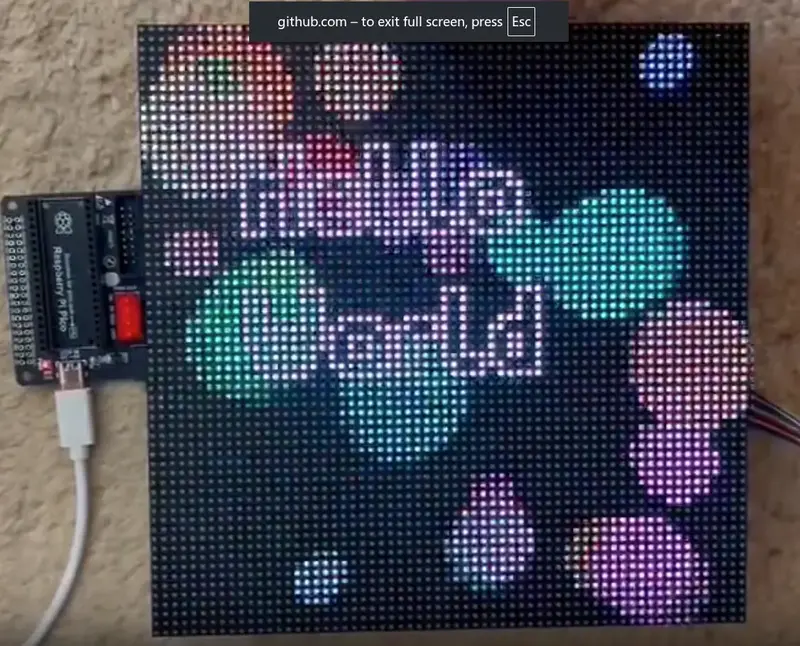
High-Performance HUB75 Rendering for Raspberry Pi Pico
The HUB75 DMA-Based Driver is a specialized implementation designed to push the limits of RGB LED matrix panels using the Raspberry Pi Pico’s unique hardware features. By leveraging the Programmable I/O (PIO) state machines and Direct Memory Access (DMA) controllers found in the RP2040 and RP2350, this driver achieves high refresh rates and superior color depth with minimal CPU intervention.
Driving HUB75 panels is traditionally a CPU-intensive task because it requires precise timing for row selection, clocking in pixel data, and modulating the Output Enable (OE) signal for Binary Coded Modulation (BCM). This project evolves from earlier examples by eliminating blocking synchronization delays, allowing the microcontroller to handle complex graphics or logic while the hardware handles the display refresh.
Technical Architecture: DMA Chains and PIO
The core innovation of this driver is the elimination of the hub75_wait_tx_stall function, a common bottleneck in other implementations. In standard drivers, the CPU must wait for the PIO TX FIFO to empty before proceeding. This driver replaces that busy-waiting with a fully automated DMA chain:
- Pixel Data DMA: Streams raw pixel data into the
hub75_data_rgb888PIO state machine. - Dummy Pixel Handling: A secondary DMA channel ensures the final bits of data are clocked correctly without CPU overhead.
- OEn Pulse Generation: A dedicated DMA channel sends address and pulse width information to the
hub75_rowPIO, managing the Binary Coded Modulation timing. - Interrupt-Driven Synchronization: A final DMA channel listens for the completion of the OE pulse and triggers an interrupt to reset the cycle for the next bitplane or row.
This architecture allows for impressive performance. At a 250 MHz system clock, the driver can achieve a refresh rate of approximately 448 Hz for a 64x64 matrix with 10-bit depth, all while maintaining stable, ghost-free images.
Advanced Visual Features
Beyond raw performance, the driver focuses on visual quality through several advanced techniques:
- Improved Colour Perception: The driver uses the CIE 1931 lightness curve to map 8-bit RGB data into a 10-bit space, better matching human visual sensitivity to gradients.
- Temporal Dithering: By using an accumulator-based technique over successive frames, the driver achieves a perceived color depth of 12–14 bits per channel. This significantly reduces banding in subtle gradients.
- Software Brightness Control: The API provides fine-grained control over panel intensity without requiring hardware modifications, allowing for smooth dimming and brightness scaling.
Hardware Compatibility and Setup
The driver is designed for flexibility, supporting various panel dimensions (64x64, 64x32, 32x16) and multiple multiplexing modes (1:32, 1:16, 1:8, and 1:4 scans). It includes specific support for various driving ICs, such as the FM6126A and RUL6024, which often require specific initialization sequences.
Wiring is straightforward but requires consecutive GPIO blocks for data and row-select pins to satisfy PIO requirements. The project is fully compatible with the Raspberry Pi Pico VSCode extension, making it easy to clone, build, and deploy to either the original RP2040 or the newer RP2350 (Pico 2).
Getting Started
To use the driver, developers define their panel dimensions and pin mappings in hub75.hpp. The driver typically runs on the Pico’s second core (core1), leaving the primary core free for application logic or graphics frameworks like LVGL.
// Example: Initializing the driver on Core 1
void core1_entry() {
    create_hub75_driver(MATRIX_PANEL_WIDTH, MATRIX_PANEL_HEIGHT, PANEL_TYPE, INVERTED_STB);
    start_hub75_driver();
}

int main() {
    stdio_init_all();
    multicore_launch_core1(core1_entry);

    while (true) {
        // Update your frame buffer here
        update(&my_graphics_object);
        sleep_ms(10);
    }
}
Whether you are building a digital clock, a retro gaming display, or a complex data visualization tool, this driver provides the performance foundation needed for high-quality LED matrix output.