ESP32-WeatherStationRTC
This ESP32-based desk clock provides real-time monitoring of temperature, atmospheric pressure, and humidity using the BME280 sensor and a DS3231 RTC. The system features an auto-dimming MAX7219 LED matrix display, WiFi-based NTP time synchronization, and a built-in web server for configuration, all developed using the Arduino framework and SPIFFS for data management.
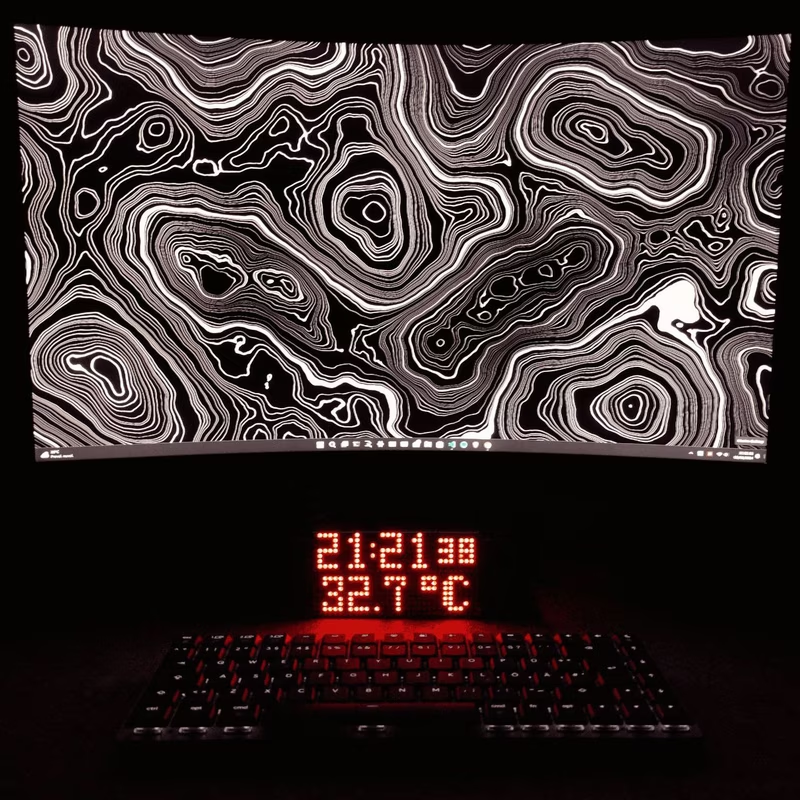
The ESP32-WeatherStationRTC is a multi-functional desk clock designed to monitor indoor environmental conditions while providing highly accurate timekeeping. Built around the versatile ESP32 microcontroller and programmed using the Arduino framework, this project combines several sensors and an LED matrix display to create an informative and sleek desktop accessory.
Core Features
The device is packed with features that go beyond a standard digital clock. It utilizes a DS3231 Real-Time Clock (RTC) module for precise time and date tracking. To ensure the time remains accurate even during power interruptions or battery changes, the system includes WiFi connectivity to synchronize with NTP servers.
Environmental monitoring is handled by a BME280 sensor, which measures temperature, humidity, and atmospheric pressure. The visual output is provided by an 8-device MAX7219 LED matrix module. To ensure the display is comfortable to read in any lighting condition, a BH1750 light sensor is integrated to provide automatic brightness adjustment. Additionally, the clock includes a passive buzzer for hourly chimes, button controls for cycling through display modes, and a dedicated web server for remote configuration.
Hardware and Software Requirements
The project is optimized for the ESP32-DevKitC V4 but is compatible with other Arduino-supported boards with minor pin adjustments. Key hardware components include:
- ESP32 microcontroller
- MAX7219 LED matrix (8 units)
- DS3231 RTC module
- BME280 sensor (Temp/Hum/Pres)
- BH1750 light sensor
- Passive Buzzer and a PushButton (optional, as the BOOT button can be used).
On the software side, the project is managed via PlatformIO and requires Python3 for build scripts. It leverages SPIFFS for the filesystem to store configuration data.
System Setup and Wiring
Setting up the device involves both software configuration and hardware assembly. Users must configure the data/config.json file before building the filesystem and uploading it to the ESP32. The hardware wiring follows standard I2C and SPI protocols. The I2C bus (SDA on pin 21, SCL on pin 22) connects the RTC, BME280, and BH1750 sensors. The MAX7219 display uses the SPI interface, specifically pins 18 (CLK), 23 (DIN), and 5 (CS).
Configuration and Usage
Upon the first boot, the device may display “POWER LOST” if the RTC battery is low or missing. In this state, a simple button press initiates a WiFi connection to sync the time via NTP. The device supports multiple languages—including English, Italian, Spanish, German, and French—and uses the standard Timezone.h format for regional time rules.
In daily use, the display cycles through three primary modes:
- Time & Temperature
- Date (format: DDD DD MMM YYYY)
- Humidity & Pressure (hPa)
A long press on the control button (over 500ms) toggles the display on or off, while a short press cycles the modes manually.
Web Interface
One of the most convenient features of the ESP32-WeatherStationRTC is its built-in web server. By connecting to the device’s access point (ESP32WeatherStation), users can access a web interface at 10.10.10.10 to modify settings without needing to re-flash the firmware.
The web interface provides a user-friendly dashboard for viewing current sensor data and a settings page for adjusting WiFi credentials, language preferences, and display behavior.