DSSH: Nintendo 3DS SSH Client with Pinyin IME and Voice Input
DSSH is a sophisticated SSH client for the Nintendo 3DS featuring a full ANSI terminal, Pinyin input method, and voice-to-text integration. Built with libssh2 and mbedTLS, it allows users to manage remote servers and interact with AI tools like Claude Code directly from their handheld console.
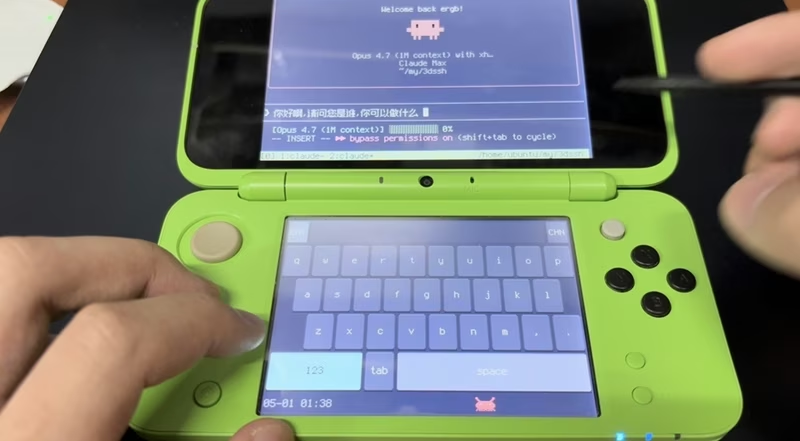
Coding from the couch has reached a new level of portability with DSSH, a full-featured SSH client specifically designed for the Nintendo 3DS family of consoles. While mobile SSH clients are common, DSSH distinguishes itself by leveraging the dual-screen hardware of the 3DS to provide a surprisingly productive environment for system administration and development on the go.
Terminal Power on a Handheld
At its core, DSSH provides a robust ANSI/VT100 terminal emulator on the top screen. It supports 256-color and TrueColor rendering, box-drawing characters, and even Braille patterns, making it fully compatible with modern CLI tools like tmux, htop, and yazi. The terminal is powered by a fork of the skmtrd/3dssh parser, ensuring that complex layouts and status bars render correctly despite the 3DS’s unique screen resolution.
Breaking the Language Barrier
One of the standout features of DSSH is its integrated Chinese Pinyin Input Method Editor (IME). Typing in Chinese on an embedded device is traditionally difficult, but DSSH solves this with a self-drawn soft keyboard on the bottom screen. The IME includes:
- Extensive Dictionary: A bundled Zpix pixel font covering over 21,000 CJK ideographs.
- Smart Matching: Support for full pinyin, abbreviations (initials), and prefix fallback.
- Candidate Navigation: A smooth interface for selecting characters using the D-pad or touch screen.
For users who prefer English, the system allows for a “Bail out” mode where pinyin buffers can be emitted as raw ASCII, preventing the need to constantly toggle modes for simple commands like cd or ls.
Voice-Powered Productivity and AI
DSSH pushes the boundaries of a traditional SSH client by incorporating voice input. By pressing the START button, users can dictate Chinese sentences. The 3DS records the audio and ships it over a secondary libssh2 channel to a server-side shim, which utilizes Whisper Large V3 Turbo for near-instant transcription. This allows for fluid interaction with modern AI-driven coding tools like Claude Code without ever touching the virtual keyboard.
Furthermore, version 1.1 introduced a “Voice AI Ask” feature. By holding the L shoulder button and pressing START, users can query DeepSeek-Chat via voice. The AI’s response is rendered in a dedicated modal on the bottom screen with full markdown support, including color-coded headers and code blocks, all without interrupting the active SSH session on the top screen.
Technical Architecture
The project is built using the devkitPro / devkitARM toolchain. Because the standard 3DS libraries lack modern SSH support, DSSH includes a custom cross-compiled build of libssh2 using mbedTLS as the cryptographic backend. This enables secure RSA-4096 public-key authentication, though it requires the traditional PEM format due to the specific version of mbedTLS used in the 3DS ecosystem.
The rendering engine utilizes citro2d to achieve a smooth 60 FPS main loop. This loop handles SSH polling, UTF-8 reassembly, and the animation of the project’s mascot—an “Anthropic-red” crab that scampers across the bottom screen.
Control Scheme and Hardware Integration
DSSH makes full use of the 3DS’s physical buttons to replicate a full keyboard experience:
- Modifiers: The Y, X, and L buttons act as Ctrl, Alt, and Shift respectively.
- Navigation: The Circle Pad is mapped to scrollback and tmux mouse-wheel events.
- Multi-Pane Support: A clever “L + Circle Pad” combo allows users to route scroll events to specific tmux panes (left/top vs. right/bottom).
Whether you are performing quick server maintenance or engaging in a deep coding session with AI assistance, DSSH transforms the Nintendo 3DS into a legitimate tool for the modern developer’s toolkit.
Related Projects
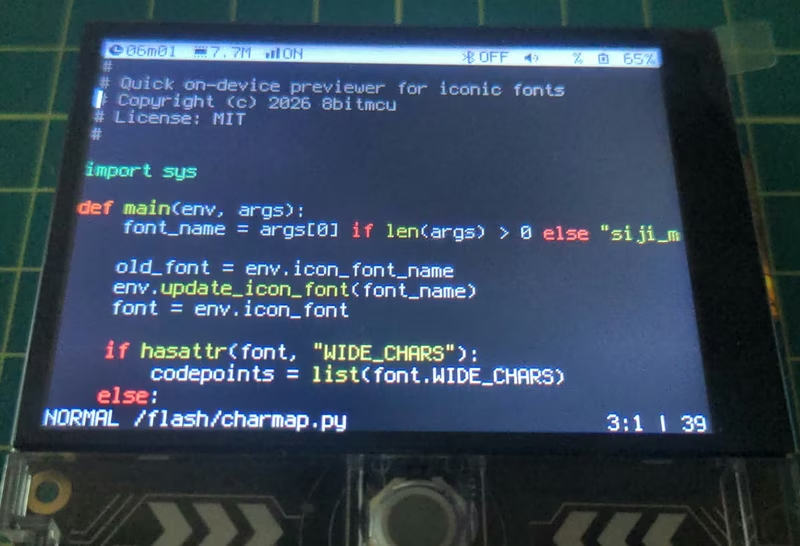
vtOS: A Terminal-Based Hobby Firmware
vtOS is a MicroPython-based firmware that transforms the LilyGO T-Deck handheld into a portable terminal computer. It features a custom shell with integrated clients for SSH, FTP, IRC, and Gemini, alongside local utilities like a vi-style editor and a TUI file manager. The project leverages FreeRTOS via the ESP-IDF framework and provides deep integration with the T-Deck's hardware, including its keyboard, trackball, and LoRa radio.
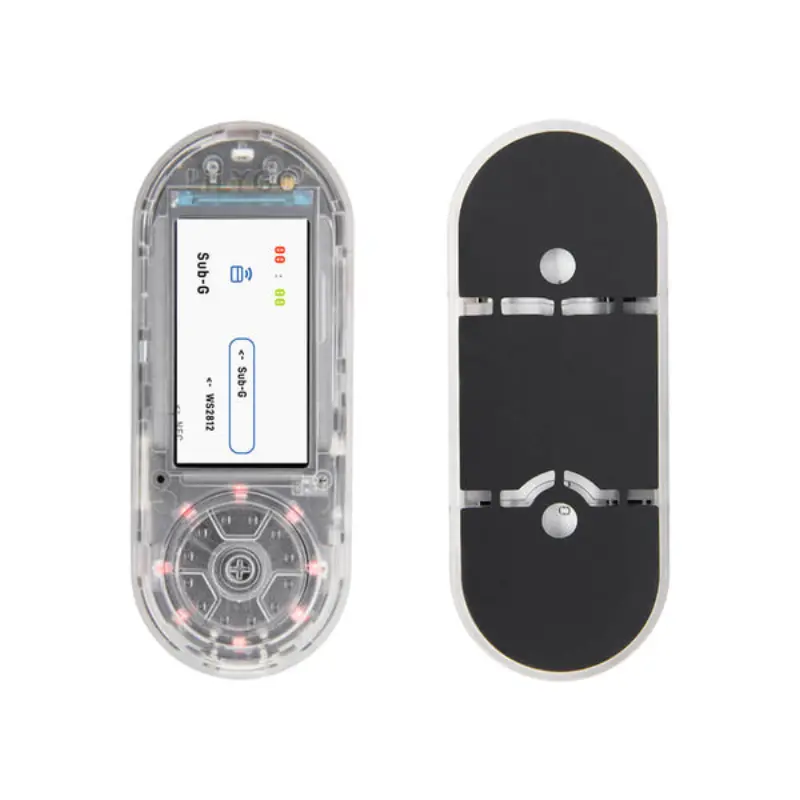
Zhilly AI Pentester Assistant
Zhilly is an AI-powered portable cybersecurity tool for ESP32-S3 devices, enabling voice-controlled pentesting, RF/IR signal manipulation, and HID emulation. Built on the ESP-IDF framework, it utilizes FreeRTOS, LVGL, and NimBLE to provide a sophisticated, hands-free interaction model for security researchers.
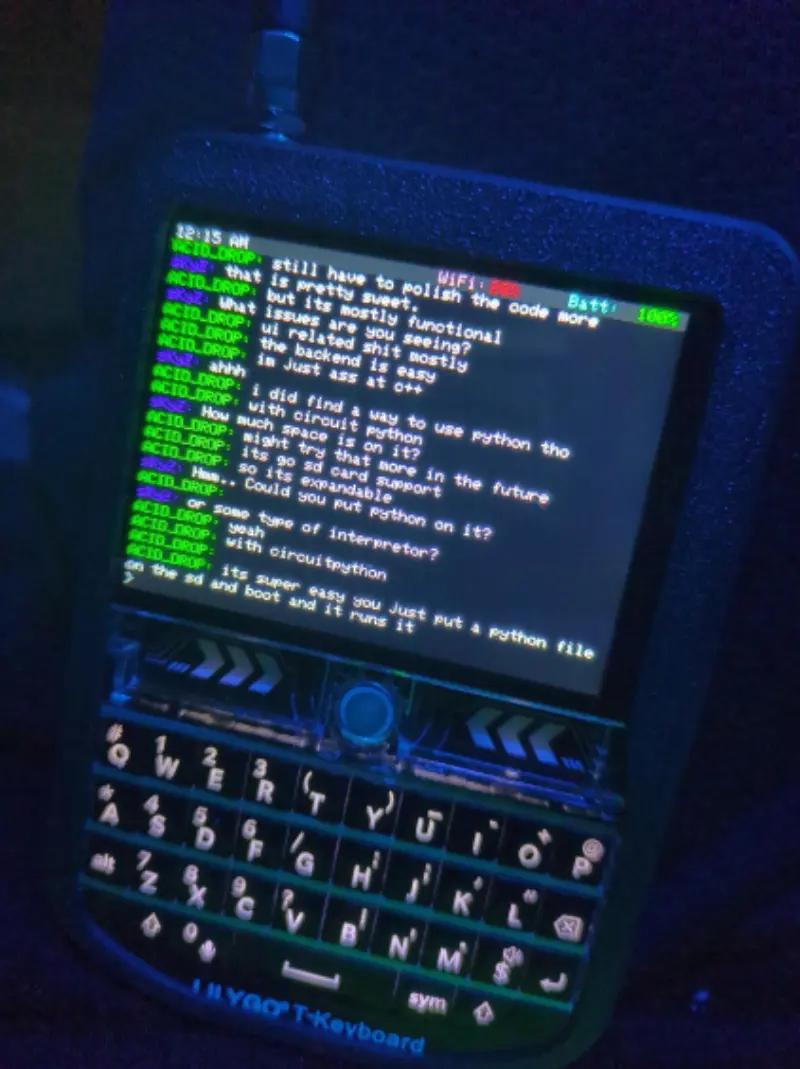
Acid Drop: Custom Firmware for LilyGo T-Deck
A custom firmware for the LilyGo T-Deck handheld device, featuring a graphical IRC client built with LVGL. It supports WiFi connectivity, audio playback, and various command-and-control features on the ESP32-S3 platform.
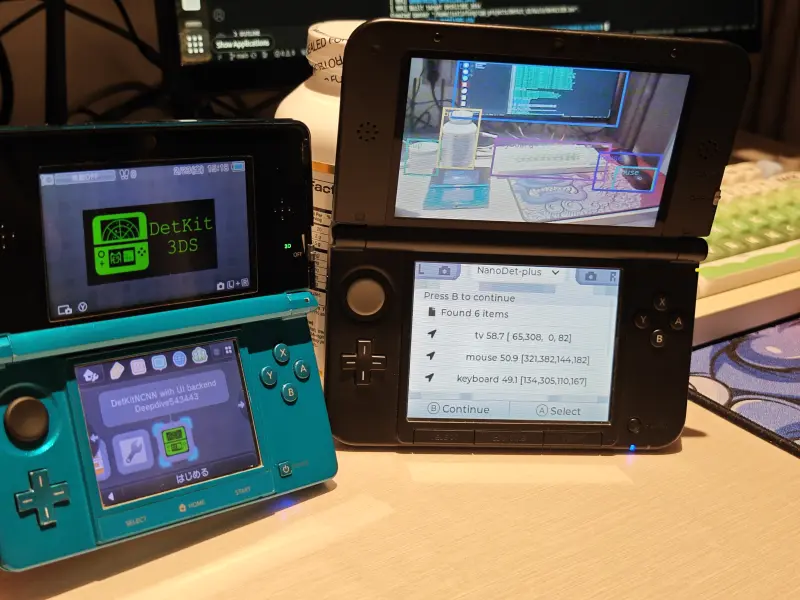
Detkit3DS
A lightweight object detection application for the Nintendo 3DS handheld console. It leverages the NCNN inference framework and LVGL 8.3.11 for its user interface, supporting models like Nanodet-Plus and Fastest-Det for non-real-time image analysis.
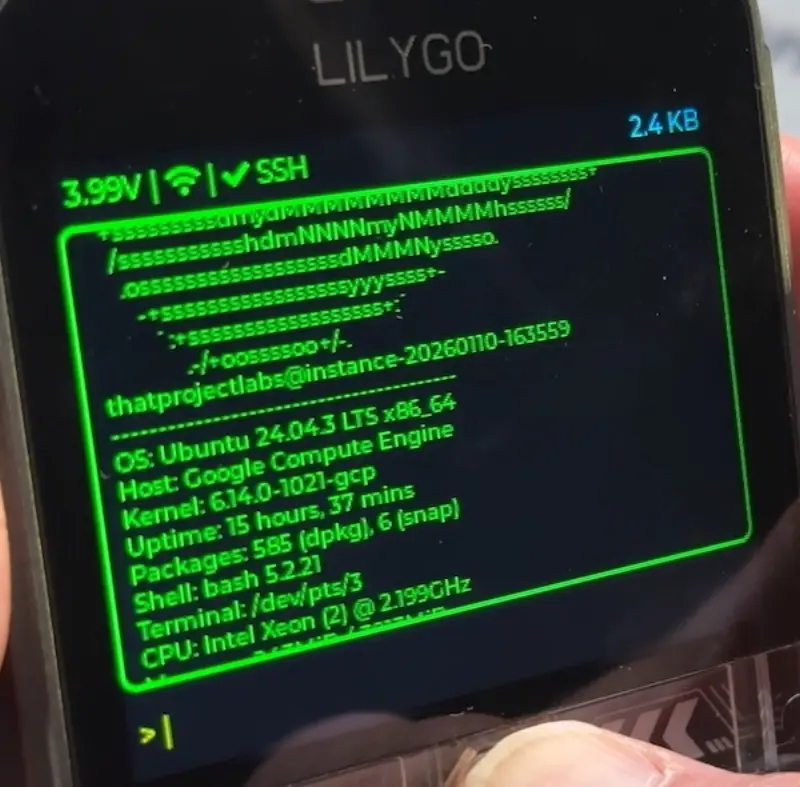
PocketSSH
A portable SSH terminal client for the ESP32-S3 T-Deck Plus handheld device. It provides a full SSH2 terminal with PTY support, hardware keyboard integration, and a graphical interface built on FreeRTOS and LVGL. The project targets secure remote server management on compact, battery-powered hardware.
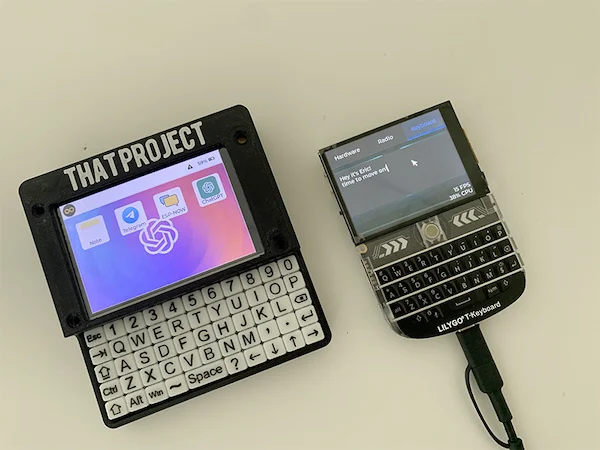
ESP32Berry
A comprehensive handheld OS-like application for the LilyGO T-Deck, leveraging LVGL for its user interface and LovyanGFX for high-performance display driving. It features a ChatGPT client, dynamic WiFi configuration, and system-level controls for audio and brightness.