CYD Tactical Weather Station
An ESP32-based monitoring hub for the 'Cheap Yellow Display' (CYD) that tracks weather, space events, wildfires, and geological activity. It features a custom power management system called Somnus for instant-wake deep sleep and includes a robust calibration system to support various hardware revisions.
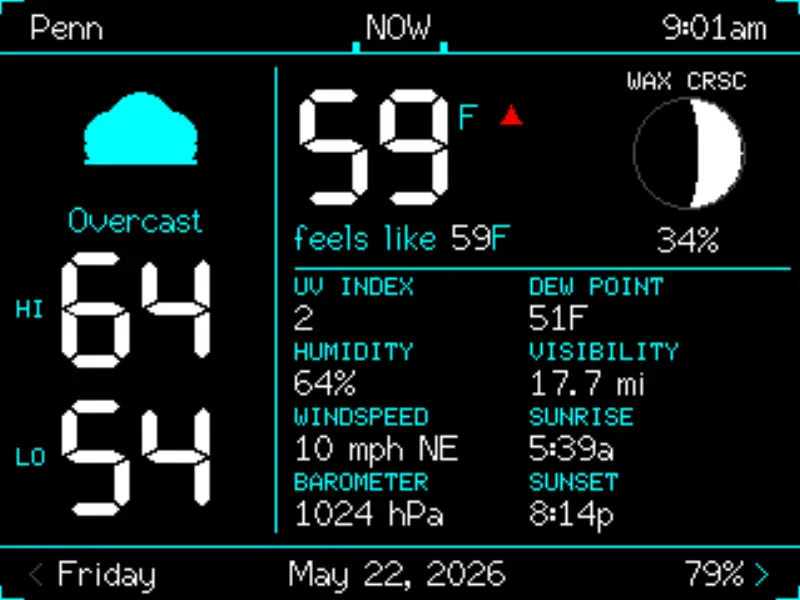
A Comprehensive Monitoring Hub for the Cheap Yellow Display
The CYD Tactical Weather Station is a sophisticated firmware project designed for the popular “Cheap Yellow Display” (CYD) development boards. While many weather station projects focus on simple temperature and humidity readings, this project transforms the ESP32-based device into a comprehensive tactical monitoring station. It provides a wide array of data, including real-time weather, space weather (solar activity), fireball and meteor tracking, volcanic activity, wildfires, earthquakes, and breaking news.
Built using the Arduino framework and the TFT_eSPI library, the project is optimized for the 2.8-inch 240x320 touchscreen. It utilizes a series of twelve specialized screens that users can navigate via touch, providing a deep dive into environmental and situational awareness data.
Advanced Features and Data Integration
The station is designed to be a “set and forget” device. It leverages IP geolocation to automatically detect the user’s location, eliminating the need for manual coordinate entry. Data is pulled from various public APIs, such as Open-Meteo for weather and the USGS for geological events, often without requiring the user to manage their own API keys.
Key screens include:
- NOW & Forecasts: Real-time conditions with dynamic “feels-like” calculations, UV index, and moon phases, alongside 12-hour and 5-day forecasts.
- Solar & Space Weather: Tracks the Kp index, solar wind speed, plasma density, and X-ray flux, complete with a 24-hour history chart.
- Emergency Tracking: Dedicated screens for active wildfires (via WFIGS), earthquakes (via USGS), and volcanic activity, including color-coded severity levels.
- Fireteam: A unique operational risk assessment screen that provides safety guidance based on fire, storm, and heat threats.
- Almanac: A solar day timeline calculated locally from GPS coordinates, showing phases from astronomical dawn to dusk.
Intelligent Power Management with Somnus
One of the standout technical features of the project is the Somnus intelligent power management system. Recognizing that always-on displays can have a limited lifespan and high power draw, Somnus allows for a “Power Off” mode that actually puts the ESP32 into an ultra-low-power deep sleep.
Unlike a standard power-down, the device remains responsive to touch. By utilizing the EXT0 touch-IRQ on GPIO 36, a single tap on the screen reanimates the device instantly, bypassing the need for a hardware reset or long boot sequence. This is paired with a customizable sleep timer and a scheduled sleep/wake timer to preserve the backlight during night hours.
Hardware Compatibility and Calibration
The CYD hardware ecosystem is notoriously fragmented, with different manufacturers using various orientations for the LCD and touch digitizers. This project addresses this challenge with a robust first-boot calibration sequence for “2-USB” board variants.
Upon first boot, the firmware guides the user through selecting the correct LCD orientation and touch rotation. These settings are saved to the ESP32’s Non-Volatile Storage (NVS), ensuring the UI remains perfectly aligned across reboots. For developers, the project supports building via PlatformIO with specific environments for both the original ESP32-32E (1-USB) and the newer 2-USB variants.
Getting Started
Setting up the station is streamlined through a merged flash image approach, combining the bootloader, partition table, and application firmware into a single file. WiFi provisioning is handled via a simple text file on an SD card:
# wifi.txt content
Your_SSID
Your_Password
Once the device boots and saves these credentials to NVS, the SD card can be removed. The system then automatically fetches the latest data at the top of every hour, though users can force a refresh at any time by tapping the title bar on any screen.
Related Projects
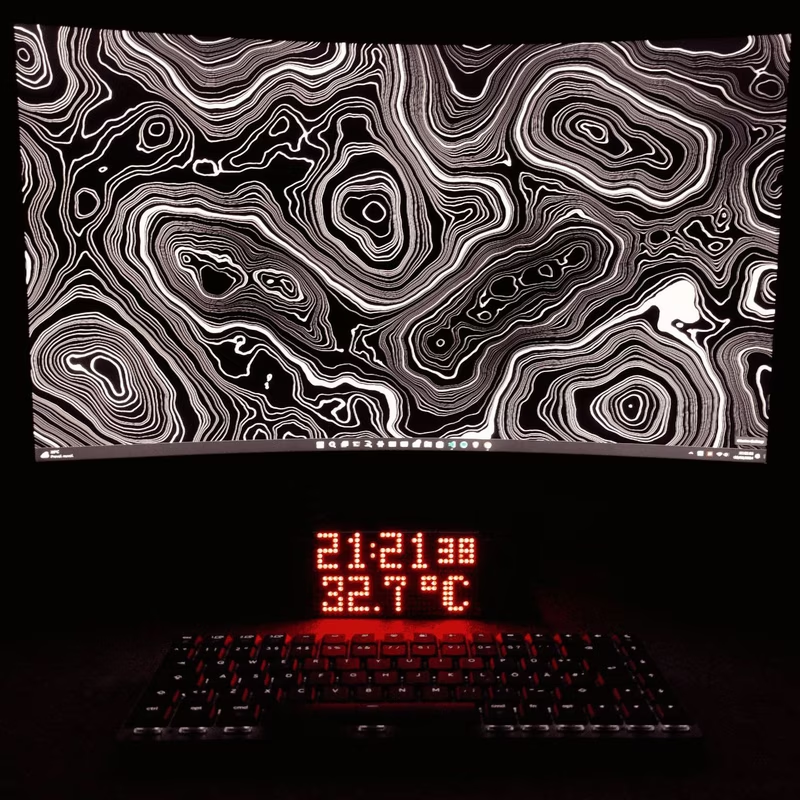
ESP32-WeatherStationRTC
This ESP32-based desk clock provides real-time monitoring of temperature, atmospheric pressure, and humidity using the BME280 sensor and a DS3231 RTC. The system features an auto-dimming MAX7219 LED matrix display, WiFi-based NTP time synchronization, and a built-in web server for configuration, all developed using the Arduino framework and SPIFFS for data management.
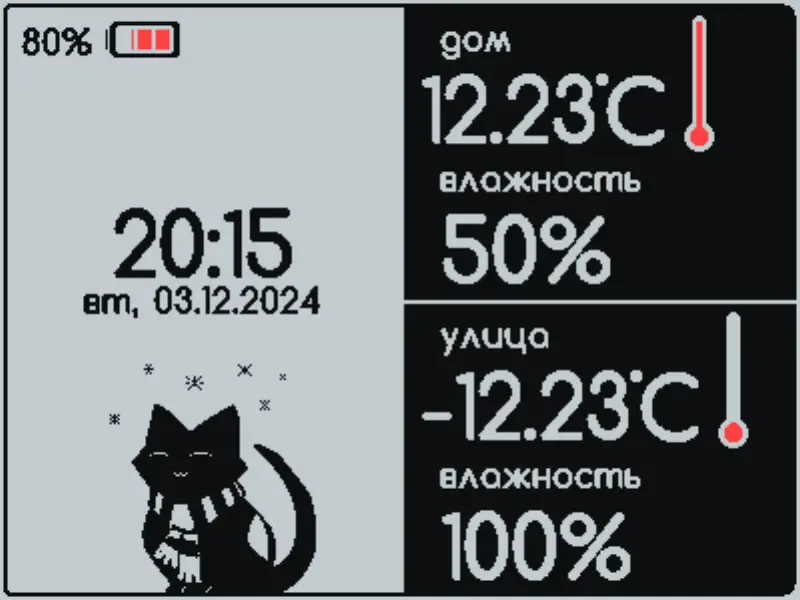
Volna 2BW42 Weather Station Firmware
An Arduino-based firmware for E-Ink weather stations targeting ESP8266 and ESP32 platforms. It supports BME280, SCD41, and DS18B20 sensors, provides MQTT connectivity for smart home integration, and features a web-based UI for configuration and custom design uploads.
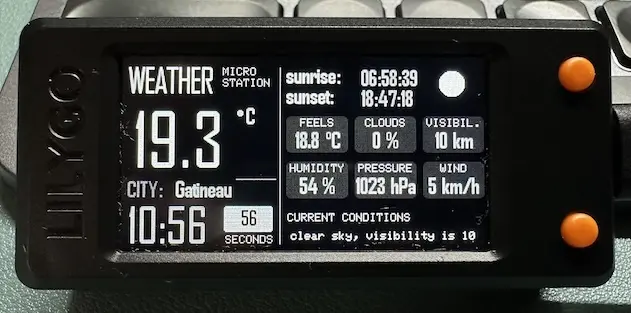
Weather Micro Station for T-Display S3
A modular, high-performance weather display system for the LilyGO T-Display S3 powered by an ESP32-S3. It provides real-time weather updates via the OpenWeatherMap API, featuring a smooth 40 FPS UI, automatic NTP time synchronization, and robust error recovery.
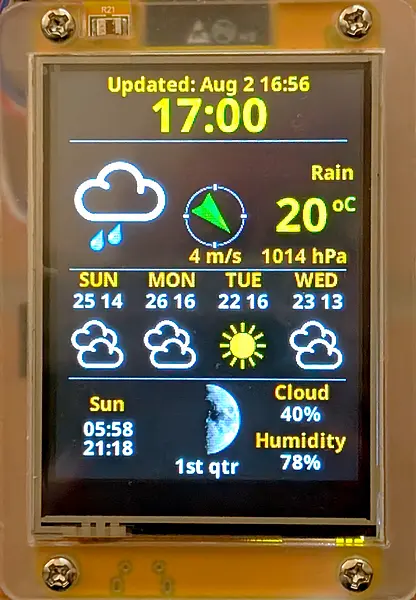
ESP32 CYD Weather Station with 3-Day Forecast
An internet-connected weather station application for the ESP32 Cheap Yellow Display (CYD). It features a 3-day forecast using the OpenWeather API, displaying weather icons and data on a 2.8-inch TFT screen. The project utilizes LittleFS for asset storage and the TFT_eSPI library for high-performance graphics.