Cheap Yellow Display Video Player (ESP32-2432S028)
A high-performance MJPEG video player optimized for the ESP32-2432S028 'Cheap Yellow Display' (CYD) module. It utilizes the Arduino_GFX library and JPEGDEC for efficient frame-by-frame playback from an SD card, supporting hardware-accelerated rendering on the ILI9341 display controller.
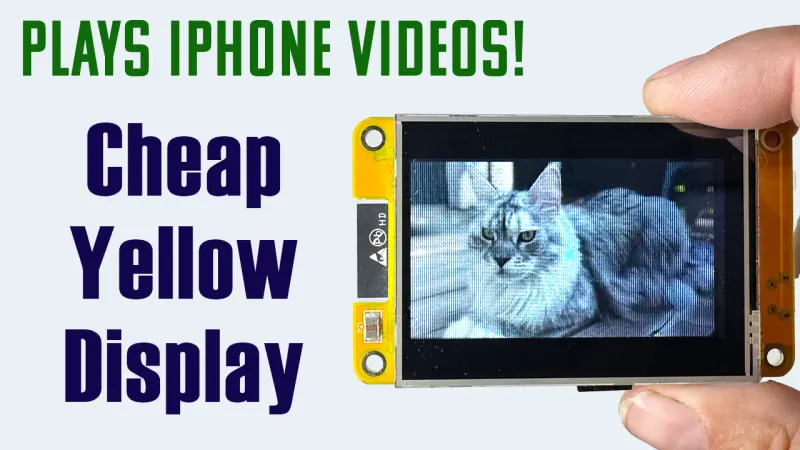
Overview
The ESP32-2432S028, affectionately known in the maker community as the “Cheap Yellow Display” (CYD), is a powerful and affordable development board featuring an integrated touchscreen and SD card slot. This project transforms the CYD into a dedicated video player capable of streaming MJPEG files directly from an SD card. By leveraging the dual-core capabilities of the ESP32 and optimized graphics libraries, it achieves smooth video playback on the board’s 2.8-inch display.
Technical Implementation
Video playback on microcontrollers is often constrained by memory and processing power. This project overcomes these limitations by using the MJPEG (Motion JPEG) format. Unlike modern inter-frame compression (like H.264), MJPEG treats every frame as an individual JPEG image. This allows the ESP32 to decode and display frames sequentially without needing the massive RAM overhead required for complex video codecs.
Core Components
- Arduino_GFX_Library: Used for high-speed display interfacing. The project specifically targets the ILI9341 display controller, which is common on these boards.
- JPEGDEC: A high-performance JPEG decoder that handles the heavy lifting of turning compressed data into raw pixels.
- SD Card Interface: Utilizes the VSPI bus to read video data at high speeds, essential for maintaining a consistent frame rate.
- FreeRTOS Integration: The implementation uses FreeRTOS primitives, such as
xTaskGetTickCountFromISR, to handle user input via the boot button for skipping videos without interrupting the playback loop.
Hardware Optimization
The project includes specific optimizations for the CYD hardware. It supports SPI speeds up to 80MHz for both the display and the SD card reader, though it provides a fallback to 40MHz for older or less stable hardware revisions. It also manages the backlight via PWM and handles the specific pinout of the ESP32-2432S028, including the SD card CS and SPI pins.
Video Preparation
To play videos on the device, files must be pre-processed using FFmpeg. This ensures the resolution, aspect ratio, and pixel format match the hardware’s capabilities. The project recommends converting videos to a 240x320 resolution at 24 frames per second.
An example FFmpeg command for converting a standard 16:9 video to the required 4:3 vertical orientation is:
fmpeg -y -i input.mp4 -pix_fmt yuvj420p -q:v 7 -vf "transpose=1,fps=24,scale=-1:320:flags=lanczos" output.mjpegKey Features
- Automatic Playlist: The firmware automatically scans the
/mjpegfolder on the SD card and builds a list of available videos. - Interrupt-Driven Control: Users can skip to the next video by pressing the BOOT button, which is handled via a debounced hardware interrupt.
- Performance Metrics: The player outputs real-time statistics to the Serial monitor, including average FPS and the percentage of time spent on reading, decoding, and rendering.
- Dynamic Scaling: The
MjpegClasswrapper includes logic to scale images (1/2, 1/4, 1/8) to fit the display limits if the source file exceeds the screen resolution.
This project serves as an excellent demonstration of the ESP32’s multimedia capabilities, providing a blueprint for building digital signage, animated photo frames, or portable media players on low-cost embedded hardware.