BitMap16 DX
A pixel art sketchbook application designed for the M5Stack Cardputer, featuring 8x8 and 16x16 canvas modes with support for custom palettes and PNG export. Built on the Arduino framework for the ESP32-S3, it provides a retro handheld gaming experience for creating and managing digital art on portable hardware.
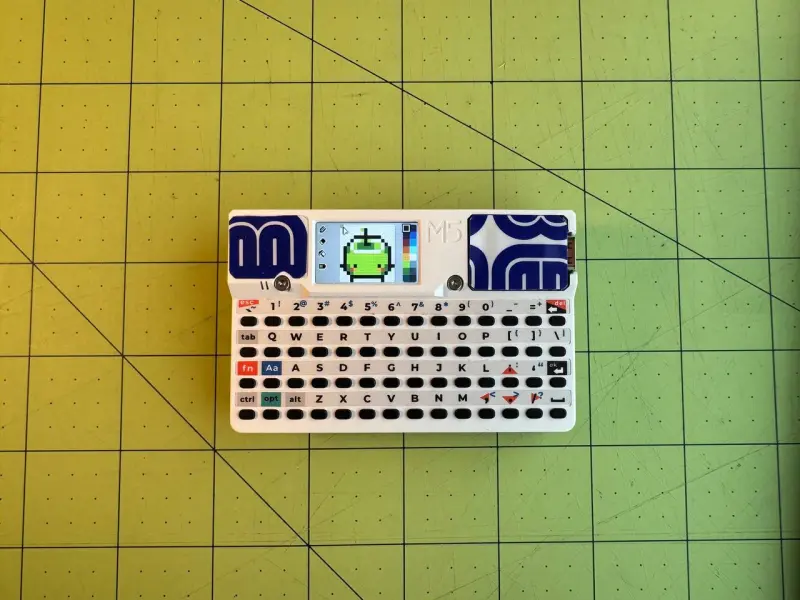
BitMap16 DX is a specialized pixel art sketchbook designed specifically for the M5Stack Cardputer. Channeling the aesthetic of early 2000s handheld gaming consoles, this application transforms the compact ESP32-S3-based device into a portable creative suite for low-resolution digital art.
Creative Features and Canvas Modes
The application supports two primary canvas sizes: 8×8 and 16×16 pixels. Despite the small resolution, it offers a robust set of drawing tools including standard drawing, erasing, and flood fill. To enhance the user experience on a mobile device, it includes an undo function that can be triggered via keyboard or by physically shaking the device.
One of the standout features is the palette management system. BitMap16 DX comes with built-in 16, 8, and 4-color palettes. When a user switches palettes, the application automatically remaps the existing canvas colors to the new palette, clamping them to the new size while allowing users to switch back to restore the original color data. This non-destructive approach allows for rapid experimentation with different visual styles.
Hardware Integration and Storage
Designed for the M5Stack Cardputer (which utilizes the Stamp-S3A module), the project leverages the device’s built-in keyboard, display, and SD card slot. Artwork is saved directly to the SD card in a dedicated directory structure:
/bitmap16dx/sketches/: Stores raw sketch data./bitmap16dx/exports/: Stores exported.pngfiles./bitmap16dx/palettes/: Allows users to add custom.hexpalette files downloaded from sources like Lospec.
The export functionality is particularly useful, allowing users to save their work as standard PNG files at either the logical resolution (8×8/16×16) or scaled up to 128×128 for easier sharing.
Technical Implementation
The project is built using the Arduino framework within the PlatformIO ecosystem. It utilizes several key libraries to manage the Cardputer’s hardware and file operations:
- M5Cardputer: Handles the core hardware abstraction, including the display and keyboard input.
- PNGENC: A library used to encode the pixel data into valid PNG files for export to the SD card.
- FastLED: Manages the onboard RGB LEDs for visual feedback.
The software architecture is designed around a Drawing Mode, a Palette Menu, and a Sketches Menu. The Sketches Menu includes a unique “Slideshow View” that allows users to browse their gallery with optional auto-advance and adjustable background themes (black, white, or gray) to better preview their artwork.
Getting Started
To use BitMap16 DX, users must insert a FAT32-formatted SD card before powering on the device. On the first boot, the application automatically initializes the necessary folder structure. Navigation is handled primarily through the Cardputer’s arrow keys and Enter button, with various hotkeys mapped to the physical keyboard for quick access to tools like flood fill (F), grid toggling (G), and theme switching (T).