UNO MOUSE
A minimalist stack-based programming language interpreter and microcomputer environment for the Arduino UNO. It provides a complete interactive system including a line editor, low-resolution graphics via composite video, and program storage in internal EEPROM. The project is highly optimized for the limited 2 KB RAM of the ATmega328P, utilizing custom library implementations and PROGMEM storage.
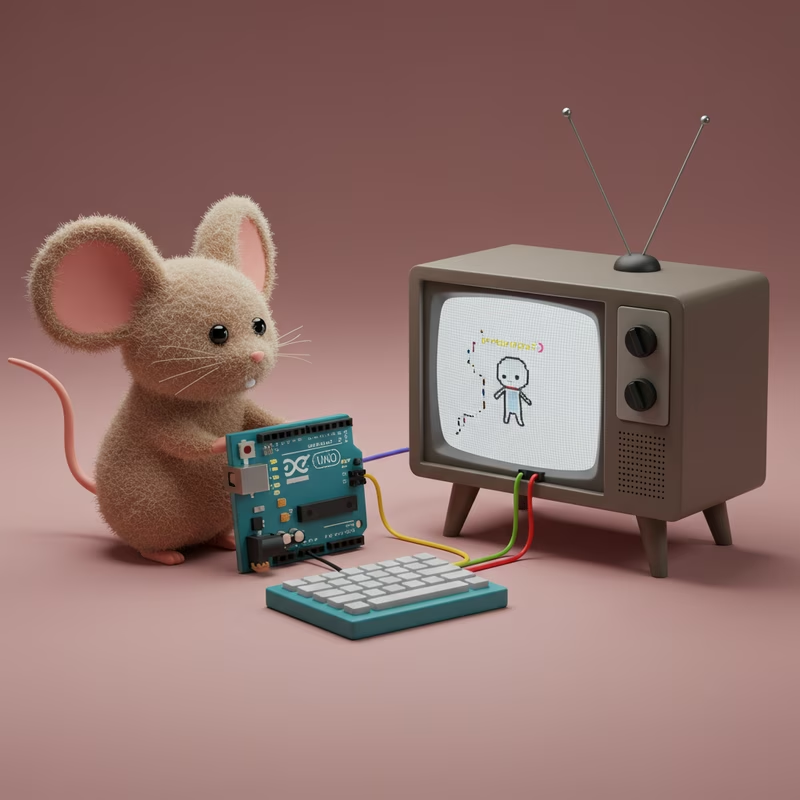
UNO MOUSE transforms the Arduino UNO into a standalone stack-based microcomputer. Inspired by the MOUSE programming language from the late 1970s, this project provides a minimalist interactive environment that includes a built-in text editor, low-resolution graphics, and persistent program storage. It is designed to operate as a self-contained system, requiring only a PS/2 keyboard and a composite video display to function.
The MOUSE Language
Mouse is a stack-based language using Reverse Polish Notation (RPN), characterized by its extremely minimalist syntax. Originally created by Dr. Peter Grogono, it was designed for microcomputers with severely limited resources. Most commands are single characters that perform operations on the stack, manage variables, or control program flow. This implementation for the Arduino UNO maintains high compatibility with the original MOUSE core concepts while adding hardware-specific commands for graphics and EEPROM management.
Key Features and Capabilities
The system functions as a complete development environment. Users can write and modify programs directly on the screen using a built-in line editor. Programs are stored in the internal EEPROM of the Arduino UNO, supporting up to 31 lines of code.
Graphics capabilities include a 128x96 pixel resolution with primitives for drawing pixels, lines, circles, rectangles, and triangles. The interpreter also supports a simple macro system for defining reusable code blocks and provides sound feedback for user actions and key presses.
Hardware Architecture and Constraints
Developing a language interpreter for the Arduino UNO presents significant challenges due to the ATmega328P’s hardware limitations:
- Flash Memory (32 KB): Used to store the interpreter logic and built-in test programs.
- SRAM (2 KB): This is the most critical bottleneck. It must house the system stack, 26 variables, line buffers, the call stack, and the video frame buffer.
- EEPROM (1 KB): Utilized for persistent user program storage and macro address mapping.
To overcome these limitations, the project employs several optimization techniques. It uses custom, compact implementations of standard C functions (like memset and strlen) to reduce library overhead and relies heavily on PROGMEM to keep static strings out of the precious RAM. Bit fields are used for state flags to pack multiple boolean values into a single byte.
Physical Connections
Setting up the UNO MOUSE requires specific wiring for the PS/2 keyboard and the composite video output. The TVout library handles the NTSC signal generation, while the PS2uartKeyboard library manages input.
PS/2 Keyboard Wiring
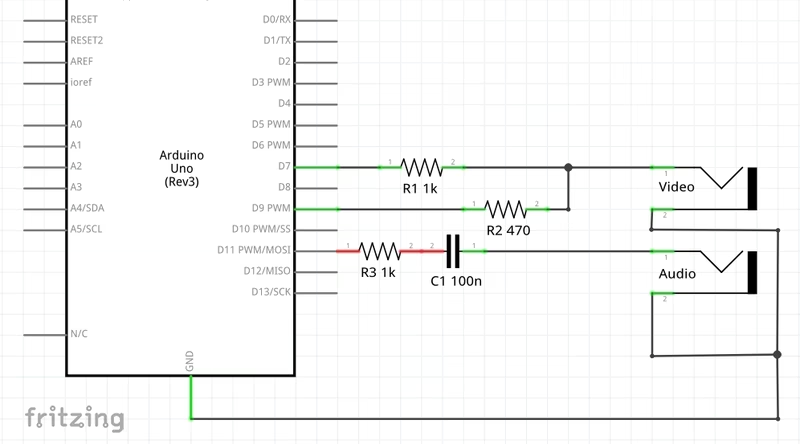
- Data Pin: Arduino Digital Pin 0 (RX)
- Clock Pin: Arduino Digital Pin 4
- Power: 5V and GND
Composite Video and Audio
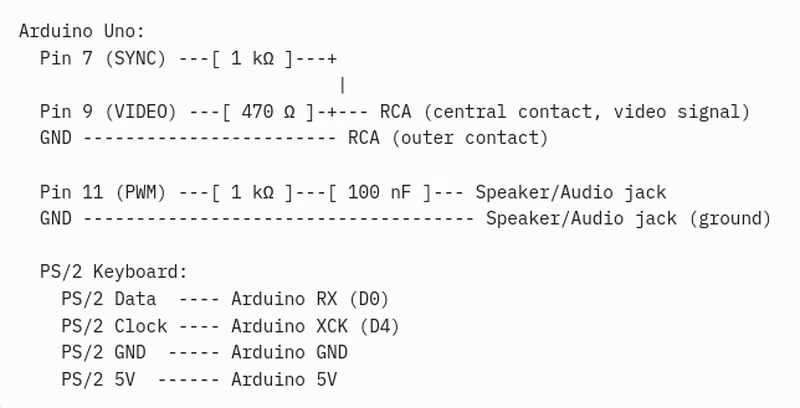
- Video Signal: Digital Pin 7
- Sync Signal: Digital Pin 9
- Audio Signal: Digital Pin 11 (connected through a 1 kΩ resistor and 0.1 µF capacitor)
Programming with UNO MOUSE
Commands in UNO MOUSE operate on 8-bit signed integers (-128 to 127). The language uses a stack-based approach where numbers are pushed onto the stack and operators like +, -, *, and / consume them to produce results.
Beyond basic arithmetic, the language includes:
- Variables: 26 slots (A-Z) accessed via
.(get) and=(assign). - Control Flow: Conditional blocks
[ ]and loops( )with break conditions^. - Macros: Definitions starting with
$Aand calls using#A. - Graphics: Dedicated commands like
P(Pixel),L(Line), andC(Circle) that pull coordinates and parameters directly from the stack.
Execution begins by entering the RUN command in the editor. For beginners, a TEST command is available to load a pre-written demonstration program from Flash memory into the EEPROM, showcasing the system’s graphical and logical capabilities.
Related Projects
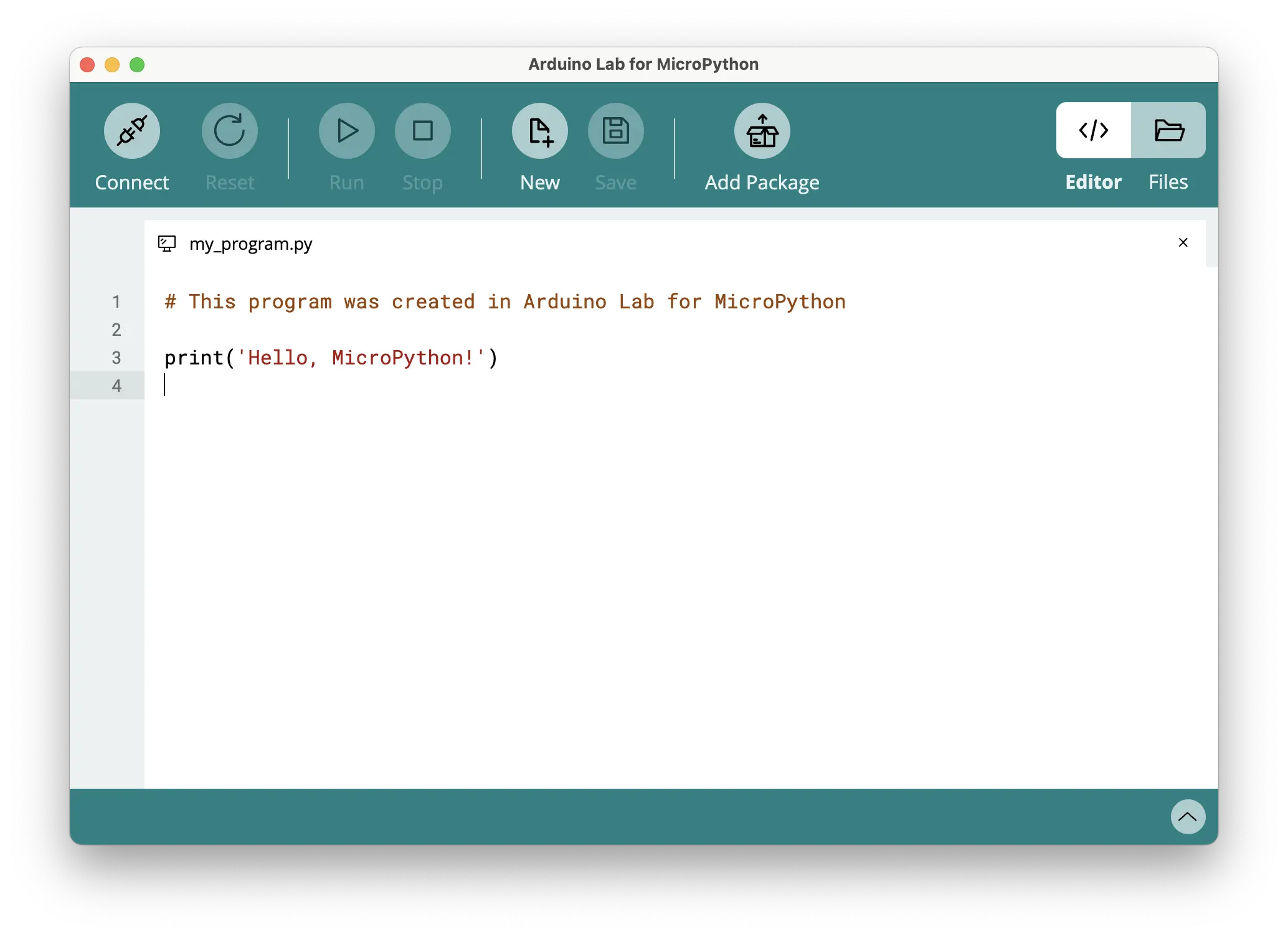
Arduino Lab for MicroPython
A lightweight, Electron-based editor for MicroPython development. It supports serial communication with microcontrollers to provide an interactive REPL, file system management, and direct code execution.