Three IPS Displays with ST7789
This project provides optimized configurations and benchmarking tools for three common ST7789-based IPS displays with resolutions of 170x320, 240x280, and 240x320. It leverages the TFT_eSPI library to achieve high frame rates on ESP32 and RP2040 microcontrollers, including detailed wiring and setup files for various hardware platforms.
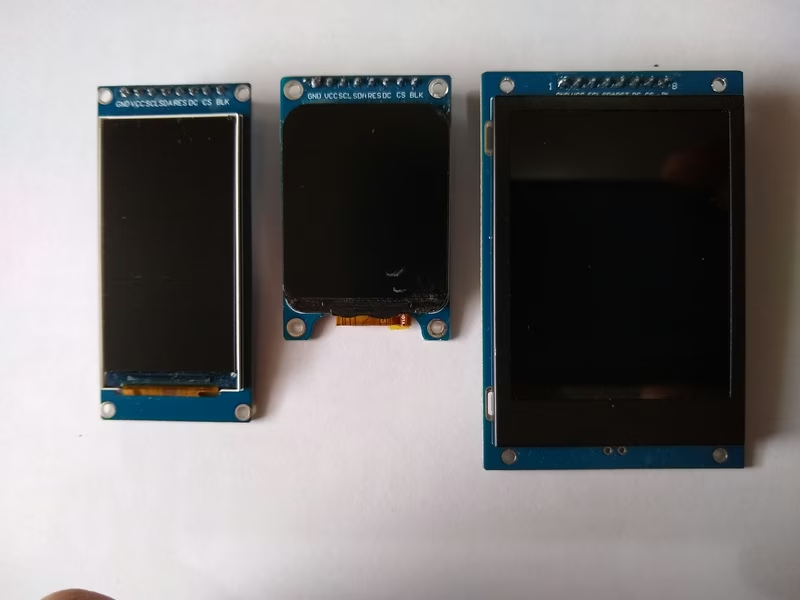
This project explores the capabilities of three affordable IPS displays featuring the ST7789 driver and a standard 8-pin connector. These displays, which range in resolution from 170x320 to 240x320, have been tested for stability and performance using the ESP32 Wemos Lite and the Arduino IDE.
One of the primary goals is to demonstrate that these displays can operate reliably at an 80MHz SPI frequency, even when connected via 50cm cables. While the initial focus is on the ESP32, the repository also includes extensive testing for a variety of other modern microcontrollers, including the RP2040 and the full ESP32 family (S2, S3, C3, C6, and H2).
Performance Benchmarking
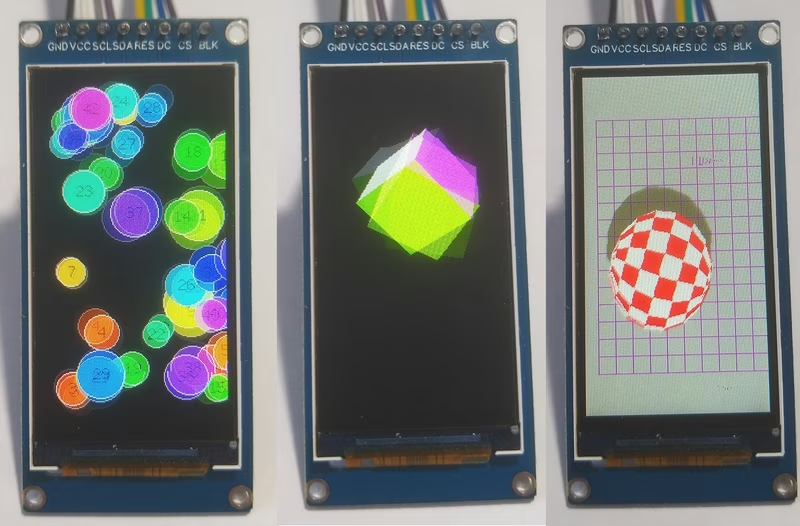
To evaluate the rendering capabilities of each display, several standard benchmarks were executed. The results highlight the impact of resolution on frame rates, with the 170x320 display naturally achieving higher speeds in geometry-heavy tests like ‘Bouncy Circles’ compared to its higher-resolution counterparts.
| Test | 170x320 | 240x280 | 240x320 |
|---|---|---|---|
| Bouncy_Circles | 88 fps | 73 fps | 65 fps |
| boing_ball | 134 fps | 133 fps | 136 fps |
| SpriteRotatingCube | 303 fps | 303 fps | 303 fps |
| Power Consumption | 34 mA | 41 mA | 48 mA |
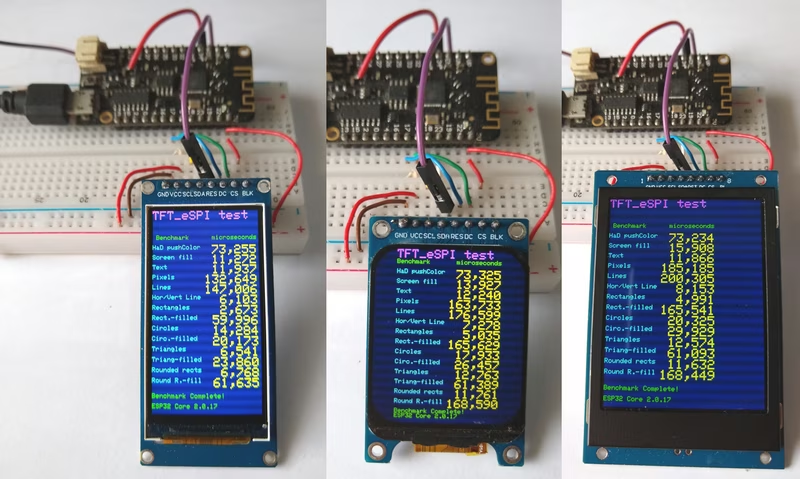
Beyond raw performance, physical characteristics vary between models. The 170x320 and 240x280 displays feature matte surfaces, while the 240x320 variant is glossy. Power consumption also scales with pixel count and backlight requirements, ranging from 34mA to 48mA.
Hardware Connections
The project utilizes a standardized wiring scheme for the Wemos Lolin32 Lite. The displays interface via Hardware SPI, with the Reset pin typically tied to the ESP32’s Enable (EN) pin to simplify the GPIO requirements.
| GPIO | TFT Pin | Description |
|---|---|---|
| 23 | SDA | MOSI Hardware SPI |
| 18 | SCK | CLK Hardware SPI |
| 5 | CS | Chip Select |
| 17 | DC | Data/Command |
| EN | RES | Reset |
| 3.3V | BLK | Backlight Control |
Software Configuration and Demos
The software implementation relies on the TFT_eSPI library. Because this library requires specific hardware definitions, the project provides custom setup files to handle the nuances of each display resolution and driver setting.
Users must modify the library’s User_Setup_Select.h to point to the appropriate header file for their specific display. A typical configuration for the 170x320 display includes enabling the ST7789_DRIVER, defining the width and height, and setting the SPI frequency to 80MHz for maximum performance.
#define ST7789_DRIVER
#define TFT_WIDTH  170
#define TFT_HEIGHT 320
#define TFT_INVERSION_ON
#define SPI_FREQUENCY 80000000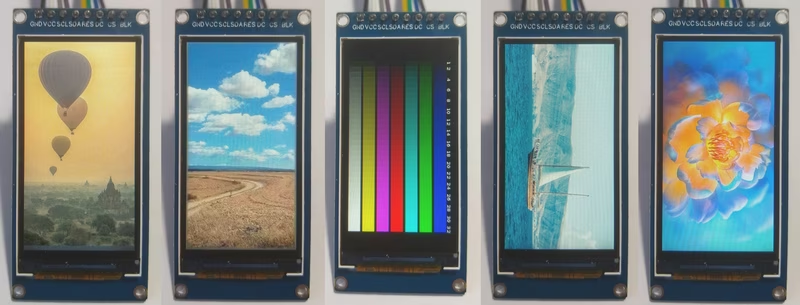
Included in the repository are several test programs ranging from standard graphics tests to more complex demos like boing_ball and SpriteRotatingCube. For those interested in static imagery, the show_pictures sketches demonstrate how to render 16-bit bitmap images stored in PROGMEM, ensuring correct color representation through byte-swapping techniques.