PicoPeanutGB: Game Boy Emulator for RP2350
A high-performance DMG and Game Boy Color emulator ported to the Raspberry Pi Pico 2 (RP2350). It features HDMI video and audio output via PicoDVI, SD card support for ROM management, and extensive gamepad compatibility.
Overview
PicoPeanutGB is a specialized port of the Peanut-GB emulator, specifically optimized for the Raspberry Pi Pico 2 and other RP2350-based microcontroller boards. This project transforms the RP2350 into a portable Game Boy and Game Boy Color console capable of outputting high-quality digital video and audio over HDMI.
While the original Raspberry Pi Pico (RP2040) lacks the processing power to run this emulator at full speed, the RP2350 provides the necessary performance overhead to handle the emulation of the Z80-like Sharp LR35902 processor alongside real-time DVI/HDMI signal generation.
Technical Implementation
The project leverages several advanced features of the Raspberry Pi Pico SDK and the RP2350 hardware:
- Video Output: Utilizing the PicoDVI library, the emulator generates a digital video signal. It supports multiple screen modes, including themed bezels and scanline overlays to replicate the look of original hardware.
- Audio Architecture: Sound is output over HDMI or via I2S to external DACs/speakers. On specific hardware like the Pimoroni Pico DV Demo Base, it supports line-out switching.
- Storage: ROMs are loaded from FAT32 or exFAT formatted SD cards. The system includes a built-in file browser menu for easy game selection.
- Input Handling: The project supports a wide array of controllers, including USB keyboards, XInput devices, DualShock/DualSense controllers, and Genesis Mini pads via TinyUSB and custom XInput host drivers.
Key Features
- Full GBC Support: Emulates both original Game Boy (DMG) and Game Boy Color (GBC) titles.
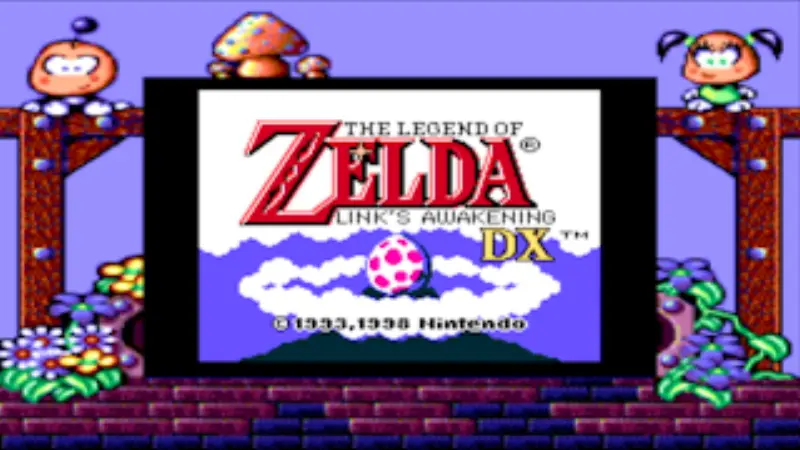
- Metadata and Box Art: When a metadata pack is installed on the SD card, the menu displays box art and game descriptions. In-game, the emulator can display themed borders (bezels) specific to the ROM being played.
- Customizable Palettes: For original DMG games, users can toggle between classic green, modern color, and grayscale palettes.
- Hardware Flexibility: Pre-configured builds are available for various RP2350 boards, including the Adafruit Metro RP2350, Adafruit Fruit Jam, and the Pimoroni Pico Plus 2.
Hardware Compatibility
The emulator is designed for the RP2350 ecosystem. Supported configurations include:
- Pimoroni Pico DV Demo Base: Ideal for HDMI output and I2S audio.
- Adafruit Fruit Jam: Supports built-in speakers and NeoPixel-based VU meters.
- Waveshare RP2350-PiZero: A compact form factor for portable builds.
- Custom PCBs: The repository includes Gerber files for dedicated emulator hardware designs.
Getting Started
To use PicoPeanutGB, users typically download the specific .uf2 binary for their hardware configuration from the releases page. ROM files (.gb or .gbc) should be placed on an SD card. The project also provides a GBMetadata.zip pack that should be extracted to the root of the SD card to enable advanced UI features like box art and themed borders.
For developers, the project is built using the standard Raspberry Pi Pico SDK environment. A provided bld.sh script simplifies the compilation process for different hardware targets using CMake.