Open-Source LDAT (Latency Analyser)
High-performance firmware for a DIY 'click-to-photon' latency tester built on the Teensy 4.1. It utilizes an 8kHz USB polling rate and a light sensor to measure the delay between a mouse click and on-screen visual changes with microsecond precision.
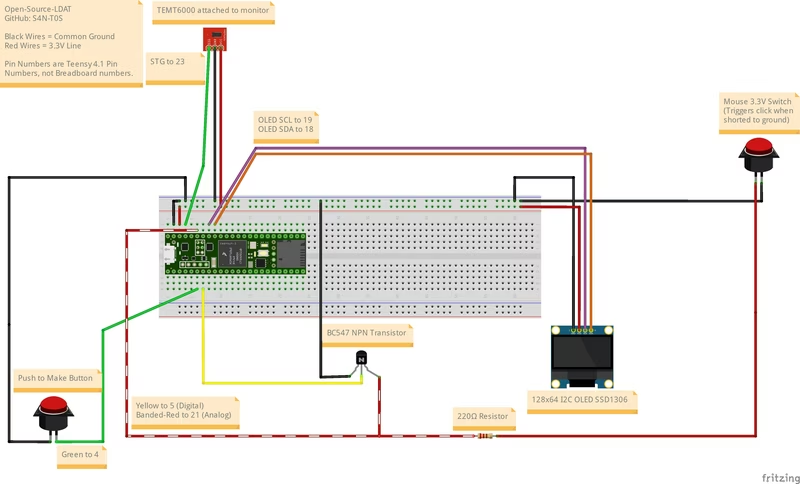
Measuring the delay between a physical mouse click and the resulting pixel change on a screen—often called “click-to-photon” latency—is a critical task for competitive gamers, hardware reviewers, and developers. Open-Source LDAT provides a powerful, DIY solution for this measurement, rivaling commercial tools like NVIDIA’s LDAT through the use of high-performance microcontrollers and custom software optimizations.
At the heart of the project is the Teensy 4.1, chosen for its high-speed I/O capabilities and powerful ARM Cortex-M7 processor. By pairing this with a TEMT6000 ambient light sensor and an SSD1306 OLED display, the system creates a standalone device capable of capturing real-time latency statistics without requiring complex external logging software.
The 8kHz Polling Advantage
One of the most significant features of this firmware is its true 8000 Hz USB polling rate. Standard USB HID devices typically poll at 1000 Hz, which introduces up to 1ms of random jitter into any measurement. This project includes a custom PlatformIO build script that temporarily patches the Teensy core files to enable a 125µs polling interval. This ensures that when the device is used in “Direct Mode” (emulating a mouse), the input delivery is as precise as the highest-end gaming peripherals on the market.
Comprehensive Measurement Modes
The firmware is designed to be versatile, offering several modes to isolate different parts of the latency pipeline:
- Automatic Mode: This mode uses a physical mouse wired into the Teensy. It triggers the mouse’s internal hardware switch, measuring the full pipeline including the mouse’s internal firmware delay, debouncing, the PC’s processing time, and the display’s scanout.
- Direct Mode: The Teensy acts as the USB mouse itself. This removes the physical mouse hardware from the equation, allowing users to isolate the latency contributed specifically by the Operating System, GPU drivers, and the display.
- UE4 Aperture Modes: Optimized for use with specialized benchmarking software like Aperture Grille’s “Black to White,” these modes provide a controlled environment for A/B testing monitor overdrive settings or BIOS configurations.
Understanding the Latency Pipeline
Open-Source LDAT is built on the philosophy that latency is not a single, static number but a sum of several independent cycles. A click must wait for the next USB poll, the game engine must sample that input during its next frame update, and the GPU must render the result in time for the monitor’s next scanout.
Because these cycles (USB, Game Engine, Display) are rarely synchronized, latency naturally varies from click to click. The device’s OLED screen addresses this by displaying not just the last measurement, but a live average, minimum, and maximum. This statistical approach helps users identify the “consistency” of their system, which is often more important for a smooth gaming experience than the raw average speed.
Hardware Diagnostics and Calibration
To ensure accurate results across different environments, the firmware includes a comprehensive hardware diagnostic suite. On boot, the device verifies the connection of the light sensor, display, and host mouse.
Calibration is handled through a dedicated debug menu. Because an OLED monitor has a different “black level” than an LCD or LED panel, users can use the live sensor debug mode to find the perfect light thresholds for their specific screen. This calibration allows the device to work with dedicated software markers (like the NVIDIA Reflex Flash Indicator) or even standard in-game effects like muzzle flashes.
Data Logging and Extensibility
For users performing long-term testing or deep-dive analysis, the project supports SD card data logging. When enabled, every individual measurement is saved to a .csv file on the Teensy 4.1’s onboard microSD slot. This allows for the generation of detailed latency distribution graphs and reports.
With its combination of high-speed hardware, clever software patching, and a simple one-button user interface, Open-Source LDAT stands as a professional-grade tool for anyone looking to quantify and optimize their PC’s responsiveness.
Related Projects
Oscilloscope RP2040
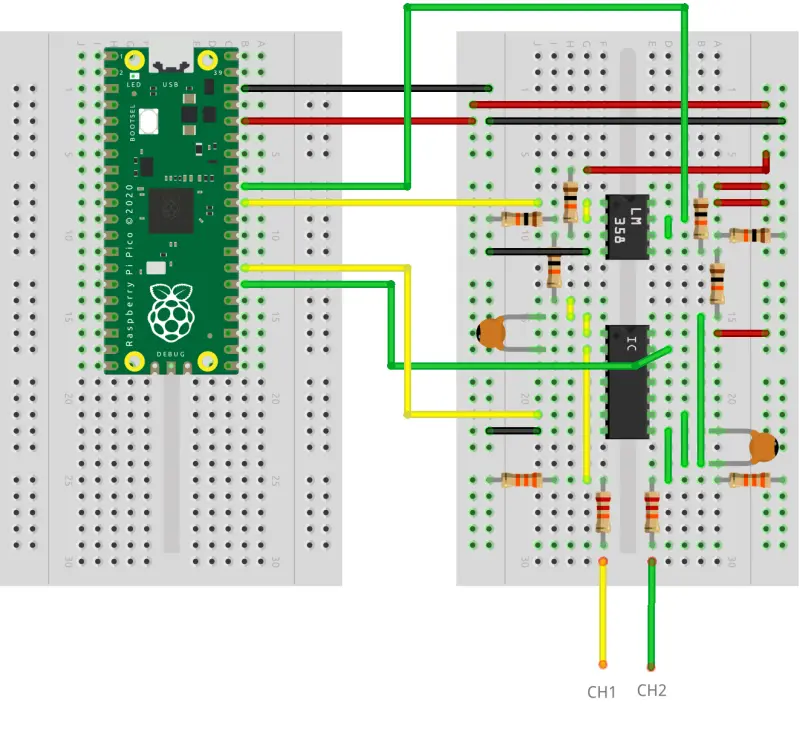
A high-performance oscilloscope firmware for the Raspberry Pi Pico (RP2040) that implements the OpenHantek6022 protocol. It supports dual-channel capture at up to 2 MS/s and integrates with a modified version of the OpenHantek6022 desktop software for visualization.

OpenFIRE - The Open Four Infa-Red Emitter Light Gun System
OpenFIRE is an advanced open-source firmware for RP2040 and RP2350 microcontrollers, providing high-performance IR light gun tracking with perspective adjustment. It features dual-core optimization to separate input polling from camera processing, ensuring low latency and high responsiveness. The system supports a wide range of peripherals including solenoids, rumble motors, and OLED displays, all configurable via a dedicated desktop application.
OpenEPT Energy Profiler Probe Firmware
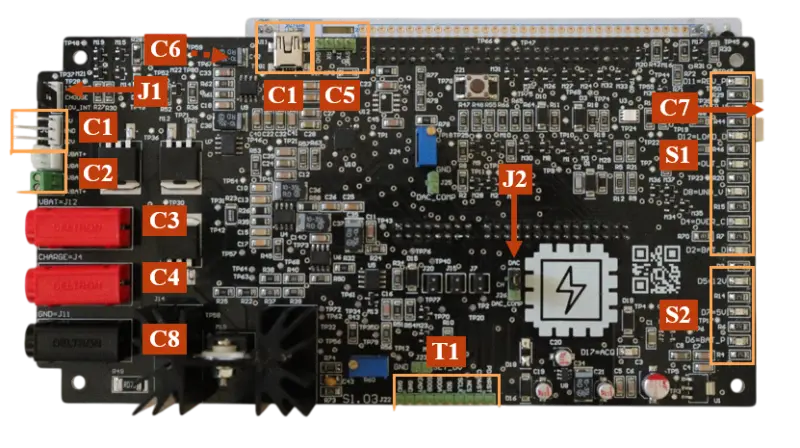
Open-source firmware for the OpenEPT Energy Profiler Probe, a tool for real-time energy profiling and battery state evaluation. It features high-speed data acquisition up to 1 MSPS and targets STM32-based hardware platforms.
Ropixon AT LoRa Dongle
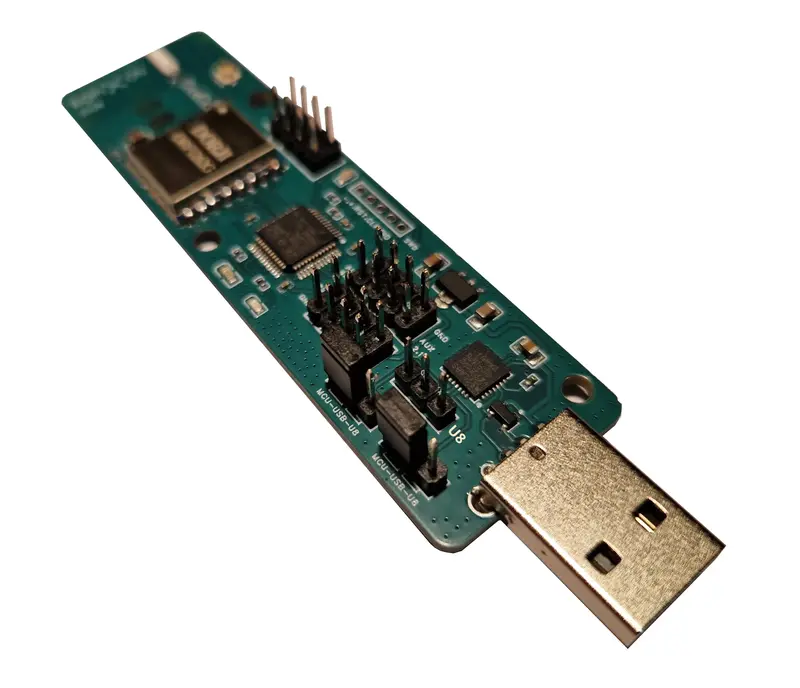
A firmware project for an STM32L071-based USB dongle that enables LoRa communication via AT commands. It utilizes the Semtech SX1262 transceiver and FreeRTOS to provide a plug-and-play wireless link for testing, range measurement, and sensor networks.