NeoPixel Library for Raspberry Pi Pico
A MicroPython library for controlling WS2812B and SK6812 LEDs on the Raspberry Pi Pico. It leverages the RP2040's Programmable I/O (PIO) and DMA capabilities to provide efficient, non-blocking LED control for both RGB and RGBW strips.
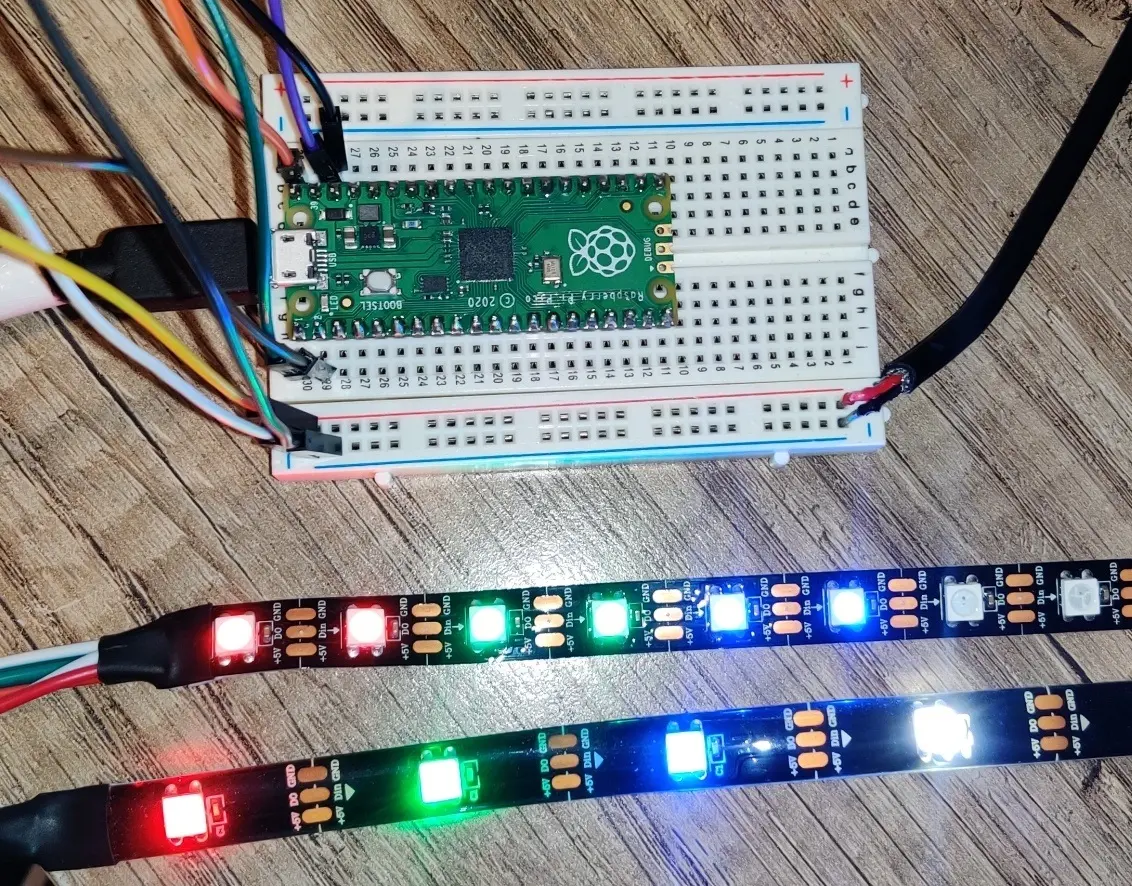
Overview
Controlling addressable LEDs like the WS2812B (NeoPixel) or SK6812 requires precise timing that can be difficult to achieve with standard bit-banging in high-level languages. This library provides a robust MicroPython implementation specifically designed for the Raspberry Pi Pico’s RP2040 microcontroller. By utilizing the hardware’s unique features, it ensures stable and flicker-free performance even when driving large numbers of LEDs.
Technical Implementation
The core of the library relies on the RP2040’s Programmable I/O (PIO) state machines. The library includes custom PIO assembly code for both 24-bit (RGB) and 32-bit (RGBW) protocols. This offloads the timing-critical bit-shifting to dedicated hardware, allowing the main CPU to focus on application logic.
One of the standout features of this implementation is its support for multiple transfer modes:
- PUT: A standard MicroPython method for sending data to the PIO FIFO.
- PUT_CRITICAL: Disables interrupts during the transfer to prevent glitching caused by background tasks.
- DMA: Uses the Direct Memory Access controller to stream data from memory to the PIO without CPU intervention, providing the most efficient and glitch-free experience.
Key Features
- Flexible Color Support: Works with RGB and RGBW strips. Users can specify custom color orders (e.g., GRB, WRGB, RGWB) to match specific hardware requirements.
- HSV Color Space: Includes a built-in HSV (Hue, Saturation, Value) to RGB conversion tool, making it easy to create smooth color transitions and rainbow effects.
- Advanced Manipulation: Beyond simple pixel setting, the library supports filling the entire strip, creating color gradients between two points, and rotating pixel patterns left or right.
- Brightness Control: Global brightness scaling allows for easy dimming without recalculating every individual pixel color.
Getting Started
To use the library, the neopixel.py file must be saved to the MicroPython device. Initialization requires specifying the number of LEDs, the PIO state machine ID, the GPIO pin, and the color mode.
from neopixel import Neopixel

# Initialize 10 LEDs on GPIO 0 using state machine 0 in RGBW mode
pixels = Neopixel(10, 0, 0, "RGBW")

# Set a specific pixel color
pixels.set_pixel(5, (255, 0, 0, 0)) # Red

# Create a gradient
blue = (0, 0, 255)
green = (0, 255, 0)
pixels.set_pixel_line_gradient(0, 9, blue, green)

# Apply changes
pixels.show()
Performance Considerations
Because the library uses the PIO buffer, it is designed to run from a file rather than directly through the MicroPython REPL/interpreter, as the interpreter can sometimes be too slow to keep up with the hardware buffers. For complex animations, the DMA transfer mode is highly recommended to maintain high frame rates without impacting other system interrupts or timing-sensitive code.