FluxGarage RoboEyes Library
An Arduino library for drawing smoothly animated robot eyes on OLED displays using the Adafruit GFX framework. It provides a high-level API for configuring eye shapes, moods, and automated animations such as blinking and idle movements for DIY robotics.
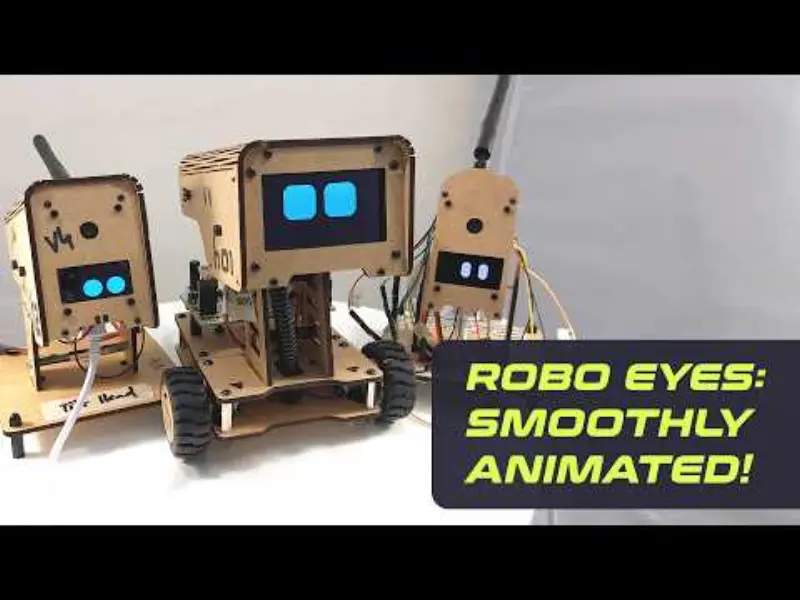
Bringing Personality to Robots with RoboEyes
The FluxGarage RoboEyes library is designed to give DIY robots a sense of personality and life through expressive, animated eyes. Built to run on OLED displays, the library leverages the widely-used Adafruit GFX library to render smooth transitions between different facial expressions and eye states. Whether you are building a companion bot, a desktop assistant, or a complex mobile robot, RoboEyes provides a straightforward way to implement visual feedback and emotional cues.
Versatile Eye Configurations
One of the core strengths of the library is its high degree of configurability. Developers are not limited to a single aesthetic; the library allows for the customization of eye width, height, and border radius. It even supports a “Cyclops” mode for single-eye robot designs. The spacing between eyes can be adjusted—even into negative values—to achieve specific character designs.
Beyond simple geometry, the library supports various moods and positions. You can set the robot’s expression to TIRED, ANGRY, HAPPY, or DEFAULT, and direct its gaze using cardinal directions (N, NE, E, etc.). For added detail, features like “curiosity” (where the outer eye height increases during lateral movement) and animated “sweat drops” can be toggled to enhance the robot’s reactive behavior.
Automated Animations and Macro Animators
RoboEyes simplifies the animation process by providing pre-built “oneshot” animations and continuous “macro animators.” Instead of manually calculating frame-by-frame movements, developers can trigger complex behaviors with single function calls:
- Oneshot Animations: Functions like
anim_confused()andanim_laugh()create immediate, expressive movements like shaking or bouncing. - Autoblinker: This macro animator handles random blinking intervals, making the robot feel more organic without requiring manual timing logic in the main loop.
- Idle Mode: This feature automatically repositions the eyes at random intervals, simulating a robot looking around its environment.
Technical Implementation
The library is designed to be non-blocking and easy to integrate into existing Arduino sketches. The update() function is called within the main loop and manages the drawing logic based on a defined maximum framerate. This ensures that animations remain smooth regardless of other processing tasks the microcontroller might be performing.
// Basic setup example
#include <FluxGarage_RoboEyes.h>

RoboEyes eyes;

void setup() {
  eyes.begin(128, 64, 30); // screen width, height, max framerate
  eyes.setAutoblinker(true, 3, 2); // random blink every 3-5 seconds
  eyes.setIdleMode(true, 5, 3); // random look around every 5-8 seconds
}

void loop() {
  eyes.update(); // handles all drawing and animation logic
}
Compatibility and Hardware
While primarily targeting monochrome OLED displays (like the SSD1306), the library also includes support for grayscale displays such as the SSD1322. By using setDisplayColors(), users can define background and foreground values appropriate for their specific hardware’s bit depth. Because it depends on the Adafruit GFX library, it maintains broad compatibility across various display drivers supported by that ecosystem.