Claude Buddy Pico
Claude Buddy Pico is a hardware mascot for Claude Desktop, ported from the original M5Stack version to the Raspberry Pi Pico 2 W. It features a 2.8-inch landscape display, Bluetooth Low Energy connectivity via BTstack, and physical buttons for approving or denying AI tool calls. The project utilizes the Pimoroni Pico library for peripheral management and includes custom 3D-printable CAD files for the enclosure.
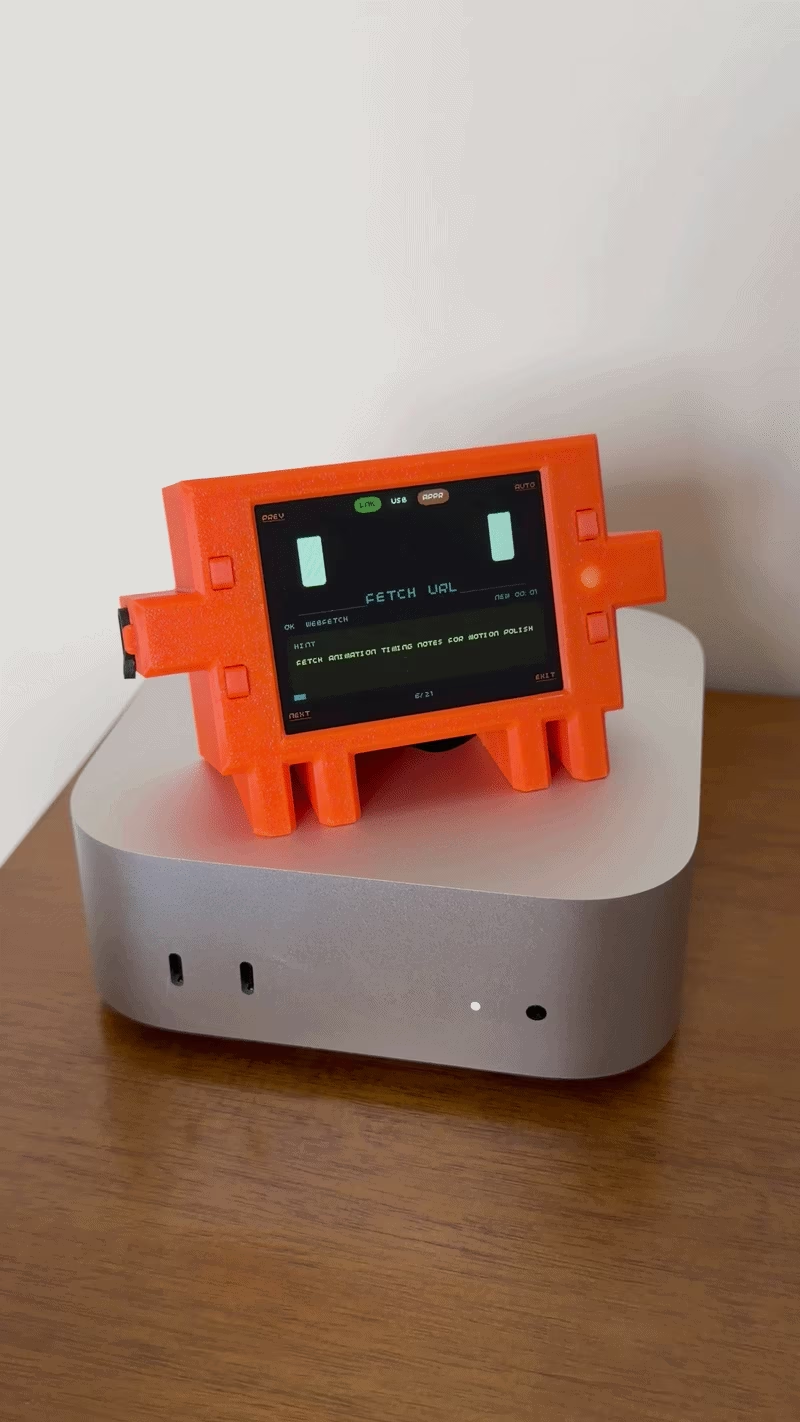
Claude Buddy Pico brings the Claude Code mascot to life as a playful, physical desktop companion. Originally developed by Felix Rieseberg for M5 ESP32 hardware, this project ports the experience to the Raspberry Pi Pico 2 W, upgrading the interface to a larger 2.8” display. The device sits alongside your computer, reacting to Claude Desktop’s actions with animated expressions and providing physical buttons to approve or deny tool calls via Bluetooth.
Hardware and Capabilities
The project is designed around the Raspberry Pi Pico 2 W and the Pimoroni Display Pack 2.8. While it can run tethered via USB, it supports untethered operation using an optional LiPo SHIM and a 2000 mAh battery. The physical enclosure is a custom 3D-printed case shaped like the “Clawd” character, with CAD files provided in both editable .step and printable .stl formats.
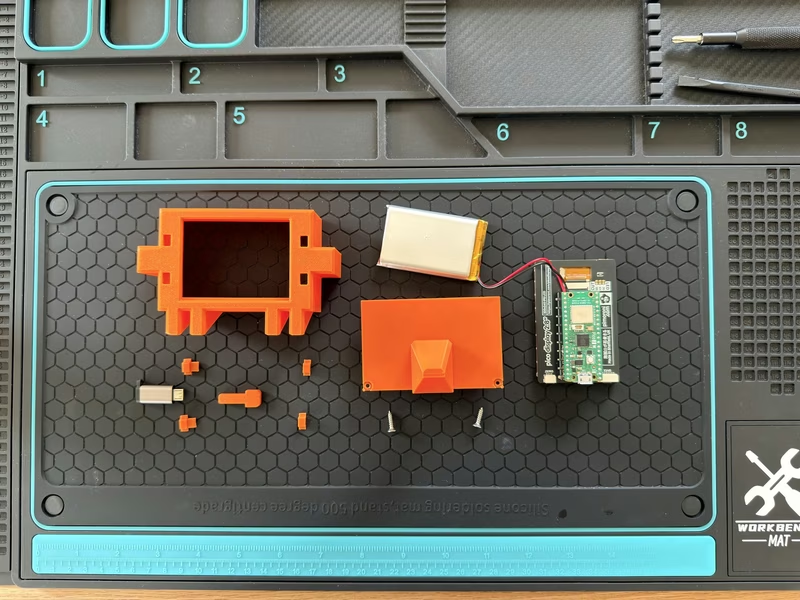
Key hardware features include:
- Landscape Display: A 320×240 resolution UI, moving away from the portrait orientation of the original M5Stack build.
- Physical Controls: Four front buttons (A, B, X, and Y) replace the original power-button semantics for navigation and interaction.
- BLE Protocol: Uses the standard Hardware Buddy protocol, allowing it to pair seamlessly with stock Claude Desktop sessions.
Technical Implementation
The firmware is built using the Raspberry Pi Pico SDK and the Pimoroni Pico library, which manages the ST7789 display driver, buttons, and RGB LEDs. Bluetooth functionality is handled by the BTstack library.
One of the primary departures from the upstream project is the removal of the IMU (Inertial Measurement Unit). Interactions that previously relied on physical movement, such as shaking the device to make the character dizzy or turning it face-down to trigger a “nap” mode, have been mapped to explicit button holds. For example, holding the ‘X’ button triggers the dizzy easter egg, while holding ‘Y’ manages the nap and wake states.
Firmware Architecture
The build system supports two distinct firmware paths from the same codebase:
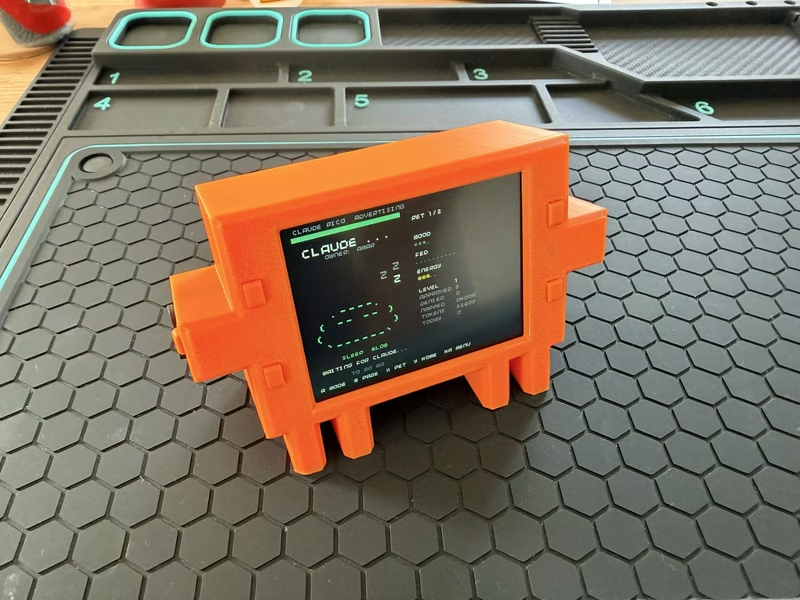
- Main Path (V2): This is the default animated UI, featuring face expressions, an animated pet, a dock clock, and a detailed permissions log.
- Basic Path (V1): A simplified, single-file UI monolith used during early bringup. It maintains the same BLE stack but provides simpler screens without animations, making it ideal for debugging the Bluetooth layer.
The repository also generates several diagnostic “smoke-test” builds to verify hardware integrity, including isolated tests for the display, buttons, LEDs, and the BLE protocol stack.
Integration with Claude Desktop
To use the device, users enable Developer Mode within the Claude Desktop application and navigate to the Hardware Buddy menu. The Pico identifies itself as “Claude Pico” during the Bluetooth Low Energy pairing process. Once connected, it provides a tactile interface for the AI’s tool call requests, with the ‘A’ button serving as the primary approval mechanism and the ‘B’ button used for denials.
Related Projects
Clawdmeter Plus
An embedded desk display project using the Waveshare ESP32-S3-Touch-AMOLED-2.16 to track live Claude Code usage, local weather, and background agent health. The system leverages the LVGL graphics library for its UI and connects to a host computer via Bluetooth LE using the NimBLE stack.
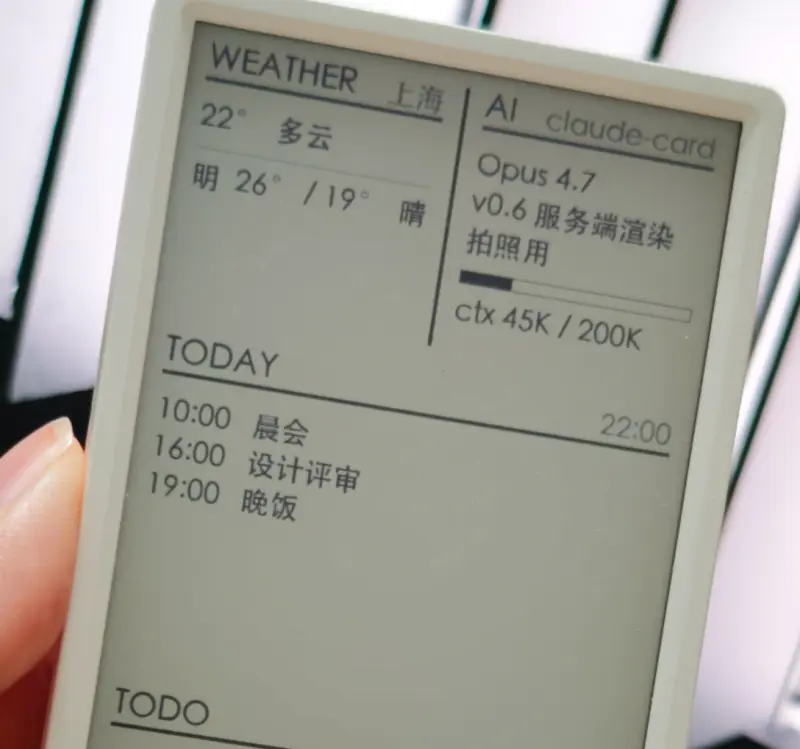
AI Desk Card
A secondary e-ink desk display designed for AI Agents like Claude Code and Codex, utilizing the M5Paper V1.1 hardware. The project features a Python-based daemon for server-side rendering and an ESP32 firmware that supports Wi-Fi, BLE, and USB communication.
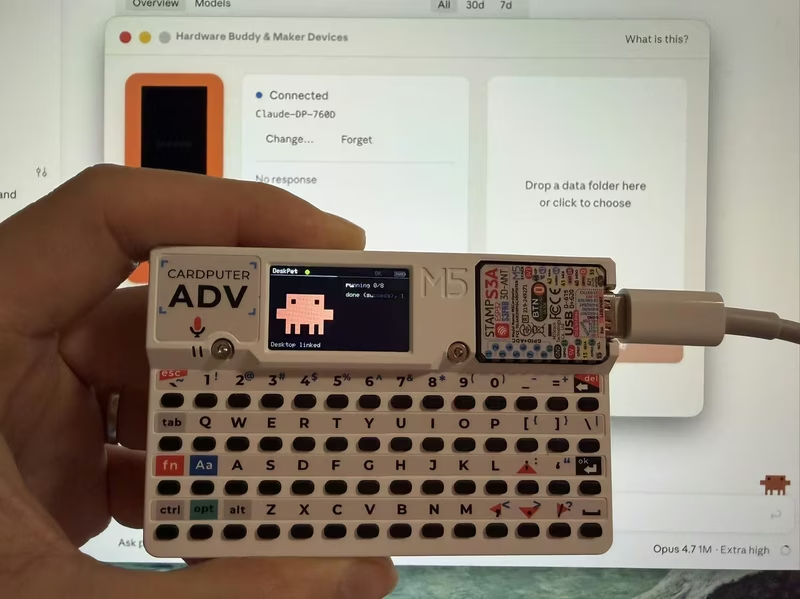
DeskPet
DeskPet is a pixel-art companion for the M5Stack Cardputer that synchronizes with Claude Code sessions via Bluetooth Low Energy. Built on the ESP32-S3 using the Arduino framework and NimBLE, it provides real-time visual feedback on AI agent states, including task progress, token usage, and permission approvals directly from the device's keyboard.
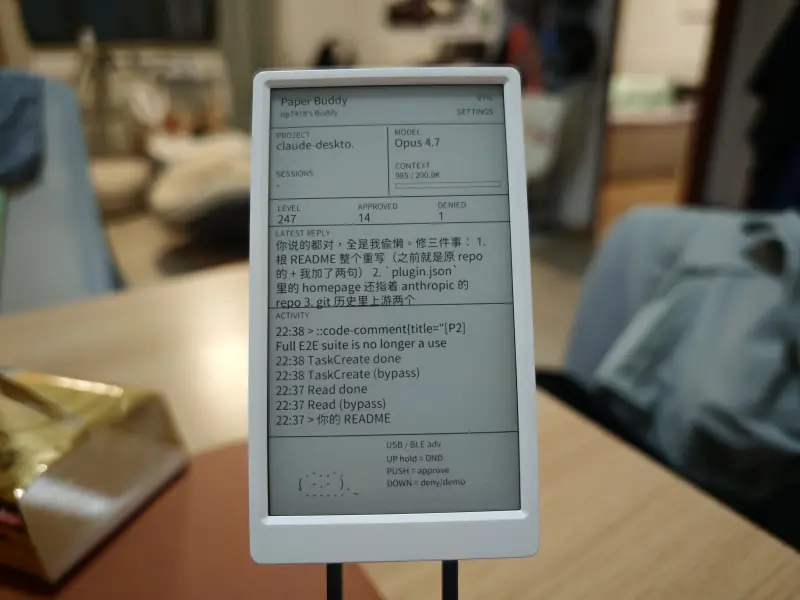
M5Paper Buddy
A physical companion device for the Claude Code AI assistant, utilizing the M5Paper V1.1 e-ink display. It features real-time session mirroring, hardware-based tool approval, and touch-screen interactions powered by ESP32 and a Python-based daemon.
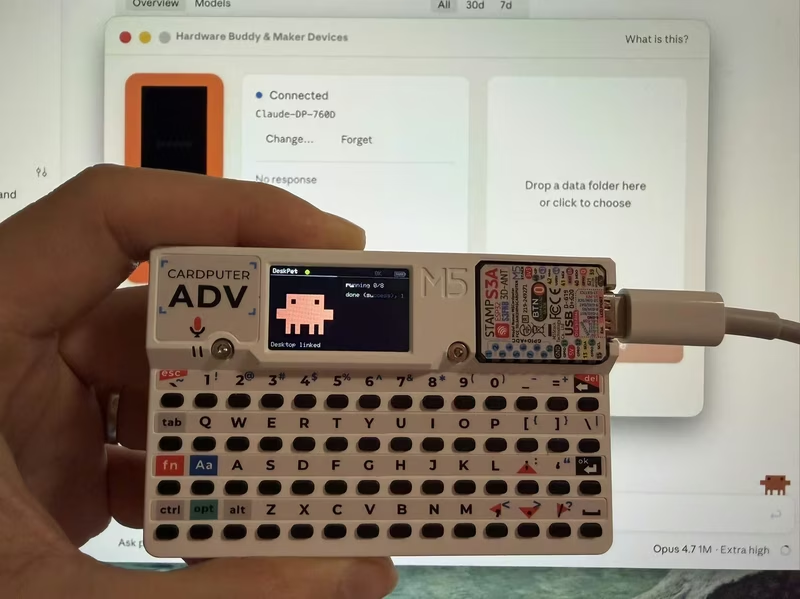
DeskPet for M5Stack Cardputer
DeskPet is a pixel-art companion for the M5Stack Cardputer that synchronizes with Claude Code sessions via Bluetooth Low Energy (BLE). Built on the ESP32-S3 using the NimBLE stack and ArduinoJson, it provides real-time visual feedback and hardware-based command approval for AI agent workflows.
Clawy
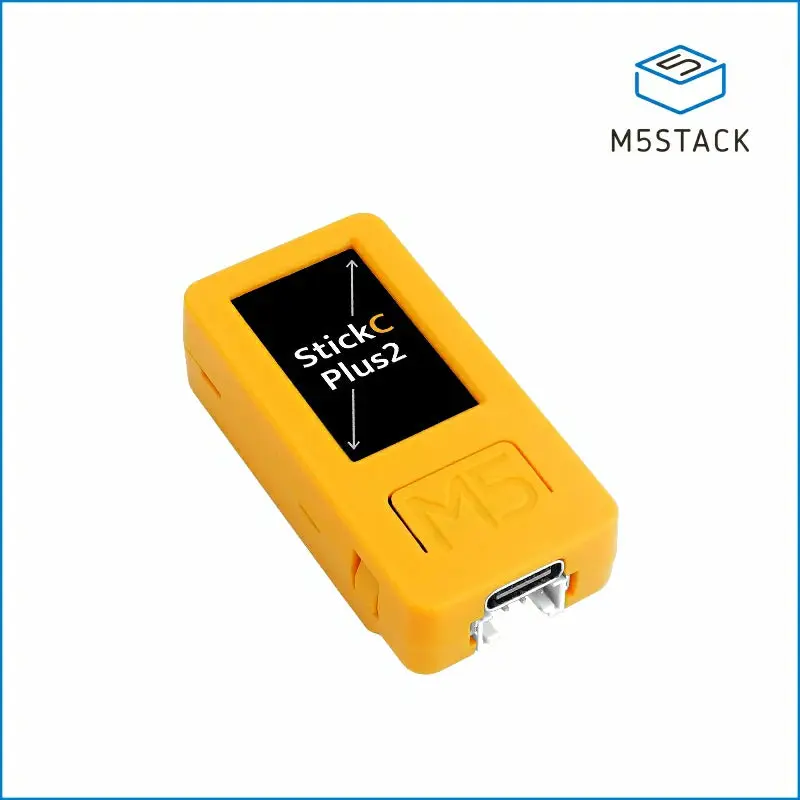
Clawy is an interactive JRPG-style desktop companion for Claude Code sessions that runs on an M5StickC Plus 2. It utilizes Claude Code hooks to provide real-time visual feedback, session statistics, and physical hardware controls for approving AI tool executions via a local WiFi connection.