BLE-based Wi-Fi Provisioning for Raspberry Pi Pico W / Pico 2 W
This project demonstrates how to configure Wi-Fi credentials on a Raspberry Pi Pico W or Pico 2 W using Bluetooth Low Energy (BLE). It implements a custom GATT-based protocol using the BTstack and lwIP libraries to securely receive SSIDs and passwords from a mobile device.
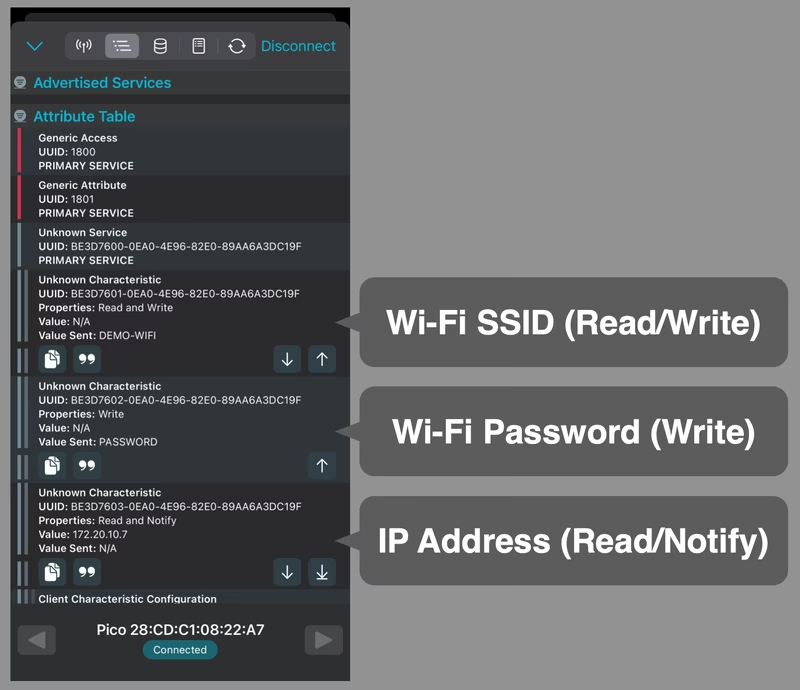
This repository demonstrates a practical method for configuring Wi-Fi on a Raspberry Pi Pico W or Pico 2 W using Bluetooth Low Energy (BLE). By using a generic BLE client, such as nRF Connect on a smartphone or PC, users can wirelessly transmit the Wi-Fi SSID and password to the microcontroller, enabling it to join a local network without hardcoded credentials.
Features and Capabilities
The implementation provides a streamlined workflow for network setup. It receives the SSID and password via BLE and initiates a Wi-Fi connection. Once a connection is established, the acquired IP address is provided back to the client through BLE read and notify operations. The system also supports credential updates, which automatically trigger a reconnection process.
The project uses a custom GATT-based protocol rather than a standardized profile. For security, it employs “Just Works” pairing, which provides encryption without the complexity of authentication. This setup serves as a robust proof of concept for IoT device onboarding.
Technical Requirements
To interact with the device, a BLE-capable smartphone or PC is required. Generic BLE debugging software, such as nRF Connect for Mobile, is recommended for sending and receiving data.
The firmware is built using the Raspberry Pi Pico SDK. It leverages the BTstack library for BLE communication and the lwIP stack for network management. The build process generates a standard UF2 binary that can be flashed to the Pico W by dragging and dropping the file in BOOTSEL mode. Once powered, the device automatically begins advertising its presence over BLE.
How to Use via BLE
Using the system involves connecting to a BLE device typically named “Pico” followed by its MAC address. Because the project uses custom UUIDs, the characteristics will appear as “Unknown” in standard BLE tools. Users should identify the correct characteristics using the provided UUID table.
The protocol relies on three specific characteristics:
- SSID (BE3D7601-…): A read/write characteristic for the network name.
- Password (BE3D7602-…): A write-only characteristic for the network key.
- IP Address (BE3D7603-…): A read/notify characteristic that provides the assigned IP once connected.
After writing the SSID and password in UTF-8 format, the Pico W attempts to authenticate with the access point. Successful connection is indicated by the onboard LED lighting up and the assignment of an IP address, which can then be verified through the BLE app.
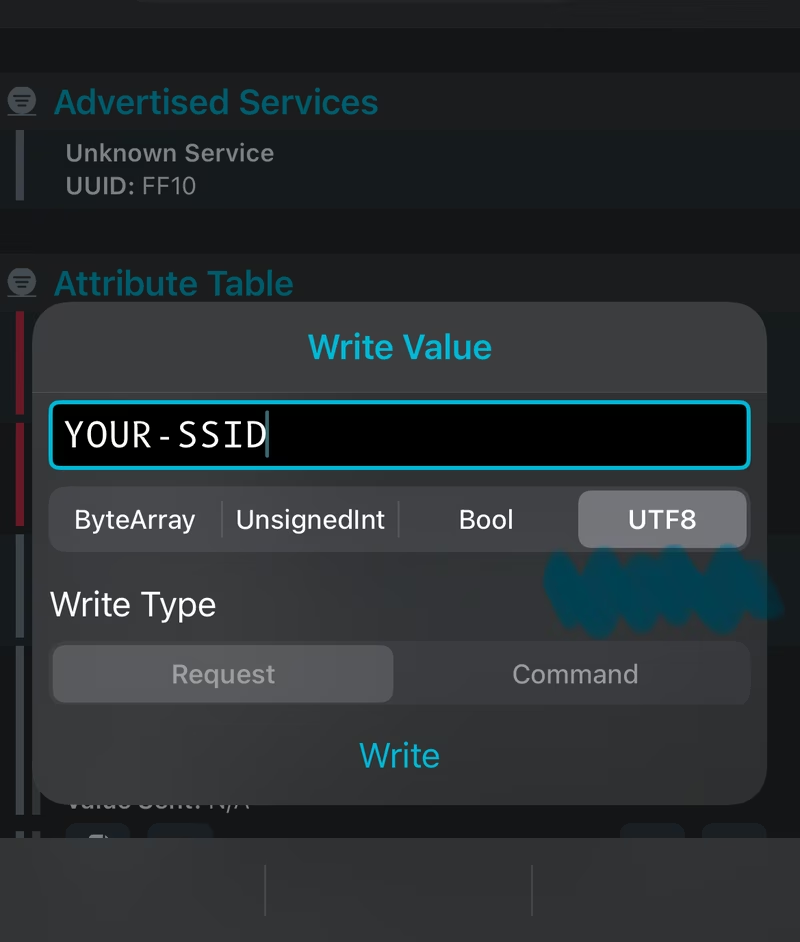
Once connected, the device remains responsive to BLE commands, allowing for monitoring or reconfiguration if the network environment changes.
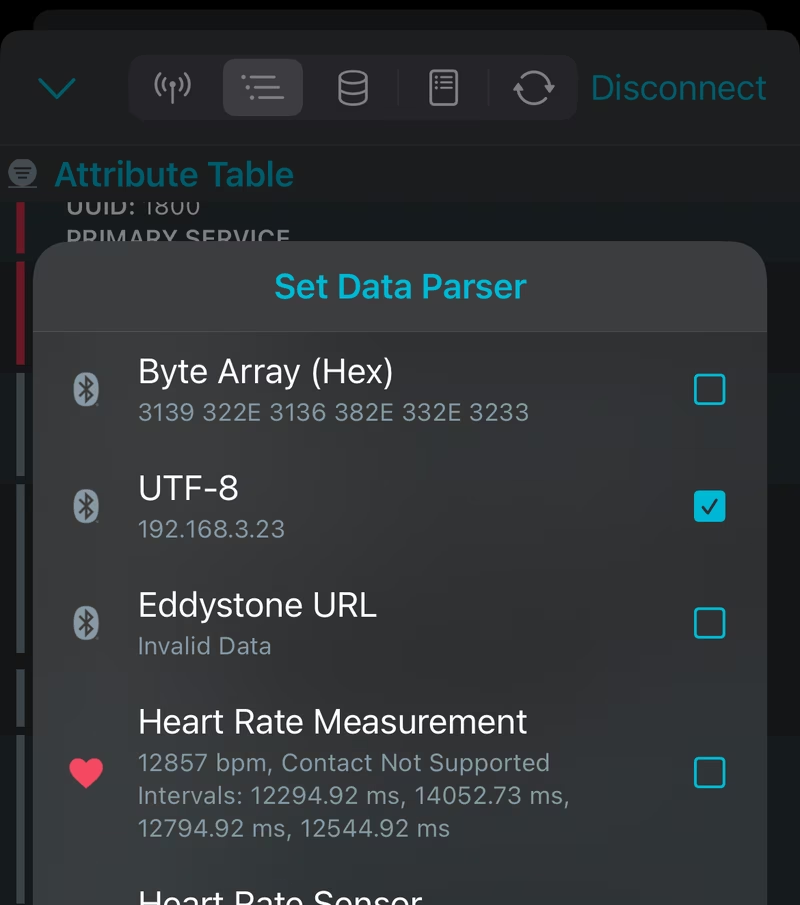
The firmware also functions as a USB serial device, allowing developers to monitor debug logs and connection status via a serial terminal (such as minicom or PuTTY) at a baud rate of 115200.