AdaSpace3D
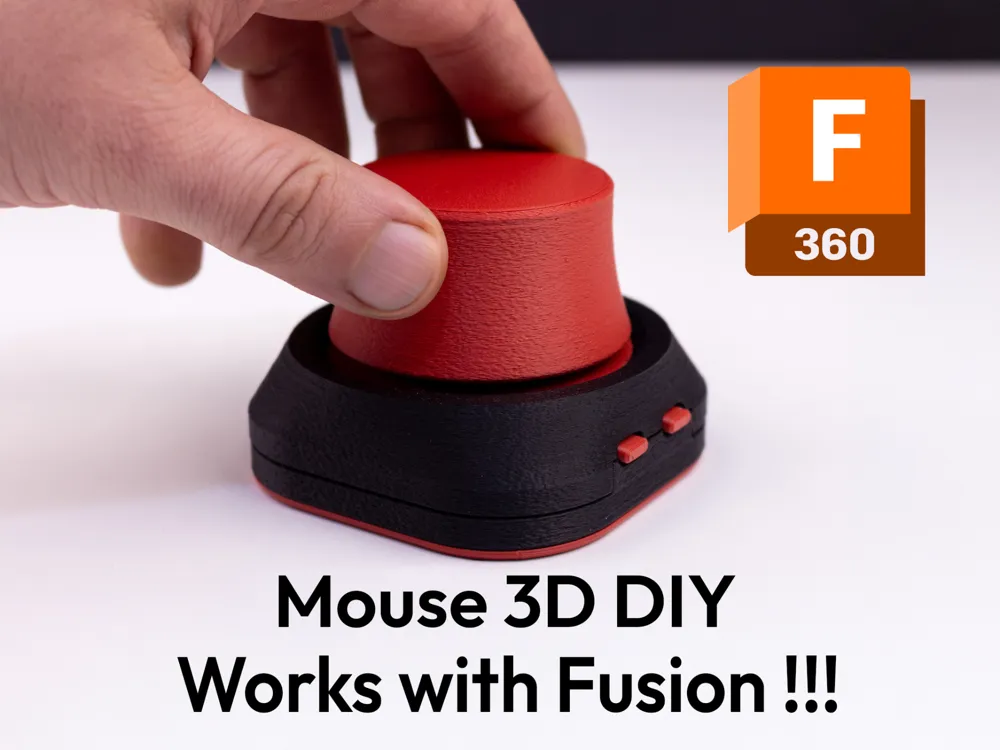
A firmware replacement for DIY SpaceMouse devices using the RP2040 microcontroller and TLx493D magnetic sensor. It provides native 3DConnexion driver support by emulating the official USB protocol, enabling smooth 5DOF navigation in 3D software like Fusion360 and Blender.
Overview
AdaSpace3D is a specialized firmware upgrade designed for DIY SpaceMouse builds. While many DIY solutions rely on basic mouse or keyboard emulation to navigate 3D environments, AdaSpace3D takes a different approach by providing native 3DConnexion driver support. By emulating the official USB protocol of a SpaceMouse Pro Wireless, it allows DIY hardware to be recognized directly by professional 3D software, resulting in significantly smoother navigation and better compatibility with industry-standard tools like Fusion360, Blender, and OrcaSlicer.
Native Driver Support
The core innovation of AdaSpace3D is its implementation of the 3DConnexion USB protocol. This allows the device to communicate directly with official drivers on Windows and macOS. This native integration eliminates the need for complex keybinding setups or glitchy shortcut emulation. Users can utilize the standard 3DConnexion control panel to adjust sensitivity, invert axes, and map buttons, just as they would with a genuine commercial device.
Hardware Integration and Features
The firmware is optimized for the RP2040 microcontroller, specifically the Adafruit QT Py RP2040, paired with an Infineon TLx493D 3D magnetic sensor.
Key technical features include:
- 5DOF Navigation: Supports smooth X, Y, Z translation along with Pitch and Roll rotation.
- Unified Sensor Detection: The code automatically detects whether the TLx493D sensor is connected via the Stemma QT (Wire1) or soldered headers (Wire).
- Reactive Lighting: Includes a dual-drive LED system supporting both addressable NeoPixels (WS2812) and standard PWM LEDs. The lighting is “reactive,” meaning it can glow dimly at rest and brighten dynamically as the user moves the knob.
- Sensor Watchdog: To ensure reliability, the firmware includes a watchdog mechanism that monitors I2C communication and automatically resets the sensor if it detects a hang or frozen readings.
Configuration and Customization
AdaSpace3D is designed to be user-friendly for makers. Most customizations are handled within the UserConfig.h file, allowing users to tweak the device’s behavior without diving into the core logic.
// Example configuration in UserConfig.h
#define LED_MODE            2      // 2 = Reactive (Dim resting, Brightens on movement)
#define LED_COLOR_R         0
#define LED_COLOR_G         255
#define LED_COLOR_B         255    // Cyan

#define CONFIG_TRANS_SCALE  150.0  // Sensitivity adjustment
Users can define their own deadzones, scaling factors for translation and rotation, and LED color schemes. The firmware also maps physical buttons to HID buttons 13 through 16, which can then be programmed within the 3DConnexion software to trigger specific macros or tool toggles.
The Build System
To simplify the deployment process, the project includes a “One-Click” build system for Windows. This system utilizes a PowerShell script (builder.ps1) and a batch file (FLASH.bat) to automate the entire environment setup. It downloads the Arduino CLI, installs the necessary RP2040 cores and libraries (TinyUSB, NeoPixel, and Infineon Sensor libraries), compiles the code with the correct USB Vendor and Product IDs, and flashes the resulting UF2 file to the device. This approach removes the barrier of manually managing library dependencies and compiler configurations.