MicroPython
v1.29.0Features
-
Implements Python 3.4 syntax including exceptions, ‘with’, and ‘yield from’ statements.
-
Supports ‘async’ and ‘await’ keywords from Python 3.5 for asynchronous programming.
-
Includes a core Python compiler and runtime that can execute scripts directly on-device.
-
Provides a cross-compiler (mpy-cross) to turn scripts into precompiled bytecode (.mpy) for faster execution.
-
Supports freezing Python scripts into the firmware executable to significantly reduce memory usage.
-
Offers hardware-specific modules for low-level control of GPIO, Timers, ADC, DAC, and PWM.
-
Includes built-in support for communication protocols including SPI, I2C, UART, CAN, and I2S.
-
Provides networking capabilities through dedicated socket, ssl, and network modules.
-
Supports multithreading on select hardware ports via the _thread module.
-
Includes a comprehensive asyncio implementation for cooperative multitasking.
-
Features an interactive REPL (Read-Eval-Print Loop) for real-time programming and debugging.
-
Supports on-device filesystems for script storage and data logging.
-
Provides specialized modules for Bluetooth (BLE) and USB Device functionality.
-
Allows extending the language with custom modules implemented in C via the extmod system.
-
Includes advanced hardware support for Pulse Counters and Quadrature Encoders on specific architectures.
-
Targets devices with as little as 256kiB flash and 16kiB RAM.
Architecture
MicroPython is designed with a highly modular architecture that separates the core Python language implementation from platform-specific hardware logic. The system is centered around the py/ directory, which contains the core compiler, runtime, and virtual machine (VM). This core is written in highly portable C and is responsible for parsing Python source code, generating bytecode, and managing the object model and garbage collection.
To support diverse hardware, MicroPython utilizes a Ports system. Each port (found in the ports/ directory) contains the glue code necessary to interface the core VM with a specific microcontroller’s Hardware Abstraction Layer (HAL) or an operating system. Additionally, the extmod/ directory provides optional C-based modules that implement non-core functionality, such as filesystem support, networking stacks, and specialized hardware protocols, ensuring that the core remains lean while allowing for feature-rich builds.
Core Components
- py/: The core Python implementation, including the compiler, runtime, and core library.
- mpy-cross/: A cross-compiler tool used to pre-compile Python scripts into bytecode for embedded execution.
- ports/: Platform-specific code for various architectures (e.g., STM32, ESP32, RP2).
- extmod/: Non-core modules implemented in C for performance and hardware access.
- lib/: Submodules for external dependencies and vendor-provided HALs.
Use Cases
This library is ideal for:
- IoT Development: Rapidly creating connected devices using high-level networking and security modules like
socket,ssl, andmqtt. - Rapid Prototyping: Using the interactive REPL to test hardware peripherals and logic in real-time without the need for a full compile-flash-reboot cycle.
- Education: Teaching Python programming and electronics simultaneously on affordable, physical hardware.
- Industrial Automation: Implementing complex control logic, sensor data processing, and communication protocols (CAN, Modbus) on robust microcontroller platforms.
- Embedded Scripting: Adding a user-accessible scripting interface to existing C/C++ projects by embedding the MicroPython engine.
- Low-Power Monitoring: Utilizing deep-sleep modes and hardware interrupts to create battery-operated sensor nodes.
Getting Started
To begin developing with MicroPython, the first step is typically to build the cross-compiler by running make within the mpy-cross/ directory. Following this, you can navigate to the specific port directory corresponding to your hardware (e.g., ports/stm32/) and run make submodules followed by make to generate the firmware image. Once flashed, the device provides a Read-Eval-Print Loop (REPL) over a serial connection, allowing for immediate Python command execution.
Comprehensive documentation, including API references for hardware-specific modules like machine and network, is available at the official MicroPython documentation site. For community support and project discussions, developers are encouraged to use the GitHub Discussions and the official Discord server.
Related Projects (140)
View All 140 Projects →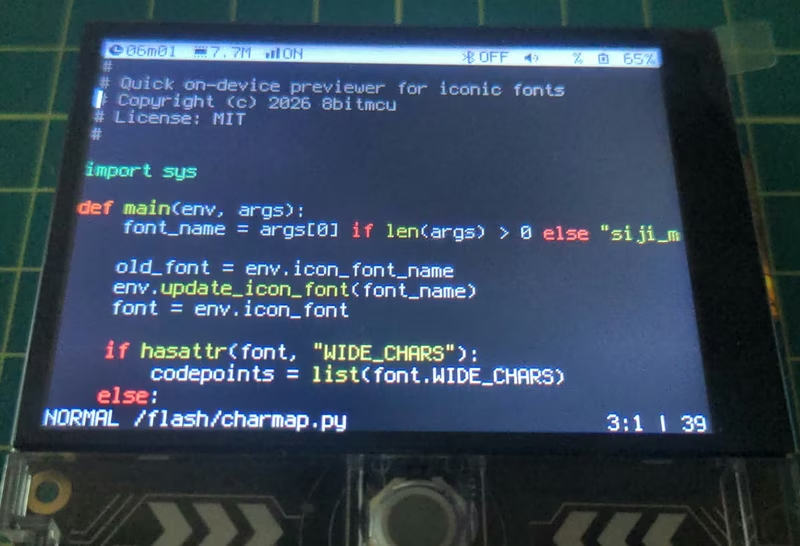
vtOS: A Terminal-Based Hobby Firmware
vtOS is a MicroPython-based firmware that transforms the LilyGO T-Deck handheld into a portable terminal computer. It features a custom shell with integrated clients for SSH, FTP, IRC, and Gemini, alongside local utilities like a vi-style editor and a TUI file manager. The project leverages FreeRTOS via the ESP-IDF framework and provides deep integration with the T-Deck's hardware, including its keyboard, trackball, and LoRa radio.
MicroPython on the Super Nintendo
This project ports MicroPython v1.28.0 to the Super Nintendo Entertainment System (SNES), enabling the compilation and execution of Python code directly on its 3.58 MHz 65816 processor. It features a custom bare-metal layer, a battery-backed SRAM filesystem, and integrations for sprite-based gaming and graphical user interfaces.
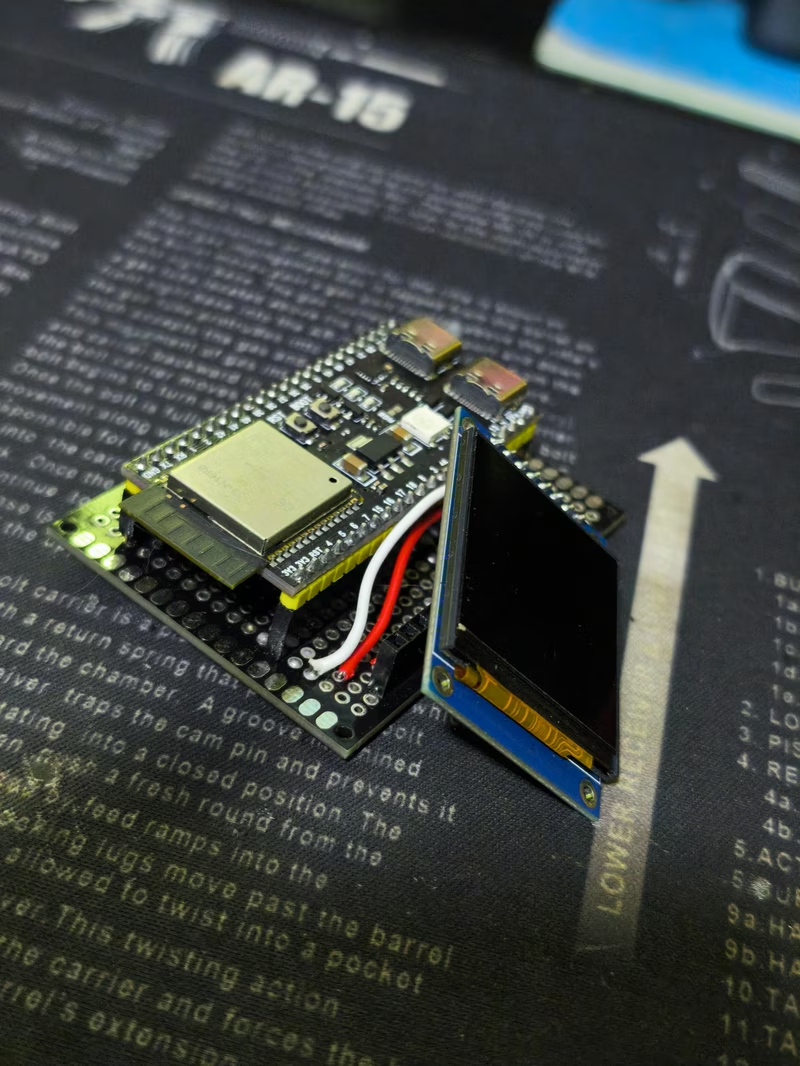
NX-Radar-CS2-DMA: External Hardware Radar for Counter-Strike 2
A hardware-assisted radar system that uses a Windows kernel driver to stream Counter-Strike 2 game data to an ESP32-S3. The project bypasses user-mode anti-cheat restrictions by reading memory at Ring 0 and rendering player positions on an external ST7789 SPI display.
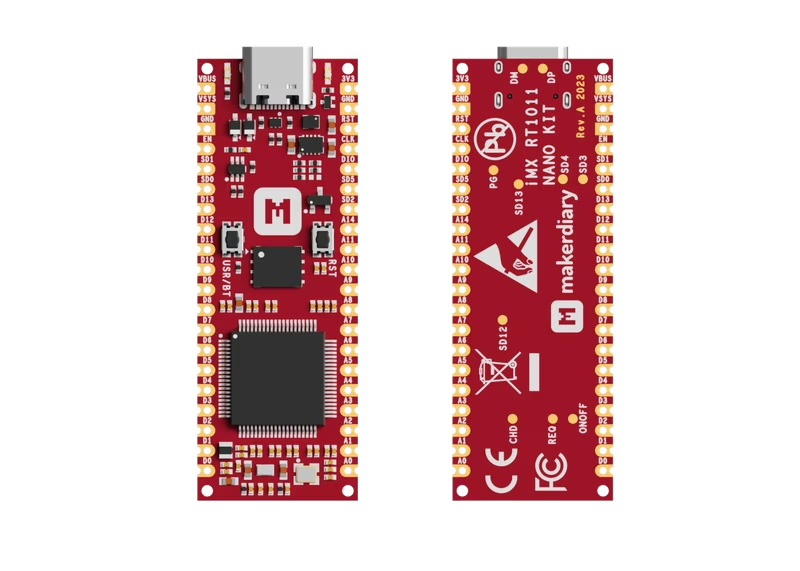
iMX RT1011 Nano Kit
A high-performance development board featuring the NXP iMX RT1011 Crossover MCU with an ARM Cortex-M7 core running at 500MHz. It supports the Zephyr RTOS and Python environments, offering 128 KB RAM, 128 Mb QSPI Flash, and a compact USB-C form factor for rapid prototyping.
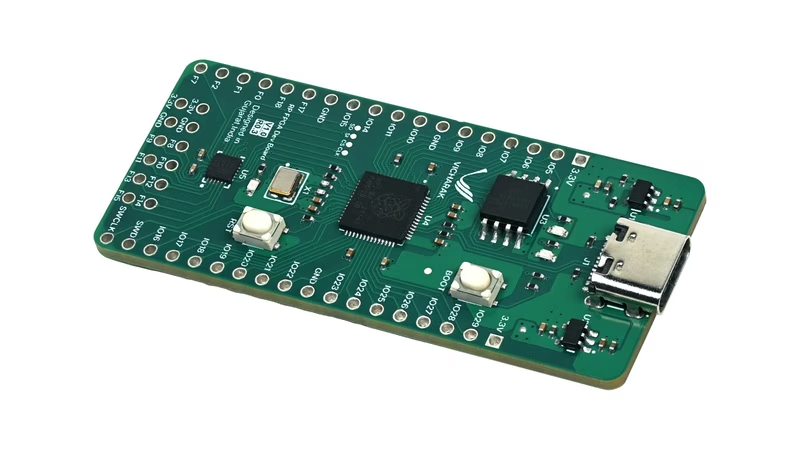
Shrike FPGA Development Boards
Shrike is a family of low-cost, open-source FPGA development boards paired with microcontrollers like the RP2040, RP2350, and ESP32-S3. These boards feature a Renesas FPGA with 1120 LUTs, designed to bridge the gap between embedded microcontrollers and reconfigurable logic for learners and hobbyists.
M5Stack Toys
A collection of creative embedded projects for the M5Stack ecosystem, featuring real-time audio processing, BLE-based telemetry, and robotics. The projects leverage the ESP32-based M5Unified library and MaixPy to implement features like voice-controlled rovers, hardware monitors, and camera streaming.
STM32F103 Quadruped Robot
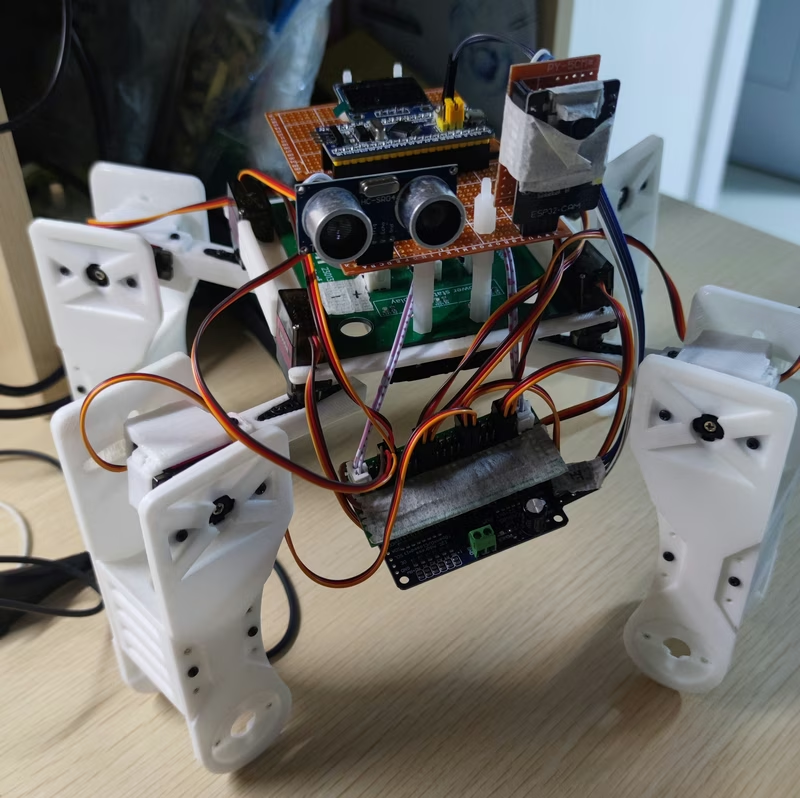
A sophisticated quadruped crawling robot powered by an STM32F103C8T6 microcontroller and an ESP32-CAM for real-time vision and remote connectivity. It utilizes FreeRTOS for multi-tasking and MicroPython for the wireless communication stack, supporting both cloud-based MQTT control via a mobile app and local control through a web interface.
MicroPython JPEG
A high-performance JPEG decoder and encoder module for MicroPython, specifically optimized for the Espressif ESP32 platform. It leverages the ESP-IDF component system to provide fast, memory-efficient image processing with support for block decoding, scaling, and rotation.